The 8 Best 4K Streaming Devices
Updated by · How we research

Dolby Vision, Wi-Fi speed, ads and price decide it. We compared eight 4K sticks and boxes from Roku, Google and Amazon; the Fire TV Stick 4K Plus leads. When users buy our independently chosen editorial recommendations, we may earn commissions to help fund the Wiki.
A streaming stick can only send true 4K when everything in the chain keeps up: the TV, its HDMI port, the cable, your streaming plan and an internet connection of roughly 15 megabits per second, which is what Netflix recommends. If your TV's own apps feel slow, crash or no longer get updates, a plug-in player is a cheap fix.


Editor's Notes
November 1, 2026, by Ezvid Wiki Admin:
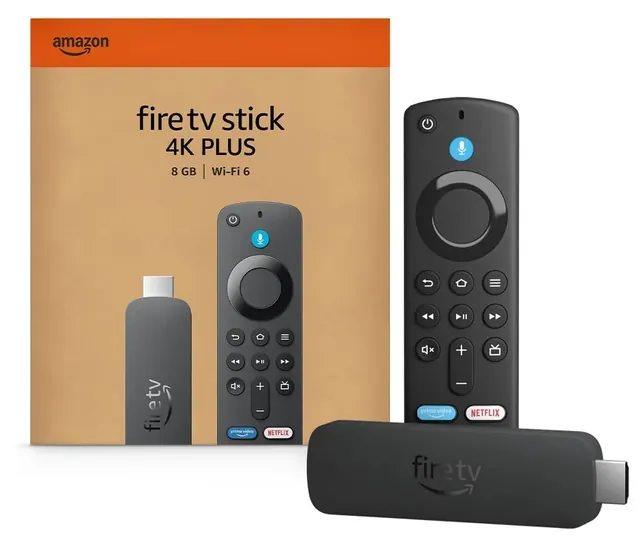
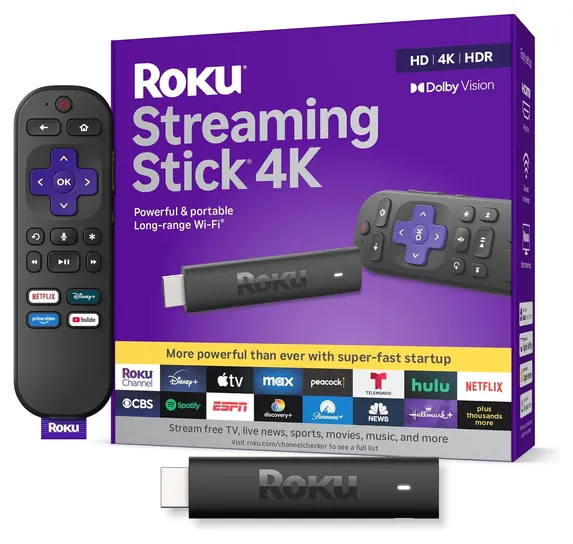
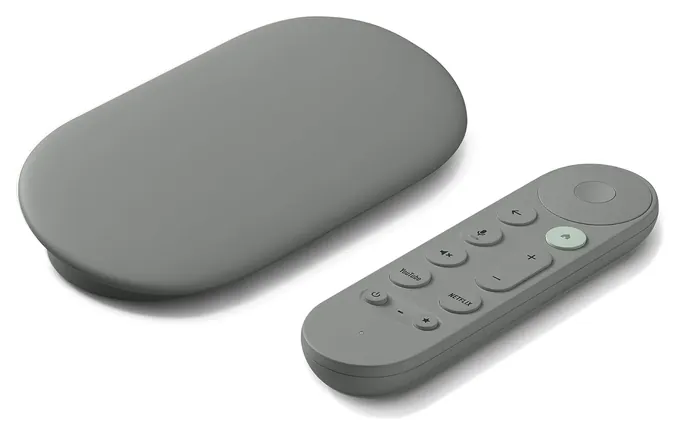
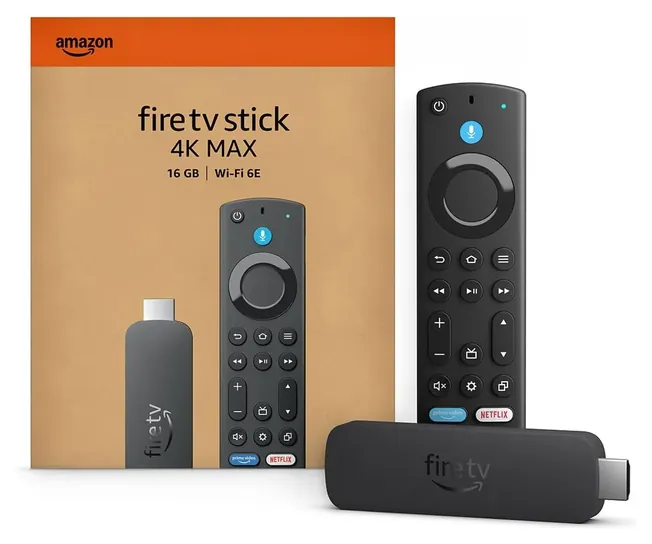
The Fire TV Stick 4K Plus leads now. It plays both big HDR formats, Dolby Vision and HDR10+, and runs the TV from its remote for far less than a set-top box. The Google TV Streamer is the choice for homes with a stack of subscriptions, and the Roku Streaming Stick 4K remains the simplest to live with.
The old list dated from 2020, and nearly all of it had been discontinued or replaced. The Chromecast Ultra, Roku Premiere, the 2017 Apple TV and the Ematic Jetstream are gone. The Roku Streaming Stick+, Roku Ultra and Fire TV Cube have newer versions, which appear here as fresh entries, and the TiVo stick hasn't kept pace. The Nvidia Shield TV moves to the honors because we found no in-stock offer to link, and the new Apple TV 4K joins it.
For this category, the useful evidence was Netflix's own rules for 4K playback, the makers' spec pages, and roundups from Engadget, Best Buy and Tom's Guide, plus a recall check on every brand. One pattern ran through all of it: Fire TV sticks show more ads than Roku or Google players.
August 21, 2020:
When it comes to 4K streaming, it's often best to avoid generic TV boxes or anything running open-source Android TV because they tend to not perform well or have certification for use with some important streaming services. The Ematic Jetstream is one that appears to be yet another copy of one of these, but in fact it does feature Widevine DRM certification and is a great choice for using with Kodi.
All the rest of these cord-cutting devices come from well-known and respected brands. The TiVo RA2400, for example, comes from one of the first companies to bring digital, non-physical home media to the mainstream many years ago. Today, the Roku Ultra, Roku Premiere , and Roku Streaming Stick+ all have the kind of brand recognition that TiVo did so long ago, and for good reason - their operating system is repeatedly lauded for its ease of use. The Streaming Stick+ is the best choice for most users, but sticklers for menu performance and advanced features might want to invest int he Ultra. Anyone willing to make an even more significant investment should consider the Apple TV, which is often regarded as the most streamlined, but is about the most expensive.
The Google Chromecast Ultra is an interesting choice because of its simplicity, although it's not quite as streamlined as the rest. The Amazon Fire TV Stick is easy to use and quite inexpensive; while it doesn't have quite the same app library as many others, it's a perfectly good choice for most users. Again, those who demand higher general use performance should consider the upgraded Amazon Fire TV Cube.
However, it's hard to top the Nvidia Shield Pro. Yes, it is costly, but if you want one high-powered device that can do an impressive amount of things well, this is the one to choose. It has far and away the most powerful hardware inside of any on our list, and it's a great choice for gamers who want to stream titles from their high-end PC to their living room TV.
January 09, 2019:
The heavy hitters in this category come from brands we expected to see, with Roku, Amazon, and Apple among the top ranks. NVIDIA's Shield system remains rather viable as well, while a few of the more suspicious KODI boxes stand out from within a sea of comparable brand-X options. Despite having better specs in some cases, these tend to have issues with their open source software bugging out on people.
Special Honors
Apple TV 4K Apple's box suits homes built around iPhones, AirPlay and Apple's services, and it gets software updates for years. Apple announced a new model with a faster chip, Wi-Fi 7 and a wired network port, set to ship in November 2026. It costs far more than a stick, and it needs an HDMI cable of its own. apple.com
Nvidia Shield TV Nvidia's long-running Android TV box remains a favorite of home-theater fans who play their own movie files from a home server, and of gamers who stream PC games. Its hardware dates from 2019 and its interface looks dated, but it still sharpens HD video to fit a 4K screen well. Check Nvidia's site for current sellers. nvidia.com
Getting Real 4K To Your Screen
And a stick that keeps rebooting is often short of power: plug it into the wall adapter in the box instead of the TV's USB port.
A 4K player is only one link in a chain. Netflix says every part has to support the quality you want: the device, the TV, the HDMI port and the cable (Netflix Help). In practice that means plugging the player into an HDMI port that supports HDCP 2.2, the copy protection 4K shows require, and using a cable sold as Premium High Speed or Ultra High Speed. Your plan matters too: Netflix streams 4K only on its top tier.
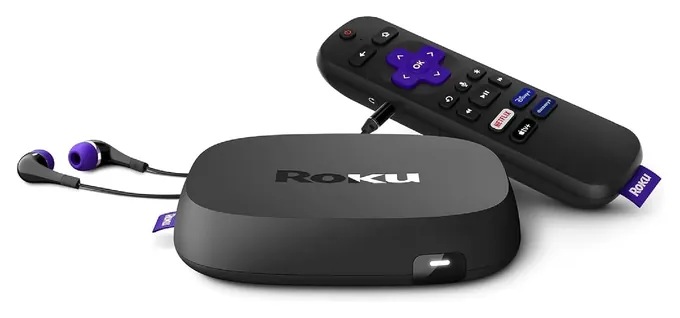
Speed is the other limit. Netflix recommends a steady 15 megabits per second or more for Ultra HD (Netflix Help). If the picture drops to HD in the evening, the cause is usually the home network or the internet plan, not the stick. A player with Ethernet, such as the Google TV Streamer or Roku Ultra LT, removes Wi-Fi from the equation.
Two quick checks save returns. A 4K stick won't make a 1080p TV any sharper, though it still works on it. And a stick that keeps rebooting is often short of power: plug it into the wall adapter in the box instead of the TV's USB port.
Dolby Vision, HDR10+ And Which One Your TV Uses
HDR, or high dynamic range, is where 4K pictures gain their punch: brighter highlights and richer color. Two competing formats carry extra scene-by-scene picture data. Dolby Vision is used by many LG, Sony, TCL and Vizio TVs, while Samsung backs HDR10+ instead. Every player here handles the basic HDR10 layer, so the picture still works either way, but you get the most from a TV when the player speaks its preferred format.
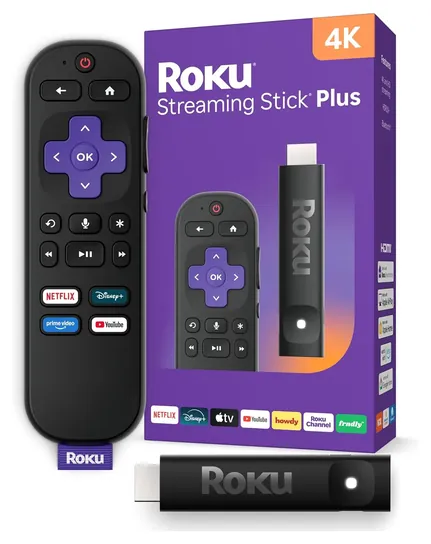
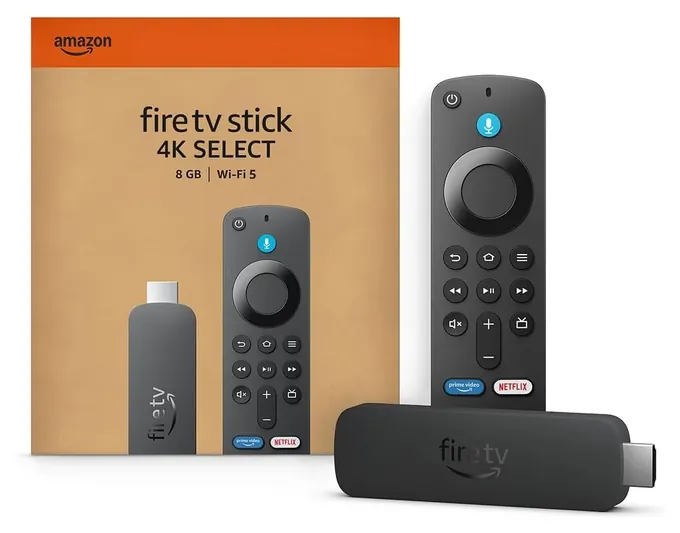
Best Buy's guide makes the same split for buyers: the Fire TV Stick 4K Select is its cheapest route to 4K but lacks Dolby Vision, while the Roku Streaming Stick 4K and Fire TV Stick 4K Plus add it at a low price (Best Buy). The Roku Streaming Stick Plus also skips Dolby Vision, which Engadget notes even as it praises the stick's value (Engadget).
If you don't know what your TV supports, look up its model number on the maker's support page. Most spec sheets list the HDR formats near the resolution.
Sticks, Boxes And The Home Screen You Live With
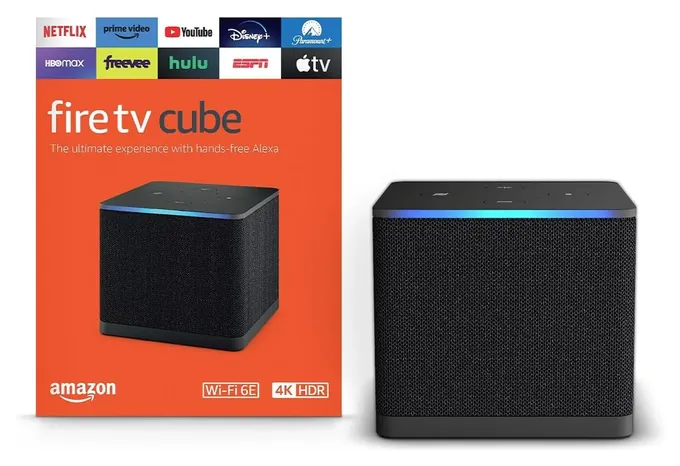
Sticks plug straight into an HDMI port and hide behind the TV. Boxes sit on a shelf and usually add Ethernet and more memory, which helps big apps open quickly. The Fire TV Cube adds a speaker and microphones for hands-free voice control, and it can switch to a cable box through its HDMI input.
The bigger difference is the software you see every day. Fire TV home screens put Prime Video and paid promotions up front, a point Engadget raises against the Fire TV Stick 4K Max (Engadget). Roku keeps a plainer grid and leans on free live channels, which is why Tom's Guide ranks the Roku Streaming Stick Plus first (Tom's Guide). Google TV pulls shows from all your services into one row of suggestions. All three platforms track viewing to target ads, and each lets you limit ad tracking in its privacy settings.
Skip the "fully loaded" or "jailbroken" sticks and boxes sold online with free movies and channels. They rely on pirated streams, can carry malware, and can stop working without notice. Buy from the maker or a known store.
How we researched this
We compared 18 current 4K streaming sticks and boxes, read the makers' specifications and Netflix's requirements for 4K playback, weighed roundups from Engadget, Best Buy and Tom's Guide, looked at owner feedback patterns, and checked every brand against the U.S. Consumer Product Safety Commission's recall records. Prices were checked on November 1, 2026.
Frequently asked questions
Do I need a 4K TV to use a 4K streaming stick?
No. A 4K stick works on any TV with an HDMI port and sends the best resolution the TV can show. You only see 4K on a 4K TV, with a 4K plan and a fast enough connection.
Is a streaming stick worth it if my TV is already smart?
Often, yes. TV makers stop updating their app software after a few years, and built-in apps can get slow or disappear. A stick brings current apps and a faster menu. If your TV's apps still run well, you may not need one.
How fast does my internet need to be for 4K streaming?
Netflix recommends at least 15 megabits per second for Ultra HD. Other services ask for similar speeds. If several people stream at once, you need more.
Which streaming device has the best picture quality?
Any current 4K player sends the same 4K stream. What changes the picture is HDR support: choose a player with Dolby Vision if your TV uses it, such as the Fire TV Stick 4K Plus, Roku Streaming Stick 4K or Google TV Streamer.
Do 4K streaming devices charge a monthly fee?
No. The stick or box is a one-time purchase. Services such as Netflix or Disney+ charge their own fees, and free apps such as Tubi, Pluto TV and The Roku Channel show ads instead.