The 10 Best Capture Cards
Updated by · How we research

Eighteen capture cards for consoles, PCs, cameras and old tapes, compared on recording and passthrough. The Elgato Game Capture 4K S suits most streamers. When users buy our independently chosen editorial recommendations, we may earn commissions to help fund the Wiki.
The big number on a capture card's box usually describes the picture it passes to your TV, not what it records. Many cards save HDR only in full HD, and none will record copy-protected video such as Netflix. This guide covers console streamers, desktop builders, people who film with a real camera and anyone saving old tapes.
At a Glance


Editor's Notes
October 23, 2026, by Ezvid Wiki Admin:
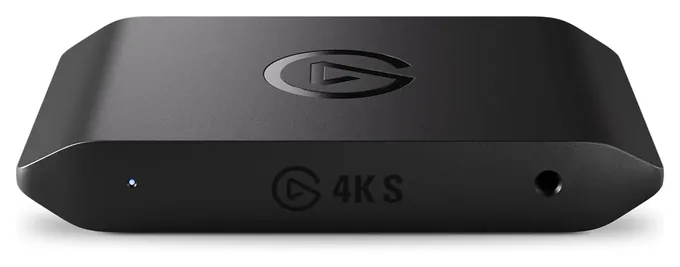
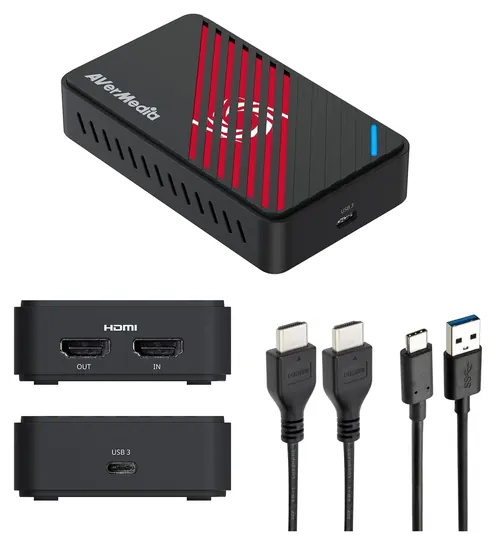
The Elgato Game Capture 4K S is our new first choice. It records true 4K, keeps HDR on the way to your TV, and works with Macs and iPads as well as Windows PCs, plus it has a jack for party chat audio. The AVerMedia Ultra S GC553Pro runs it close and can grab higher frame rates, but its extras depend on AVerMedia's own app.
The biggest trap in this category is the gap between what a card passes through and what it records, so we checked every pick's recording and passthrough modes against Elgato's and AVerMedia's spec pages and read independent reviews from PC Gamer and Notebookcheck.
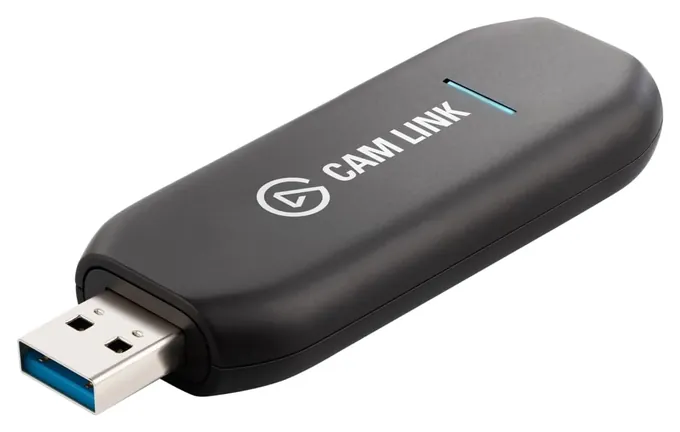
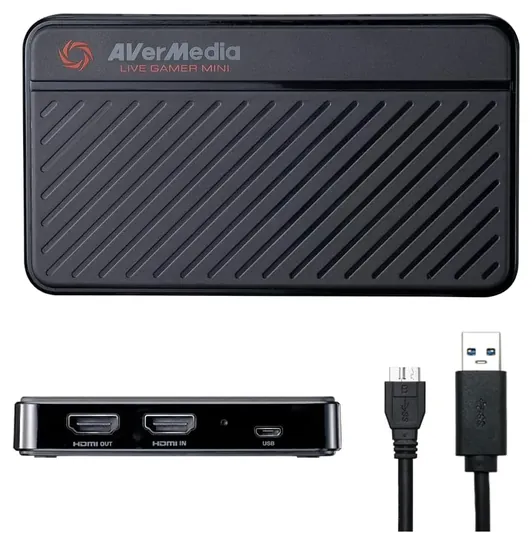
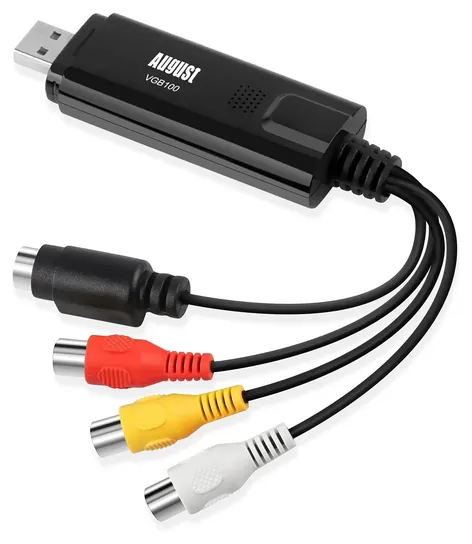
The old AVerMedia Live Gamer Ultra gave way to the GC553Pro, which records 4K at twice the frame rate. The Elgato HD60 S+ and Elgato 4K60 Pro MK.2 have left Elgato's lineup and are almost gone from stores, the AVerMedia Portable 2 Plus has no current price, and the QGeeM Recorder isn't sold anymore. The Elgato Cam Link 4K, AVerMedia Live Gamer Duo, AVerMedia Live Gamer Mini, AVerMedia Live Gamer 4K GC573 and August VGB100 stay, the last one for people saving VHS tapes and playing older consoles.
November 25, 2020:
There are a few different purposes for these devices. Some are basically glorified USB adapters like the Elgato Cam Link, which basically just turns an HDMI connector into a PC-compatible format over the USB connection. The AVerMedia Live Gamer Mini, Elgato HD60 S+, and AVerMedia Live Gamer Ultra aren't much more complicated, as all they add is a passthrough. This passthrough is the important part for streaming games, though, and the Ultra is one of the very few that allows high frame rates up to what many consider the sweet spot of 1440p resolution at 144 hertz. If you're focused on 4K gaming, the HD60 S+ is probably your best bet.
The AVerMedia Portable 2 Plus is a little more interesting, partly because it's good for both 1080p and 4K gaming, although it does not actually support the 1440p resolution in between the two. The interesting part about the Portable 2 is its internal storage and fully self-contained PC-free mode.
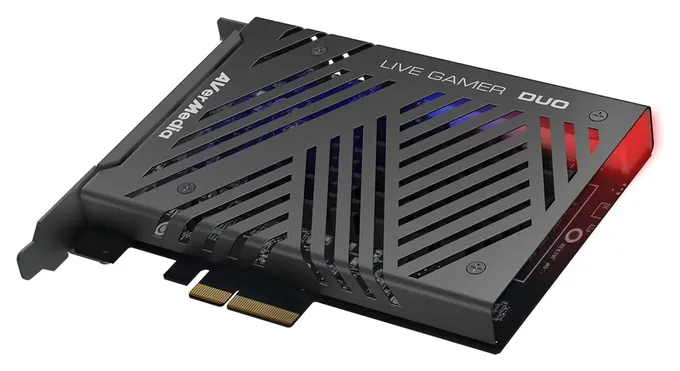
If your computer is a gaming powerhouse, or you have a separate streaming PC with passable components inside, the high-end AVerMedia Live Gamer 4K or Elgato 4K60 Mk2 will more than do the trick, they'll allow for the fastest encoding and best-looking picture possible. They, like the AVerMedia Live Gamer Duo, plug directly into a PCIe port. The Duo, for that matter, makes it easy to combine your main stream with your front-facing webcam.
Finally, we wouldn't always recommend such lesser-known brands partly for reliability reasons, but the QGeeM Recorder is a well-priced option and comes from a reasonably dependable manufacturer. It also has auxiliary audio inputs and outputs, which can help with some specialized installations. The August VGB100, on the other hand, is specifically meant for recording from legacy devices like old camcorders and retro consoles.
We also want to highlight the OBS software suite, which we have mentioned in the Special Honors section. If you plan on streaming, you might as well get started learning this software as soon as possible, because to many Twitch communities, it's basically ubiquitous.
November 23, 2020:
Capture card technology is constantly improving, so some of our previous recommendations have been replaced with more current options. We’ve removed the Plugable Nix, as some users have complained that it needs to be unplugged and re-installed whenever they turn off their gaming setup. We’ve instead added the QGeeM Recorder, a more affordable option which uses a USB 3.0 port, allowing it to transfer data at incredible 5 Gbps speeds.
We’ve also replaced the Corsair Elgato 4K60 with the more current Elgato 4K60 S+. This updated capture card continues to have extremely fast, lag-free transfer speeds like its predecessor, and also has a built-in HEVC chip that compresses video files and saves them onto an SD card. This feature is particularly useful, as the data transfer can be done without the need for any external software, and it also reduces the overall load on your CPU when you finally load in your files.
Finally, we've replaced the AVerMedia HD2 with a newer model, the AVerMedia LG4K. Like the name suggests, it can give you impressive 4K resolutions, and also provides nearly instantaneous video pass through. However, be aware that this model does not support Mac systems.
October 27, 2020:
We've added the AVerMedia Live Gamer Duo due to its high-quality resolution that's great for live streamers. It's offered at a high price, though most PCIe capture cards tend to be more reliable than external models that connect via USB. That isn't to say external models like the Corsair Elgato HD60 S aren't worth mentioning. I currently use the aforementioned model due to its lower price compared to some internal cards, though be sure to place your model in a safe place to prevent it from falling off your computer desk as this can damage or even break your device.
August 08, 2019:
While still among the most expensive of our selections, the Corsair Elgato 4K60 has seen a significant price drop since our last update and thus has been catapulted to the top spot. Because of its USB-C connectivity, ultra-low latency and ability to capture 4K footage, it is considered by many to be the top dog in the capture card market.
Expunged from the list are the Pyle Recorder, AGPtek HD and MyPin 60FPS, which have been replaced by more up-to-date models.
One newcomer to the field, the August VGB100, is designed to convert analog signals to digital signals, and should only be purchased by those looking to capture or stream video from older devices such as camcorders or legacy game consoles.
Special Honors
OBS Studio OBS Studio is free, open-source recording and streaming software for Windows, Mac and Linux. Every card on this list shows up in it as a video source, it handles scenes, overlays and audio mixing, and it can use a modern graphics card's video encoder to keep the processor free for the game. obsproject.com
RetroTINK RetroTINK makes video upscalers for older consoles. They take the analog signal from systems like the Super Nintendo or PlayStation 2 and turn it into a clean HDMI picture, which any HDMI capture card can then record far more sharply than a basic composite grabber. retrotink.com
Recording Quality Versus Passthrough
Every card here, except the camera and budget sticks, does two jobs.
Every card here, except the camera and budget sticks, does two jobs. It passes your console's picture to the TV or monitor with no added delay, and it sends a copy to the computer for recording or streaming. Those two jobs often run at different settings. The Elgato Game Capture 4K S passes through 4K at 60 frames per second with HDR, but on Windows it records HDR only up to 1080p at 60. The Elgato Game Capture Neo shows 4K HDR on your TV while recording 1080p60.
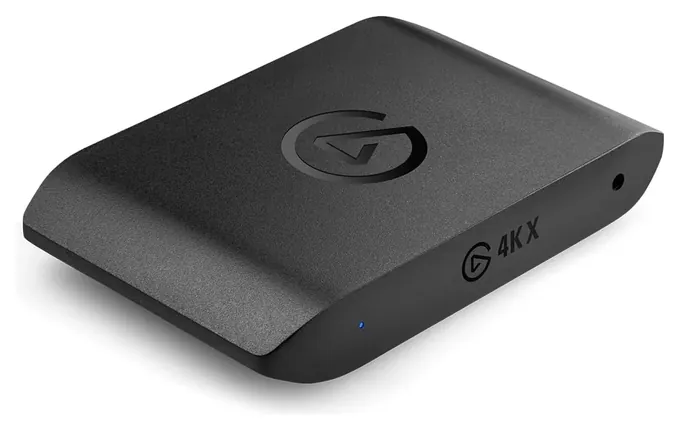
For most people, 1080p60 recording is plenty. PC Gamer points out that 4K files and 4K streams take far more storage, upload speed and editing power, and most streaming platforms cap what viewers see anyway. Pay for 4K recording if you publish edited videos where detail matters, or if you want to future-proof. Pay for high-refresh passthrough (120 or 144 frames per second) only if your monitor and console or PC can use it; the AVerMedia GC553Pro and Elgato 4K X cover those modes.
When you compare spec sheets, read both columns: capture resolution and frame rate, then passthrough resolution, frame rate, HDR and variable refresh rate (VRR).
USB Or Internal, And Why The Port Matters
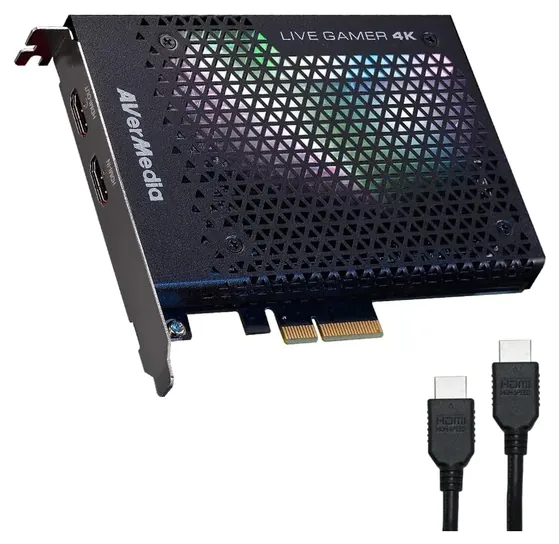
External USB cards move between a desktop, a laptop and sometimes an iPad, and they suit anyone who streams from more than one place. Internal PCIe cards, like the AVerMedia Live Gamer 4K GC573 and Live Gamer Duo, need a desktop with a free x4 or larger slot, but they don't compete with other devices for USB bandwidth. Power the PC down and unplug it before installing one.
The USB port matters more than people expect. The 4K S and GC553Pro use a 5 Gbps USB-C link. The Elgato Game Capture 4K X needs a USB 3.2 Gen 2 port (10 Gbps) for its 4K144 modes, and on a slower port it falls back to lower settings. Older budget boxes such as the AVerMedia Live Gamer Mini GC311 run on USB 2.0, which works because the card compresses the video itself.
The computer still does real work. Elgato's buying guide lists processor, graphics card and port requirements per model; check them before you buy, especially on a laptop.
What Won't Record: Protected Video, Party Chat And Old Tapes
No consumer capture card records video protected by HDCP, the copy protection used by Netflix, Disney+ and Blu-ray players. AVerMedia says so on its product pages, and Elgato lists its inputs as unencrypted HDMI only. On a PlayStation 5 you have to turn HDCP off in the system settings before any card will see the game.
Party chat is the other common surprise. Console voice chat often goes to your headset, not through HDMI, so it never reaches the card. The 4K S and 4K X have a small analog audio input for a cable from your controller; other cards need a separate mixer or audio interface.
Old sources need a different tool. VHS decks, camcorders and consoles from before HDMI output analog composite or S-Video, which a USB grabber like the August VGB100 records in standard definition. For sharper retro games, an upscaler turns the analog signal into HDMI first, and Notebookcheck notes that a VCR with HDMI output works with the 4K S directly. Free OBS Studio works with every card on this list.
How we researched this
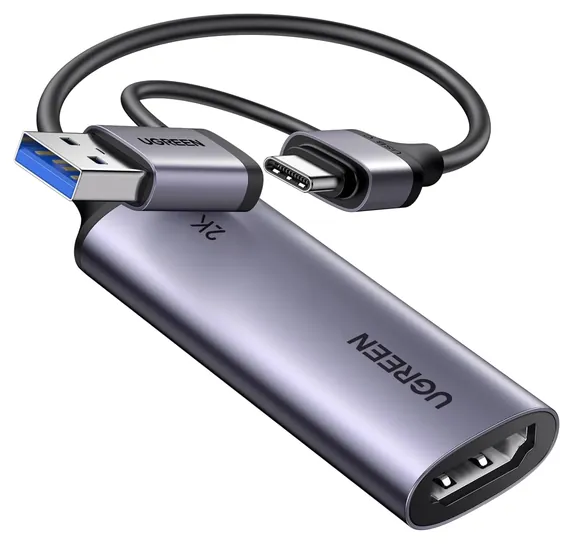
We compared 18 capture cards and read Elgato's and AVerMedia's spec pages for every finalist from those makers, plus the sellers' details for the UGREEN and August picks. We weighed independent reviews from PC Gamer and Notebookcheck, patterns in owner feedback, and checked every brand for recalls with the U.S. Consumer Product Safety Commission, which listed none.
Sources (12)
- Elgato: Game Capture 4K S
- Elgato: Game Capture 4K X
- Elgato: Game Capture Neo
- Elgato: Cam Link 4K
- Elgato: Which capture card is right for you
- AVerMedia: Live Gamer Ultra S GC553Pro
- AVerMedia: Live Gamer 4K GC573
- AVerMedia: Live Gamer Duo GC570D
- AVerMedia: Live Gamer Mini GC311
- PC Gamer: The best capture cards
- Notebookcheck: Elgato Game Capture 4K S review
- CPSC SaferProducts recall search
Frequently asked questions
What does a capture card do?
It takes the HDMI video from a console, PC or camera and sends it to a computer, where software such as OBS records or streams it. Most cards also pass the picture on to your TV or monitor so you can play with no delay.
Do I need a capture card for a PS5 or Nintendo Switch 2?
Not for saving short clips, since both consoles can record and share on their own. You need one to stream with overlays, a webcam and your own audio mix, or to record long sessions at full quality. On a PS5, turn HDCP off in the settings first.
Is a USB or an internal PCIe capture card better?
USB cards work with laptops and move between machines. Internal PCIe cards need a desktop with a free slot but avoid USB bandwidth limits. For one gaming PC that never moves, either works; for anything portable, choose USB.
Can a capture card record Netflix or other streaming services?
No. Streaming services and Blu-ray players use HDCP copy protection, and capture cards refuse protected signals.
Do I need 4K recording?
Usually not. Full HD at 60 frames per second suits most streams and videos, and 4K files need far more storage and editing power. 4K passthrough matters more, so your TV keeps its full picture while you record.
How do I record old VHS tapes or retro consoles?
Use an analog grabber with composite or S-Video inputs, such as the August VGB100, on a Windows PC. For sharper retro gameplay, run the console through an upscaler that outputs HDMI, then use any HDMI capture card.