The 7 Best Graphics Cards For VR
Updated by · How we research

Seven desktop cards for PC VR, from a budget 12 GB pick to a high-end flagship, compared on memory, power and headset support. The Asus TUF RTX 5070 Ti leads. When users buy our independently chosen editorial selections, we may earn commissions to help fund the Wiki.
A headset draws a separate image for each eye, up to 120 times a second, so virtual reality leans on a desktop card harder than a flat monitor does. Video memory tends to run out first, and that's when games stutter. It's written for people driving a Quest over a cable or Wi-Fi, or a wired headset, from a PC.


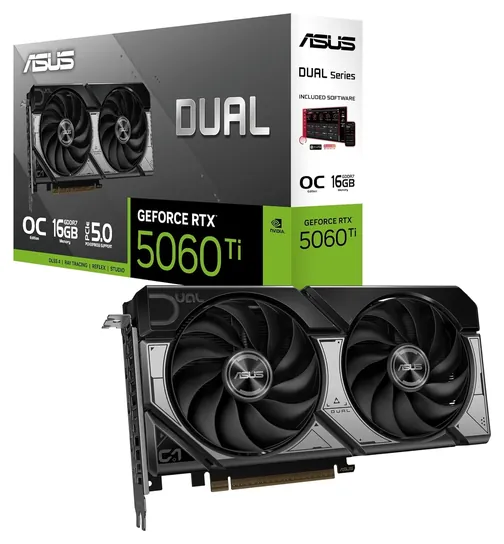
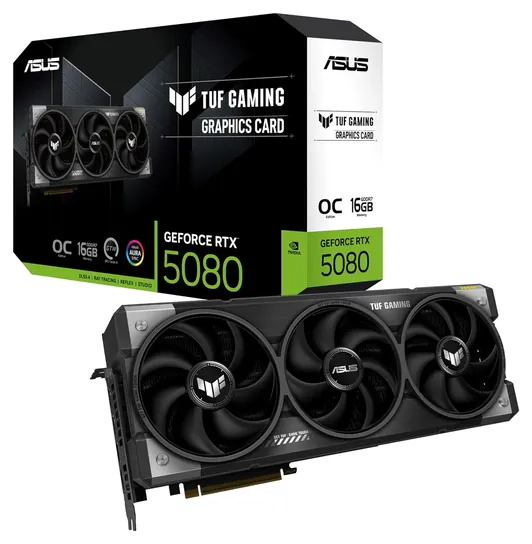
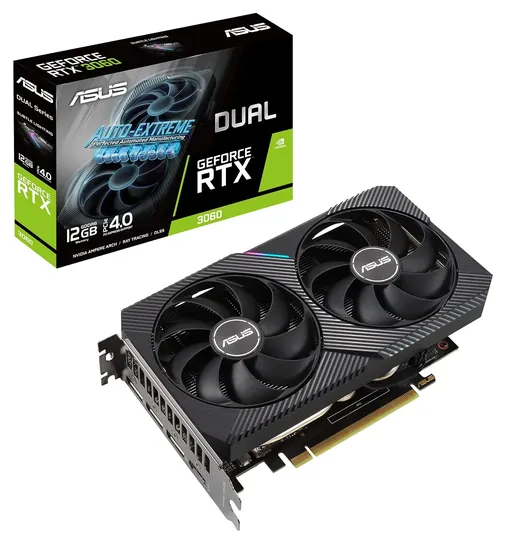
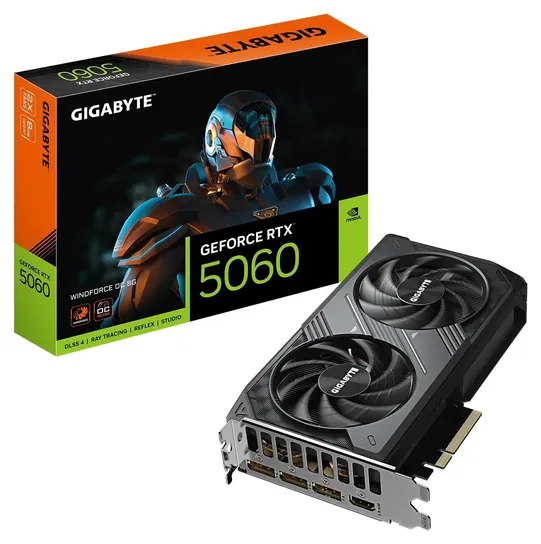
Editor's Notes
November 1, 2026, by Ezvid Wiki Admin:
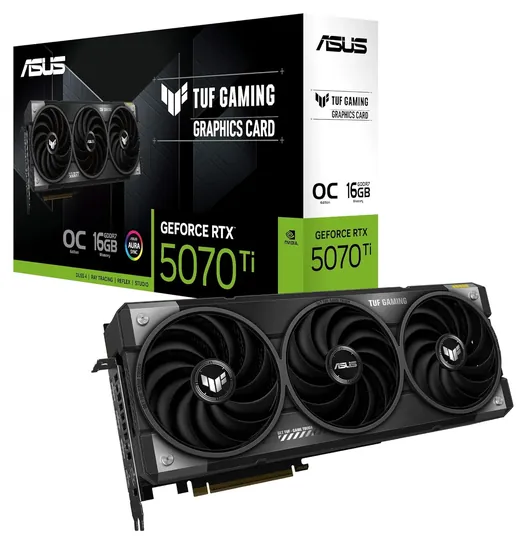
We put the Asus TUF RTX 5070 Ti first because it pairs 16 gigabytes of memory with the Nvidia support that streaming apps and Quest Link lean on, and it costs far less than the cards above it.
None of the earlier picks survived. The RTX 20 and GTX 16 cards, the Radeon RX 5000 models and the Vega 64 are three generations old and out of production, and we dropped the Quadro honor because Meta doesn't support workstation cards for Link. The list now spans current Nvidia and AMD chips, with a budget Asus Dual RTX 3060 12GB for anyone who wants memory over speed. The RTX 5090 moved to the honors because the only stock we found cost nearly four times its launch price.
We judged these cards on memory, chip class, power and fit, using Nvidia and AMD chip specs, Meta's Link requirements and the board makers' own charts.
October 16, 2020:
Just like our recent research into the best overall graphics cards, investigating the ideal modern releases for VR leads down somewhat of a dead end. That's not to say there aren't good options, but it's hard to justify spending a fortune on last-generation models like the MSI RTX 2080 Ti X Trio when Nvidia and AMd should both be releasing significantly more powerful cards in the near future, at significantly lower prices.
In addition to updating a few selections such as the EVGA RTX 2070 Super KO, Zotac GTX 1660 Super, and EVGA GeForce RTX 2080 Super XC Gaming, there are two worthwhile newcomers to the field. The Gigabyte Radeon RX 5700 XT and its slightly slower MSI Radeon RX 5600 XT are both more cost-effective than many of Nvidia's Turing-class GPUs, but the drawback is that they don't dovetail quite as well with the rendering system utilized by most VR applications.
We're very hopeful that the current shortage of Nvidia RTX 3000 series cards, as well as the imminent short supply of AMD's "Big Navi" cards, will see its end in early 2021, at which point we will be excited to recommend the best new models. For now, though, these are still viable GPUs, although some users will prefer to have patience for the next generation to become available.
July 23, 2020:
We're currently awaiting the announcement and subsequent release of both Nvidia and AMD's new lines of graphics cards. When we have more information on the potential Nvidia GTX/RTX 3000 series as well as AMD's "Big Navi," we'll update this and some similar Wikis with the most up-to-date information. Check back around mid-October and there will hopefully be further developments.
If you are in the market for a new GPU right now, though, these are still all great choices, and very little has actually happened in the field between our last update and now.
May 20, 2019:
Virtual reality has more demanding hardware requirements than gaming on a monitor or TV because not only are there two screens which each require a high-definition picture, but they need to supplied with a minimum of 90 frames per second to prevent nausea- and headache-inducing choppiness. As such, you can get by with an inexpensive option like the Radeon RX590 or the Geforce GTX 1660 base model, but you won't be able to crank all the enhanced visual settings up terribly high with either of them. The GTX 1660 Ti, on the other hand, costs only slightly more and sits in somewhat of a sweet spot, able to perform on just about the same level as the GTX 1070 in comprehensive VR benchmarking. Bear in mind, though, that for just a little more, you can pick up an RTX 2060, which has high-end features like ray tracing and DLSS, two technologies that increase realism and frame rates, respectively.
If price isn't a consideration, you simply can't do better than the RTX 2080 Ti. We've included a pair of variants of Nvidia's flagship chipset; one exemplifies just how fast the card can go when fully tweaked, and the other is considerably cheaper but still has most of the same number-crunching capabilities. One small step down is the RTX 2080, and the Zotac model we've highlighted comes at a few different prices based on factory clocks and memory bus speeds. We've also included a long-time favorite, the GTX 1080 Ti, as although it's significantly older than the rest, it absolutely holds up well in modern games and should do so for years.
But right in the middle between absurdly expensive and highly affordable is the RTX 2070. For now as well as the near future, it can deliver a seamless experience in almost any game, with a majority of the most resource-intensive settings turned up to high or even ultra. We hesitate to call it "affordable," as it costs as much as a good VR headset does on its own, but it's a great balance of power and price.
Special Honors
Nvidia GeForce RTX 5090 Nvidia's fastest consumer card, with 32 GB of memory, is the one to want for very high-resolution headsets and heavily modded sims. It draws up to 575 W in Nvidia's reference design and has drawn melted-connector reports, so it needs a big power supply and careful cabling. The store stock we found cost nearly four times its launch price, so we left it off the main list; Nvidia's page has the specs. nvidia.com
How Much Video Memory VR Needs
Treat 12 GB as the floor for a new build and 16 GB as the comfortable target.
A headset needs two images per frame, one for each eye, at 72 to 120 frames a second, and many games render above the panel's resolution so the picture stays sharp after the lenses warp it. That eats video memory. When a card runs out, frames get dropped, and in a headset a stutter feels worse than it looks on a monitor.
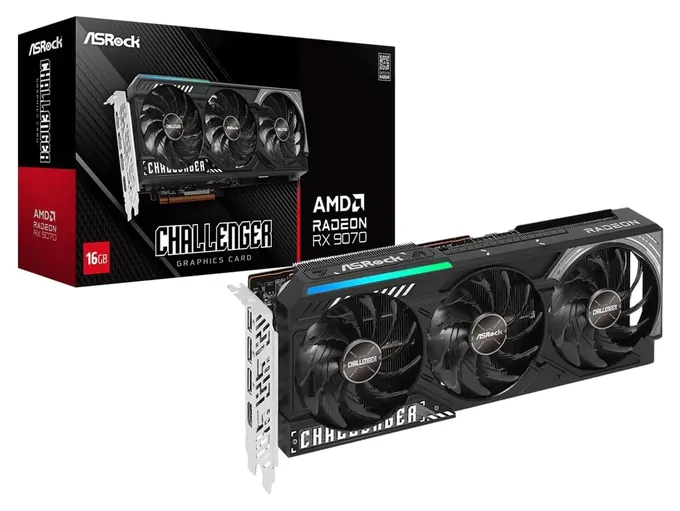
Treat 12 GB as the floor for a new build and 16 GB as the comfortable target. Reviewers criticized the 8 GB versions of Nvidia's RTX 5060 and 5060 Ti for running short in newer games (Wikipedia: GeForce RTX 50 series), and VR pushes memory harder than flat-screen play. Several chips come in two memory sizes, so read the box: the RTX 5060 Ti comes in 8 GB and 16 GB versions, and the RTX 3060 comes in a 12 GB version and a slower 8 GB one with a narrower memory bus (Wikipedia: GeForce 30 series). AMD's RX 9070 and 9070 XT both carry 16 GB, while the RX 9070 GRE drops to 12 GB (Wikipedia: Radeon RX 9000 series).
Memory isn't everything. A slow chip with lots of memory still forces a lower render resolution, so match the card to the games you play: rhythm and social apps run on modest hardware, while flight and racing sims reward the fastest card you can fit and power.
Check Your Headset Connection First
Standalone headsets such as the Meta Quest 3 and 3S run games on their own and need no PC at all. A PC card only matters when you stream PC games to the headset or use a headset that plugs into the computer.
For a Quest, Meta's Link software needs a supported card, and Meta keeps the list on its Quest Link requirements page. The same page says Intel Arc cards and workstation cards aren't supported, and it recommends a USB cable that carries both data and power. Check the list for your exact card before you buy, especially an AMD card. If Link won't cooperate, Virtual Desktop and Steam Link are other ways to stream PC games to a Quest over Wi-Fi, and both work best with the PC wired to the router.
Wired headsets such as the Valve Index, Bigscreen Beyond and HTC Vive models plug into a DisplayPort output. Every card on this list has DisplayPort, but small cards can have fewer ports, so count them if you also run more than one monitor.
Power, Size And Buying Safely
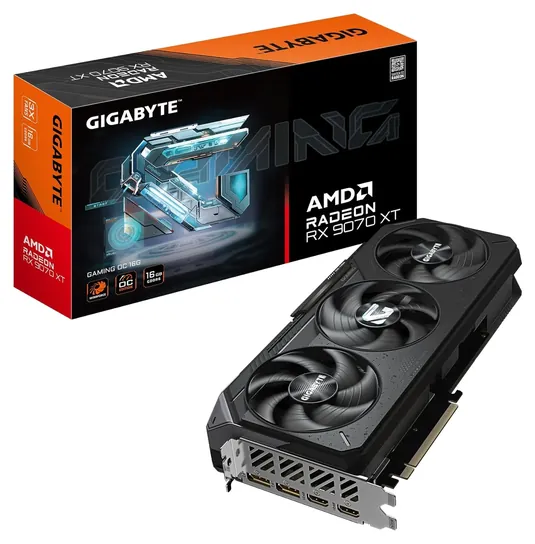
Fast cards pull a lot of power. Nvidia's reference designs run from about 145 W for the RTX 5060 to 360 W for the RTX 5080 and 575 W for the RTX 5090, and AMD's RX 9070 XT is rated at 304 W (Wikipedia: GeForce RTX 50 series; Wikipedia: Radeon RX 9000 series). Gigabyte's chart for its RX 9070 XT Gaming OC asks for an 850 W power supply (Gigabyte). Check your supply's wattage and connectors before you order.
High-end RTX 50 cards use the 12V-2x6 power connector, and there have been reports of melted plugs on RTX 5090 and 5080 cards (Wikipedia: GeForce RTX 50 series). Use the cable or adapter that came with the card or supply, push it in until it clicks, and don't bend the cable sharply right at the plug.
Big cards are long, thick and heavy. Measure the room in your case, count the free slots, and use a support bracket for a three-fan card. Prices for current cards sat well above their launch prices when we checked, so compare a few sellers, and buy new from a retailer rather than a reseller to avoid worn-out used cards. A U.S. Consumer Product Safety Commission search found no graphics card recalls from Asus, Gigabyte or ASRock (CPSC recalls).
How we researched this
We compared 14 current graphics cards from Asus, Gigabyte, ASRock and MSI, read Nvidia and AMD chip specifications and the board makers' spec charts for the seven finalists, checked Meta's Quest Link requirements, and searched the U.S. Consumer Product Safety Commission's recall database for each brand. We found no independent VR benchmarks of these exact boards, so the ranking weighs memory, chip class, power needs and price.
Frequently asked questions
What graphics card do I need for VR?
For current PC VR games, aim for a card with at least 12 GB of video memory, and 16 GB if you play demanding sims or use a high-resolution headset. Nvidia's RTX 5070 Ti and AMD's RX 9070 XT are strong middle choices.
Can an RTX 3060 run VR?
Yes. The 12 GB version runs most PC VR games, but expect to lower the render resolution in demanding titles. Avoid the 8 GB version, which has a narrower memory bus.
Is Nvidia or AMD better for VR?
Both make capable cards. Nvidia is the safer default for Quest Link and wireless streaming apps, while AMD's RX 9070 cards give more memory for the money. Check Meta's supported-card list before buying for a Quest.
Do I need a graphics card for a Meta Quest 3?
Not for standalone games, which run on the headset. You need a capable PC card only to play PC VR games over Quest Link, Air Link, Virtual Desktop or Steam Link.
Is 8 GB of video memory enough for VR?
It's enough for lighter games, but 8 GB cards can run out of memory and stutter in big sims and at high render resolution. Pick 12 GB or more if you can.