The 6 Best HDMI To Component Converters
Updated by · How we research

HDMI to component video takes a converter, not a cable. Six compared on scaling, 480i CRT output, 4K input, power and price; the Easycel JP-HV-0107 leads. When users buy our independently chosen editorial picks, we may earn commissions to help fund the Wiki.
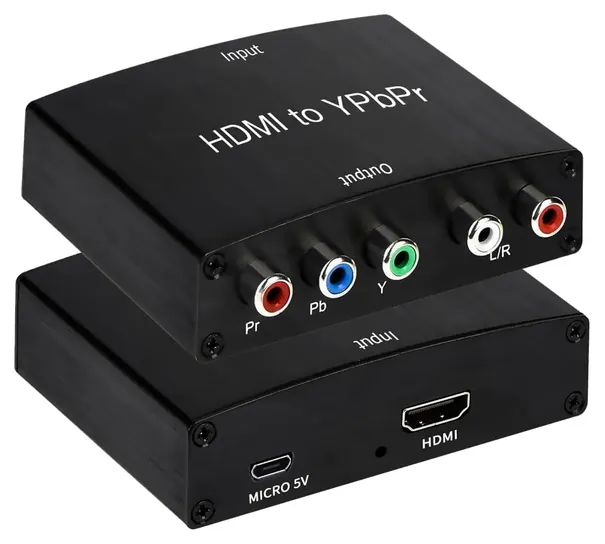
Owners of old tube TVs should check for 480i output first, because a converter without it won't work with most CRT sets. Each of these turns a digital HDMI signal into analog YPbPr video and stereo audio, so a streaming stick, console or Blu-ray player can feed an older TV or projector. No plain cable can do this, and most need their own power.


Editor's Notes
October 17, 2026, by Ezvid Wiki Admin:
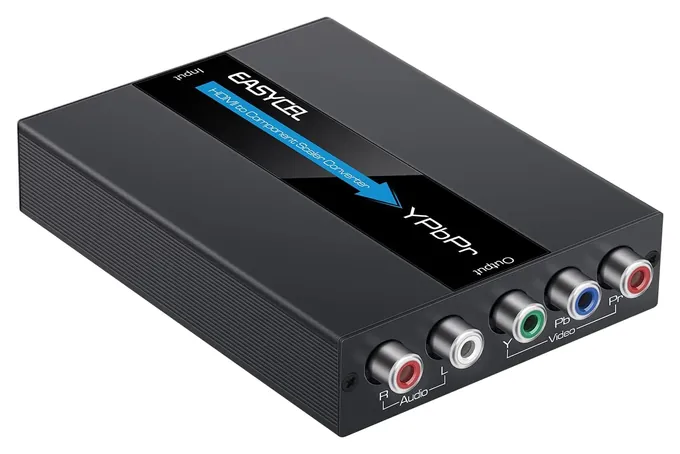
First place goes to the Easycel JP-HV-0107, the same idea as the Easycel scaler that was here before, with the same long list of outputs, for a bit less. Most of the 2020 list was gone. The Universal Premium H2CS, the Volantech Volan006 and the Avedio LinkS are no longer sold, and the old Musou adapter and the Frontier Factory Adapter are unavailable. We also took out the Koopman Converter. It's a decent box, but it goes from component to HDMI, the opposite of what this page is about, so the FAQ now points reverse-direction shoppers the right way.
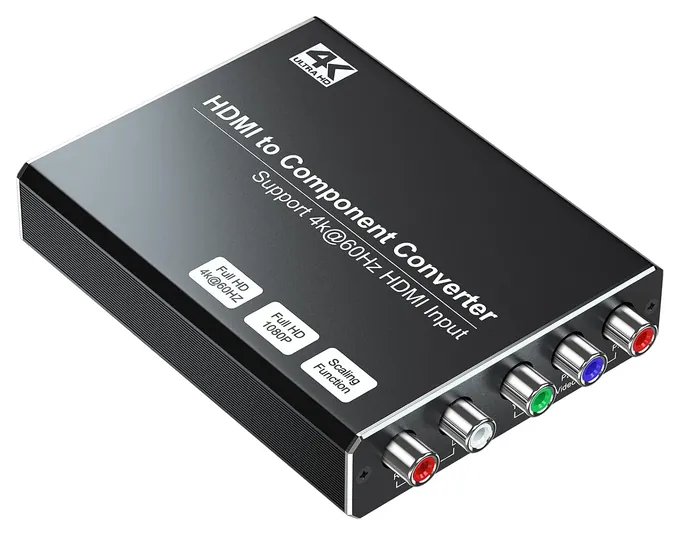
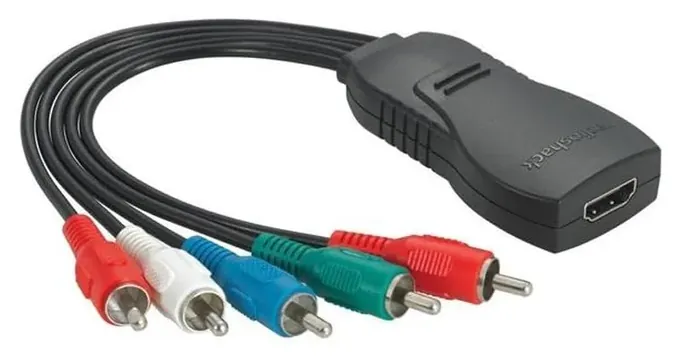
The Sedytetoc 4K Converter is new for anyone feeding an old set from a 4K stick or console. The RadioShack 4330155857 is back, too. An earlier version of this list called it overpriced, but it costs less now, and it's still the only pick that needs no power brick.
One honest warning: these are mostly generic boxes sold under shifting brand names, and no lab has tested any of them by name. So the picks rest on the sellers' resolution and power specs, on owner reports about 1080p output and durability, and on recall checks. We say where a claim is the seller's alone. Test whatever you buy while you can still return it.
September 11, 2020:
Composite Cables vs Component Cables: It’s easy to get the two confused, and both carry analog signals, however, component cables were designed to support HD and replace composite cables, which couldn’t support high definition. Composite cables are often called RCA cables due to their connections, while component cables are sometimes referred to as YPbPr cables, again, due to the names of the individual connectors. Both only carry video signals, so rely on a separate pair of cables to carry audio. By the way, we also have a list of the best HDMI-to-RCA cables in case that’s what you’re looking for.
Component Cables vs HDMI: while the component interface is newer than the composite interface, both are being replaced by HDMI. Component cables only support up to 1080p (Full HD), so even if both your input and output (display) devices support 4K (Ultra HD), and for some reason, one doesn’t have an HDMI port, but a YPbPr port instead, a component cable will not preserve that UHD signal. However, if you’re using a component cable, then it’s likely that your output device predates UHD anyway. Another difference is that HDMI is digital, so there is comparatively less signal loss at the same signal quality – at 1080p, for example. However, most analog cables are manufactured to a high standard nowadays anyway, so it isn’t really an issue.
Updates to This List: with all of that in mind, this update was simply about removing problematic models like the IO Crest Digital SPDIF and Anber-Tech YPbPr, and adding some better options, like the Easycel Scaler and Frontier Factory Adapter. The Frontier Factory Adapter is marketed for use with a Slingbox, but can be used with other devices too, and its indicator lights are quite handy in any case.
HDMI-to-Component vs Component-to-HDMI: like with HDMI-to-composite cables, HDMI-to-component cables can’t be used in reverse – i.e. they can’t take an analog YPbPr signal and output it as a HDMI signal. However, I’ve added the Koopman Converter as an option in our list that offers component-to-HDMI conversion.
May 16, 2019:
While this is a category that offers little in terms of innovation given the limitations of a component signal, the Universal Premium took over the top spot from the Volantech model that has slipped to number three. The main reason is that the former has a dedicated optical audio output, which allows you to utilize it not just as an AV relay, but to send its audio to a receiver and split it up into the 5.1 channels you would need to enjoy a surround sound experience. In the second spot you'll see a newcomer to the ranking, Anber-Tech's Converter, which is decidedly similar to the Volantech in design, but which hasn't suffered any availability issues that have occasionally cropped up with the Volantech. The overpriced and feature-poor Radio Shack model remains in our last spot, and it'd be tempting to remove it entirely were it not for the fact that it's the only option that won't take up any space on a TV stand, and that could theoretically even be wired inside a wall behind a hanging TV set.
Why There's No Plain HDMI To Component Cable
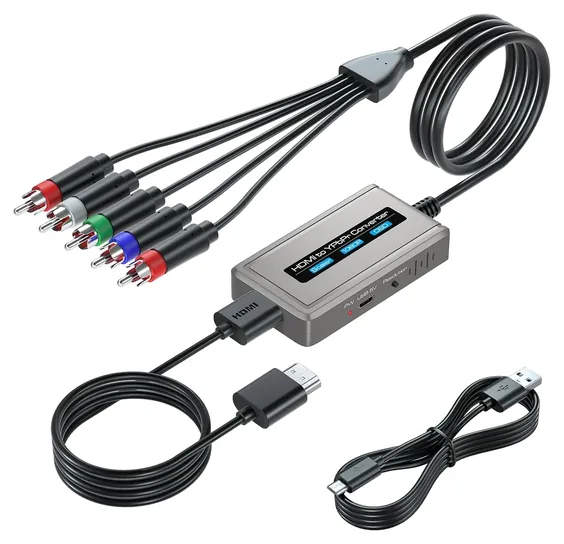
Listings sold as an HDMI to component cable are the same electronics squeezed into a dongle with attached leads.
HDMI is digital, and component video is analog: three video wires (Y, Pb and Pr, colored green, blue and red) plus a separate pair for left and right audio. Getting from one to the other takes a chip that decodes the HDMI stream, a converter that rebuilds the analog signal and a copy-protection handshake with the source, known as HDCP. That's why every working product needs power, usually 5 volts from a USB cable or a small adapter. Listings sold as an HDMI to component cable are the same electronics squeezed into a dongle with attached leads.
The conversion only runs one way. An HDMI source goes in, and component comes out to the TV or projector. If you need the reverse, to show an old component source on an HDMI TV, you need a separate component to HDMI converter, and it won't work backward either.
Component also has a ceiling. It carries up to 1080p (often 1080i on older sets), so a 4K picture always gets scaled down. If you're after the older yellow-red-white plugs instead, see our list of HDMI to RCA composite converters.
Scaler Or Pass-Through: Match The Box To Your TV
This is the decision that matters most. A pass-through converter sends out exactly what comes in. A 1080p source gives 1080p component, so it only works when the TV or projector accepts that format. Plenty of early HD sets take 1080i and 720p but not 1080p, and a mismatch means a blank screen.
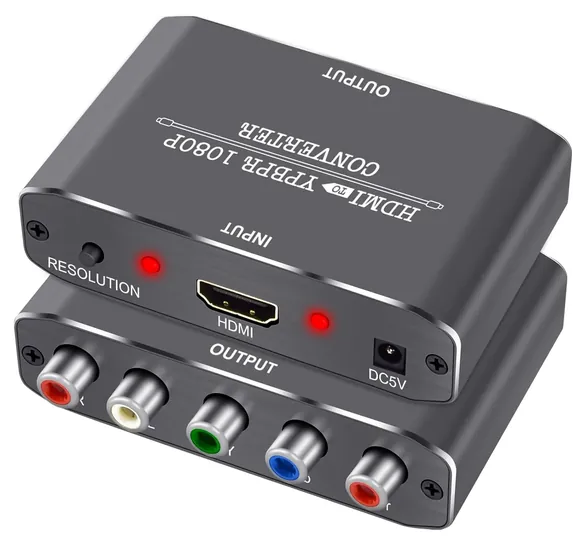
A scaler converts the resolution as well. A button picks the output, commonly 480p, 720p, 1080i or 1080p, and an on-screen readout shows the result. Check your TV's manual for the formats its component input accepts, then pick a box that outputs one of them.
CRT TVs are the special case. Most standard-definition tubes with component jacks want 480i (576i in PAL regions), and many cheap scalers stop at 480p. RetroRGB looked at an inexpensive HDMI to component downscaler for CRT use and found low lag and a bright picture, but only 480i output (no 240p for retro consoles) and no aspect-ratio control. Its broader guide to cheap HDMI to CRT converters is worth a read before buying for a tube set.
Setup, Copy Protection And Reliability
Most no-picture problems come from the source, not the box. Set the player, console or stick to 1080p or 720p, turn off HDR and 4K, and power the converter before plugging in the source. Several sellers say some streaming sticks need a full restart after the first connection.
Copy protection can still get in the way. These boxes handshake with the source using HDCP, and a source that demands a newer HDCP version than the box supports may show a blank or an error. Blu-ray's licensing rules also restricted analog high-definition output on newer players, as TechRadar reported, so some protected content may be limited. Workarounds that strip copy protection aren't something we recommend.
Reliability is a lottery across the category. Owners on Reddit's CRT gaming forum describe boxes that work at first and quit weeks later, and a MiSTer FPGA forum thread notes that units sold under one name can change inside. Buy from a seller with simple returns, test the converter right away, and give it room to vent heat. None of these brands has a recall on file with the U.S. Consumer Product Safety Commission.
How we researched this
We compared 20 HDMI to component converters, including every product from the previous version of this list, and screened 11 in depth. None of these generic boxes has a maker manual or spec page, so the specs come from the sellers' listings, and we note where a claim is the seller's alone. We read an independent look at one cheap downscaler from RetroRGB, owner discussions on Reddit and the MiSTer FPGA forum and patterns in owner feedback, and we checked every brand for recalls with the U.S. Consumer Product Safety Commission. We found no lab tests of these models by name.
Frequently asked questions
Is there an HDMI to component cable?
Not a plain one. HDMI is digital and component is analog, so the signal has to be decoded and rebuilt by a powered converter. Products sold as cables are converters with attached leads, and they need power from USB, an adapter or, in a few cases, the HDMI port.
Can I use an HDMI to component converter in reverse?
No. These boxes only take HDMI in and send component out. To connect an older component source to an HDMI TV, buy a component to HDMI converter, which is a different product.
Does an HDMI to component converter work with 4K sources?
Component video tops out at 1080p, so 4K always gets scaled down. Most converters accept up to 1080p input only, so set the source to 1080p or 720p. A few boxes list 4K input and scale it down, but copy protection on some 4K sources can still block the picture.
Does component carry sound?
No. Component uses three video wires only. HDMI to component converters pull the audio out to a separate pair of red and white RCA jacks as analog stereo. They don't output surround sound.
Which converter works with an old CRT TV?
Pick a scaler that lists 480i output (576i in PAL regions), since most tube TVs with component jacks expect it. Boxes that stop at 480p or have no scaler often show nothing on a CRT.
Why does my converter show no picture?
Usually the TV can't accept the resolution the box sends, or the source's copy protection fails the handshake. Set the source to 720p or 1080p, turn off HDR, power the converter first, and use the scaler button to try other outputs.