The 10 Best Photo Printers
Updated by · How we research

Print costs swing from a few cents with ink tanks to about 74 cents with instant film. We compare 10 photo printers; Epson EcoTank Photo ET-8550 leads. When users buy our independently chosen editorial choices, we may earn commissions to help fund the Wiki.
Pigment ink resists fading better than dye and suits matte fine-art paper, which matters to photographers who care how prints age. A photo printer turns phone and camera pictures into prints that hold up in a frame or album. Families use small 4x6 and pocket models, while hobbyists and photographers use six- to nine-ink inkjets that print up to 13 by 19 inches.
At a Glance
-
1
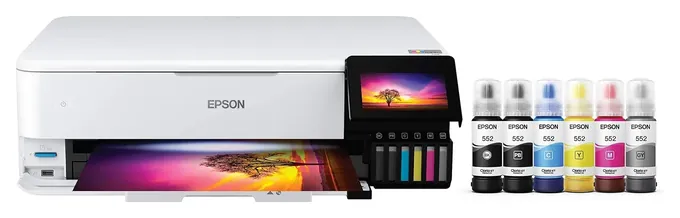
 Epson EcoTank Photo ET-8550
$662
Epson EcoTank Photo ET-8550
$662
-
2
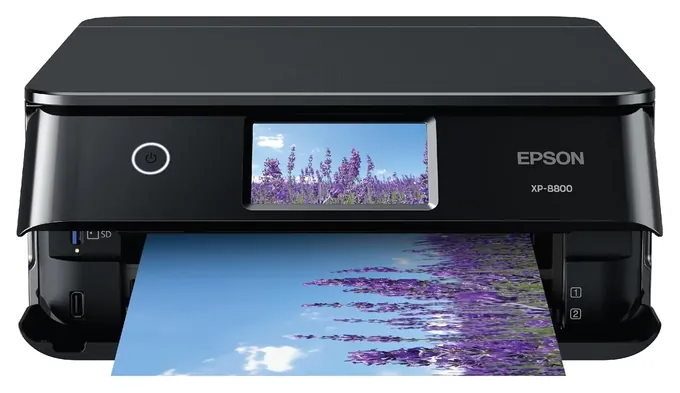
 Epson Expression Photo XP-8800
$229
Epson Expression Photo XP-8800
$229
-
3
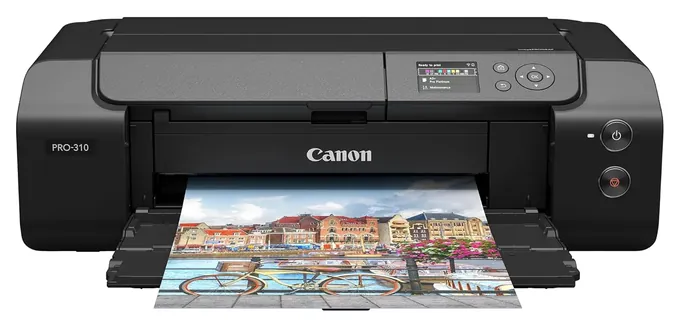
 Canon imagePROGRAF PRO-310
$699
Canon imagePROGRAF PRO-310
$699
-
4
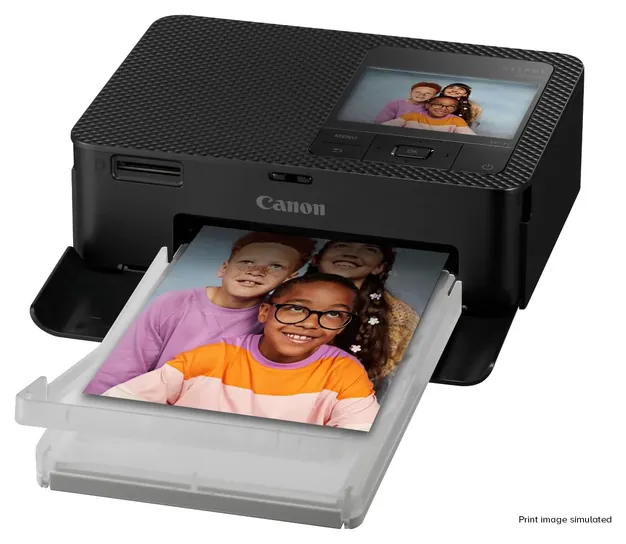
 Canon SELPHY CP1500
$159
Canon SELPHY CP1500
$159
-
5
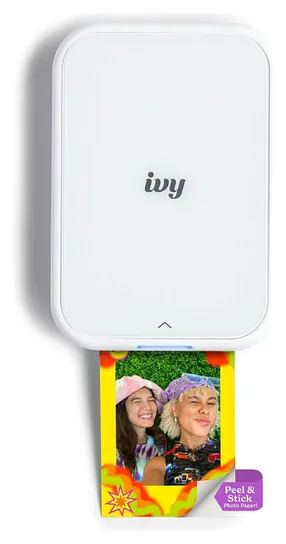
 Canon Ivy 2
$98
Canon Ivy 2
$98
-
6
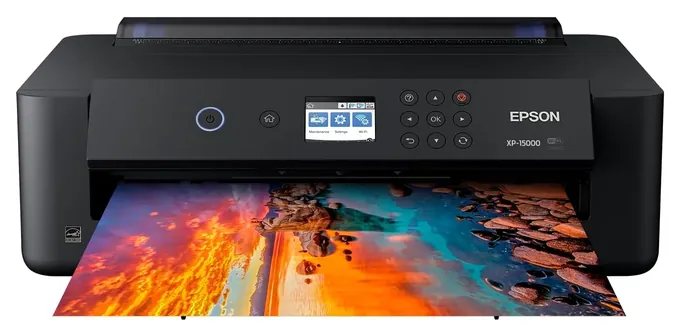
 Epson Expression Photo HD XP-15000
$299
Epson Expression Photo HD XP-15000
$299
-
7
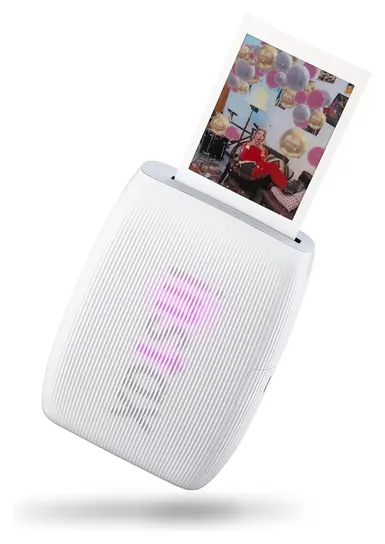
 Fujifilm Instax Mini Link 3
$125
Fujifilm Instax Mini Link 3
$125
-
8
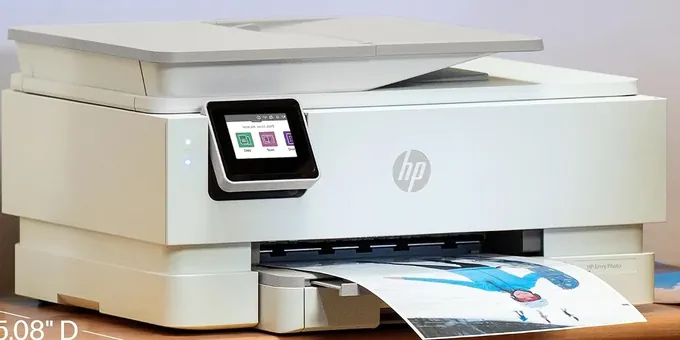
 HP Envy Photo 7975
$239
HP Envy Photo 7975
$239
-
9
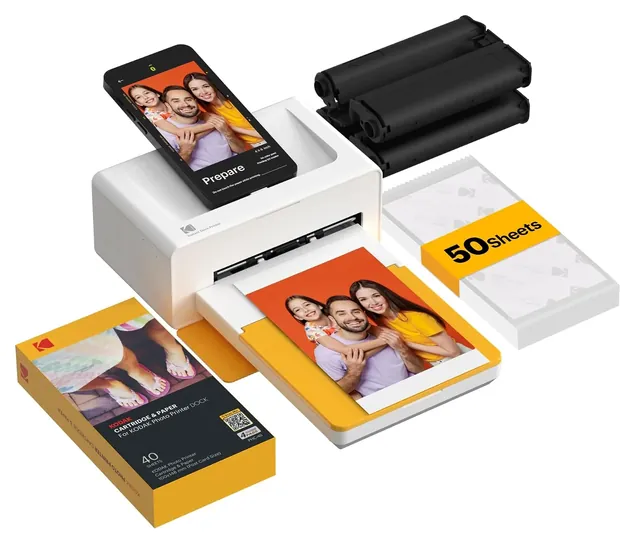
 Kodak Dock Plus
$119
Kodak Dock Plus
$119
-
10
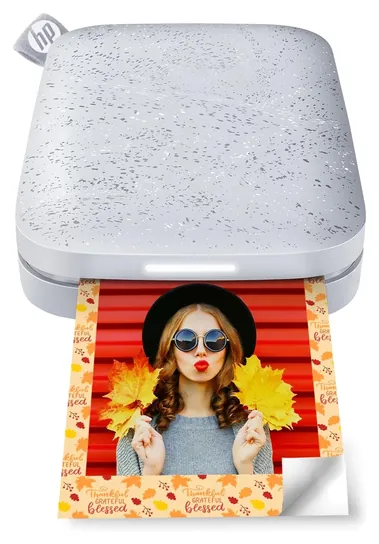
 HP Sprocket 2nd Edition
$88
HP Sprocket 2nd Edition
$88
Editor's Notes
October 18, 2026, by Ezvid Wiki Admin:
Cheap running costs carry the Epson EcoTank Photo ET-8550 to first place. Photo printers have moved on since the 2021 list. The Canon Selphy QX10 is discontinued, and the old Kodak Mini 3 listing now sells a camera instead. We also dropped the Canon TS8220, HP Tango Smart, HP Envy 5055, Epson Expression Premium XP-7100, Epson Expression Premium EcoTank and Canon Pixma TS9520 Wireless, since newer models from the same makers do those jobs better.
The Epson Expression Photo HD XP-15000 stays as the cheapest way to make 13-by-19-inch prints, and the HP Sprocket 2nd Edition stays for pocket prints at parties. New picks cover what readers search for: the Epson EcoTank Photo ET-8550 for low-cost home printing, the Canon imagePROGRAF PRO-310 for photographers, the Canon SELPHY CP1500 for 4x6 dye-sub prints and the Fujifilm Instax Mini Link 3 for instant film.
We compared makers' specs and datasheets, lab results from RTINGS where they exist, editorial reviews, owner feedback and recall databases. We found no recalls of current photo printers from these brands.
December 31, 2020:
When applicable, we updated some of our old recommendations to their newest iteration, such as the Kodak Mini 3, which takes the place of the Kodak Mini 2 HD. We also added the Canon Selphy QX10 in place of the Canon Ivy Mobile Mini because we thought our readers would appreciate an option that can produce square 2.7-inch prints, and we still have the HP Sprocket 2nd Edition, which is for those who want the 2 x 3-inch rectangular pictures that you would get from the Ivy. The Epson Expression XP-15000 maintained its rank, as we still believe it is one of the best wide-format models suitable for home use, however we did add the Epson Expression Premium EcoTank, which is also available in wide-format option but has refillable ink reservoirs rather than disposable cartridges. Another new recommendation is the HP Tango Smart, and we like it because of how seamlessly it integrates with connected homes.
June 05, 2019:
The majority of the models previously included in our ranking have aged out, being replaced by newer, better models in their respective companies' lineups. One unit that's come on since our last deep look into this category is the Epson Expression Photo at number one. It doesn't boast the Eco Tank technology of some of their other offerings, but I'd argue that its prints are cleaner and clearer for the sacrifice. Also, compared to our previous list, 1/3 of which was occupied by small portable printers designed to interface with smartphones, this ranking has seen an uptick in the number and quality of portable options, with the addition of models by Polaroid and Canon. Both utilize thermal printing technologies, but Polaroid edges out the Canon by printing slightly larger photos.
Special Honors
Epson SureColor P700 And P900 Epson's pigment-ink pro printers sit above this list in price. Both use 10 inks; the P700 prints up to 13 inches wide and the P900 up to 17 inches. They suit photographers who sell or exhibit their work and want the longest-lasting prints. epson.com
Canon imagePROGRAF PRO-1100 Canon's large pigment printer handles sheets up to 17 by 22 inches with 11 inks plus a chroma optimizer. It costs about twice as much as most printers here and suits studios and serious print makers. usa.canon.com
Pick The Print Type First
Prints are 2 by 3 inches with a sticky back, and their color is softer than dye-sub or inkjet output.
Photo printers come in four kinds, and the type matters more than the brand. Inkjets spray tiny drops of ink and handle the widest range of sizes, from 4x6 up to 13 by 19 inches. Photo models add inks beyond the basic four: six on most home models, and nine or more on pro printers such as the Canon imagePROGRAF PRO-310, which RTINGS rates its best photo printer. More inks mean smoother gradients and more neutral grays.
Dye-sublimation printers use heat to move color from a ribbon onto the paper, then seal it under a clear layer. Prints come out dry, glossy and water resistant, but each paper pack fits one size, usually 4x6. Camera Labs recommends the Canon SELPHY CP1500 for that kind of quick, tidy print.
ZINK pocket printers use paper with color crystals inside, so there's nothing else to buy. Prints are 2 by 3 inches with a sticky back, and their color is softer than dye-sub or inkjet output. Instant-film printers, such as the Fujifilm Instax Mini Link 3, expose real instant film from a phone image for the look of an instant camera.
If you also print homework and forms, an all-in-one with a scanner saves desk space. If you only print photos, a print-only model puts the money into inks and paper handling instead.
What Each Print Really Costs
The cheapest printer to buy is often the dearest to run. Ink tank printers cost more at the start, but their bottles hold far more ink than cartridges. Epson puts a 4x6 from the EcoTank Photo ET-8550 at about 4 cents in ink, and RTINGS worked out about 7 cents a photo, against about 30 cents on the cartridge-based Canon PIXMA PRO-200S. Expert Reviews reached a similarly low figure from Epson's ink yields.
Cartridge photo printers cost less up front but much more per page, and the gap grows with print size. A 13-by-19-inch print uses several times the ink of a letter page, so price a full cartridge set before you buy.
Dye-sub costs are fixed and simple, since each paper pack includes the matching ribbon. Camera Labs figured about 32 cents a 4x6 on the SELPHY's 108-sheet pack. ZINK and instant film cost the most for the size; TechRadar puts Instax Mini film at roughly 74 cents or more a print.
For one large print, a photo lab can still cost less than ink and fine-art paper at home. Home printing pays off when you print often, want control over the result, or want prints right away.
Dye Or Pigment Ink, And Keeping A Printer Healthy
Most home photo printers use dye ink, which looks vivid on glossy paper. Pigment ink, used by pro models such as the PRO-310, sits on top of the paper, holds up better against fading and gives deeper blacks on matte and fine-art paper. RTINGS says pigment prints last longer, but that a dye-ink tank printer is the better buy unless you need the very best quality. Longevity ratings from Wilhelm Imaging Research run to decades for both types behind glass, though the figures are old and photographers still argue about the methods (DPReview forum).
Inkjets need regular use. Print a page about once a week so the nozzles don't dry out, and let the printer run its own cleaning cycles instead of cutting the power. Tank printers aren't immune, and clearing a clog can burn through ink on repeated cleanings.
Paper matters as much as the printer. Pick the matching paper type in the print settings, or use the maker's profile for that paper, or colors will be off. Keep dye-sub and ZINK prints in albums or behind glass, out of direct sun.
Check the ink rules, too. HP's spec sheet says its dynamic security feature can stop cartridges with non-HP chips from working, and Epson says damage from non-Epson ink isn't covered by its warranty. Pocket printers run on lithium-ion batteries, so charge them with the supplied cable and keep them out of hot cars.
How we researched this
We compared 19 photo printers, from pocket ZINK models to 13-by-19-inch inkjets, read makers' specifications and datasheets for the 10 picks, used independent lab and editorial reviews from RTINGS, Camera Labs, TechRadar, Digital Camera World and others where they exist, analyzed owner feedback, and checked every brand for recalls with the U.S. Consumer Product Safety Commission.
Sources (13)
- RTINGS: Canon imagePROGRAF PRO-310 review
- RTINGS: Epson EcoTank Photo ET-8550 review
- RTINGS: Epson SureColor P700 vs. ET-8550
- Epson Australia: EcoTank ET-8550 specifications
- HP: Envy Photo 7975 spec sheet
- Camera Labs: Canon SELPHY CP1500 review
- TopTenReviews: Canon SELPHY CP1500 review
- Digital Camera World: Canon PRO-310 review
- Expert Reviews: Epson EcoTank ET-8550 review
- Tom's Guide: Epson Expression Photo XP-8800 review
- TechRadar: Fujifilm Instax Mini Link 3 review
- DPReview forum: print longevity discussion
- U.S. Consumer Product Safety Commission: SaferProducts recalls
Frequently asked questions
Is it cheaper to print photos at home or at a lab?
It depends on how much you print. An ink tank printer can make a 4x6 for well under 10 cents in ink, plus paper, which beats most labs. Dye-sub printers run about 30 cents a 4x6. For an occasional large print, a lab is often cheaper than buying ink and premium paper.
Is dye-sublimation better than inkjet for 4x6 prints?
Dye-sub prints come out dry, sealed and water resistant, with no nozzles to clog. A good six-ink inkjet can show finer detail and costs less per print if it uses ink tanks. Dye-sub is simpler; inkjet is more flexible.
What does ZINK mean?
ZINK stands for zero ink. The paper holds cyan, yellow and magenta dye crystals that the printer's heat activates. Prints are 2 by 3 inches with a sticky back, and the color is softer than other photo prints.
What is the best HP printer for photos?
For home use, the HP Envy Photo 7975 is HP's all-in-one with a separate photo tray. For pocket prints, there's the HP Sprocket 2nd Edition. Four-ink printers give less smooth tones than the six or more inks in dedicated photo printers.
Can I use third-party ink in a photo printer?
Often, but with risks. Epson says non-Epson ink can cause damage its warranty won't cover, and HP's dynamic security can block cartridges with non-HP chips. Third-party ink also won't match the maker's paper profiles, so colors can shift.
What size photo printer do I need?
Buy for the sizes you really print. A 4x6 dye-sub or a letter-size inkjet covers family photos. Choose a 13-by-19-inch printer only if you plan to frame or sell large prints.