
The 6 Best RAM Coolers
Updated by · How we research

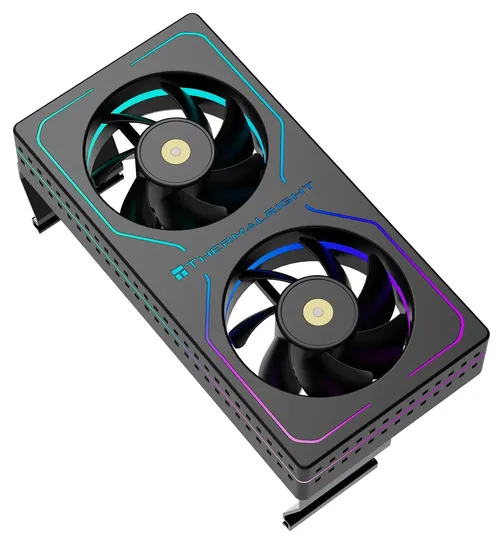
RAM coolers are optional in most PCs. Six fan coolers and heat spreaders compared on airflow, noise and fit; the Thermalright MC-2 ARGB is our pick. When users buy our independently chosen editorial selections, we may earn commissions to help fund the Wiki.
A stick-on heat spreader can only shed heat into air the case fans already move, so it won't drop memory temperatures much. A RAM cooler adds airflow or metal to a desktop PC's memory sticks; clip-on fan units blow air across the modules. Overclockers and owners of cramped, hot cases use them most, and most other PCs don't need one.


Editor's Notes
October 18, 2026, by Ezvid Wiki Admin:
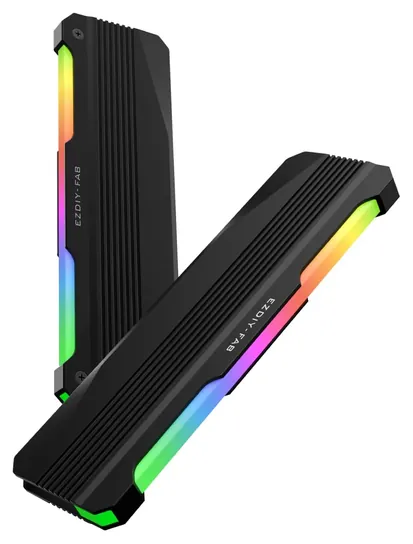
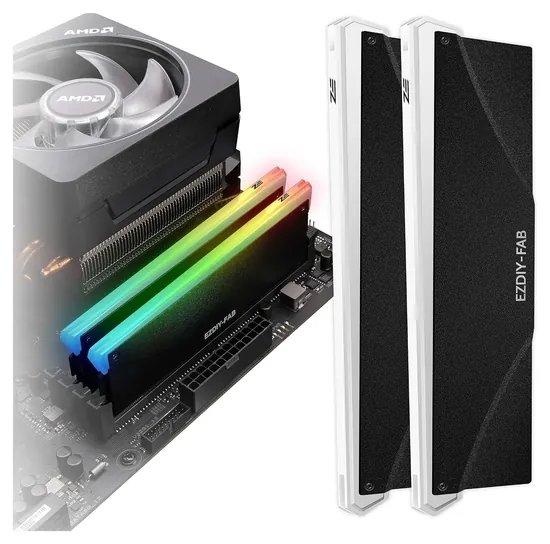
The Thermalright MC-2 ARGB is the new favorite for three reasons: it's a simple dual-fan unit from an established cooling brand, its specs are on the maker's own site, and it costs about the same as a heat spreader kit. Almost nothing on the 2020 version of this list is still sold. The Corsair Vengeance CMYAF, G.Skill Turbulence III, EK Water Blocks Monarch and Thermaltake A1 are all unavailable, and the Thermaltake Floe RC listing now leads to a CPU liquid cooler whose memory block only works with special Thermaltake modules. We also dropped the Electric Magic Cooling Vest, a generic stick-on spreader we couldn't find current details for. The EZDIY-FAB kit stays in its newer form, the EZDIY-FAB PI061.
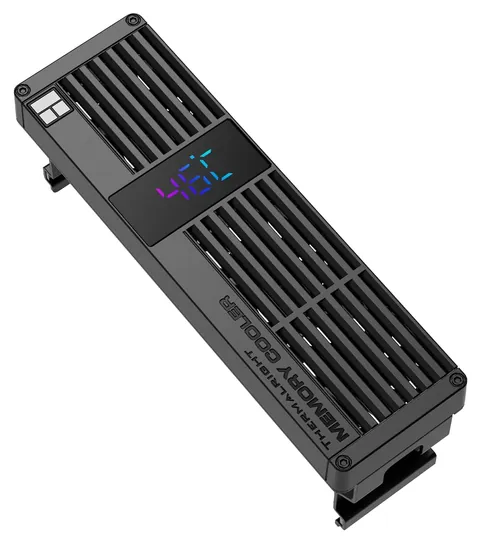
The Thermalright MC-3 Digital adds a temperature readout, and the GSCOLER Z-X5 suits liquid-cooled builds.
An honest point: most people don't need a RAM cooler at all. Modern memory usually ships with its own spreaders, and normal case airflow keeps it in range. The guide explains when one helps.
Evidence is thin here. We found no outside tests of any current RAM cooler, so the numbers come from Thermalright's and EZDIY-FAB's own pages, seller pages and recall checks, and each entry says where a number comes only from the seller.
October 16, 2020:
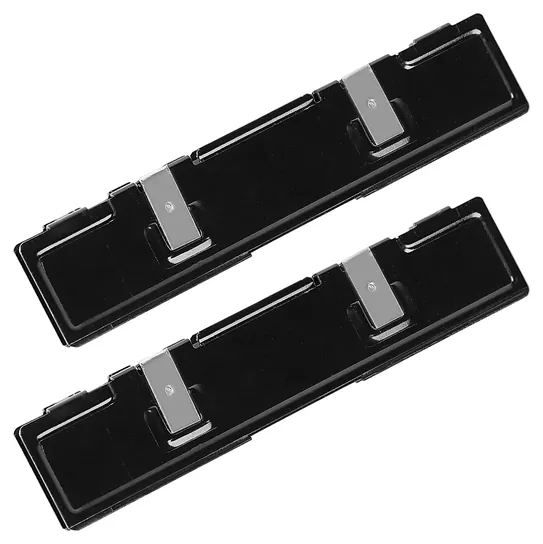
Ram coolers come in a few varieties. The simplest is a standard heat sink, such as the Electric Magic Cooling Vest, that uses thermal adhesive to stick to either side of each module. Although especially straightforward, these can actually be pretty effective, and they offer the added bonus of disguising RAM chips that aren't very attractive. For a reasonable step up in price, the EZDIY-Fab DDR-3528 do the same thing in terms of cooling, but also offer fun RGB lighting for those who are interested in looks as well as performance.
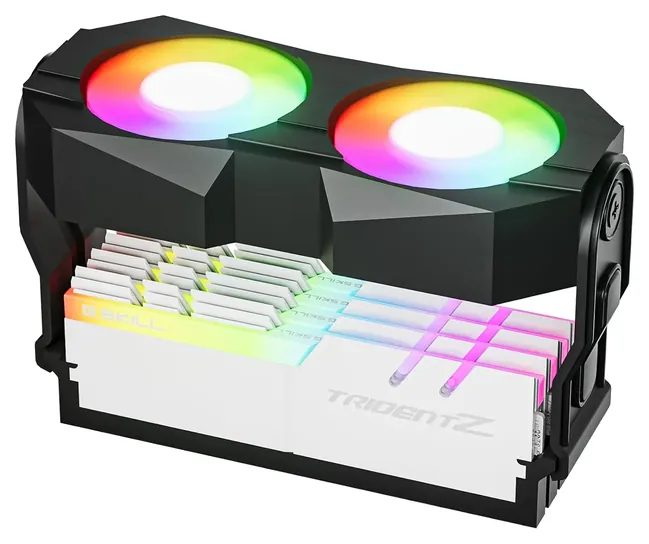
The second most intensive type of cooling uses simple fans. Air coolers like the Corsair Vengeance CMYAF and G.Skill Turbulence III can definitely be noticeably effective, but they won't fit in the most cramped builds, so you'll need to take some careful measurements before selecting one. The advantage of the G.Skill is its adjustable height and tilt, which can also help reduce motherboard VRM temperatures, although its fans aren't quite as powerful as the Corsair's are.
Then there's liquid cooling. If you're into designing your own custom water loops, it's hard to top the EK Water Blocks Monarch in terms of effectiveness, although it is a distinctly DIY endeavor and doesn't have any fancy lighting. For a blend of appearance and cooling, the Thermaltake A1 is the way to go. If you're not willing or able to safely install your own system - which is something most users will definitely not even have need of - then the Thermaltake Floe RC is a very good all-in-one choice, and it's actually quite reasonably priced in light of its capability and advanced RGB lighting.
February 17, 2019:
RAM isn't usually at the forefront of your list of priorities when overclocking, but there are some instances when it should be considered. For example, if your CPU is already running hot, such as an Intel Core that's pushed pretty far, or an AMD Ryzen that's operating at its normal clock, the first and even second RAM slots can be subject to increased temperatures. On the other hand, maybe you're running a slightly compact build that has poor airflow, which can be a death sentence if you spend a lot of time running particularly advanced games, blockchain miners, server utilities, or raw audiovisual data processes. The ThermalTake is the simplest and most effective, in terms of passive cooling, and for many applications, it's all you'll need.
If you're dead set on overclocking to the maximum degree, and especially if you're dedicated to overclocking your RAM's bus speed, the EK Water Blocks units might be for you. They call for a bit more expertise than the rest, because they're meant for liquid cooling, and for obvious reasons, perfect installation is absolutely paramount to their safety. On the other hand, the Corsair is a relatively simple fan that can take the edge off high temps, provided it's not actually pulling air from directly overtop the central processor — this can actually increase your memory temperatures, if you're not careful.
The HyperX, EZDIY, and UpHere are more simple, as they're essentially just advanced heat spreaders, but they do pull double duty, as they add a little bit of pizazz to any case. And if you've made a substantial investment in one of those new-fangled video cards, and want to make absolutely certain that its video RAM doesn't overheat (we're looking at YOU, Nvidia), the Arctic Accelero will make sure that never happens, but be aware that it is quite a bit of work to properly install.
Does Your RAM Need A Cooler?
DDR5 sticks also carry their own power-management chip, so they run warmer than DDR4 did.
Usually not. Most memory kits sold now already wear aluminum heat spreaders, and a case with a front intake fan and a rear exhaust keeps them well within range for gaming and office work, even with XMP or EXPO profiles turned on.
Heat starts to matter with DDR5. Under the JEDEC standard, DDR5 has to refresh its cells twice as often once it passes 85 degrees Celsius, which costs a little performance, and 95 degrees is the top of its extended range (Wikipedia: DDR5 SDRAM). DDR5 sticks also carry their own power-management chip, so they run warmer than DDR4 did.
A RAM cooler earns its place in a few cases: a manual memory overclock with raised voltage, a liquid CPU cooler that leaves no fan blowing over the memory slots, a small case with weak airflow, or a hot graphics card sitting just below the sticks. Most DDR5 modules include a temperature sensor, so a free monitoring tool such as HWiNFO can show whether your memory is actually running hot before you buy anything.
Fans Versus Heat Spreaders
A fan unit is the only kind that adds airflow. It clips over the row of sticks and blows straight down on them. Fan size matters more than fan count: Thermalright rates each of the MC-2's two 60-millimeter fans at 16.17 cubic feet per minute (Thermalright MC-2 ARGB), while each of the MC-3 Digital's three 40-millimeter fans moves 4.48 (Thermalright MC-3 Digital). Look for a 4-pin PWM plug, which lets the motherboard slow the fans when the PC is idle.
A passive heat spreader is a bar of aluminum or copper stuck to the memory chips with thermal tape or pads. It adds surface area and protects the chips from knocks, but it can only shed heat into air that's already moving, so the gain is small. Most of these kits sell on their light bars. They're made for plain sticks without spreaders, and adhesive can be hard to remove. Prying factory spreaders off a memory kit to swap in new ones can damage the chips and may void the memory maker's warranty, so check its terms first.
Liquid-cooled memory blocks were the third option, but the best-known models are no longer sold. They only make sense inside a full custom water loop.
Fit, Clearance And Headers
Measure before you buy. A fan unit sits on top of the memory, so the total height has to clear the side panel and anything hanging over the slots. The MC-2 housing is 120 by 65 by 25 millimeters (Thermalright), and the MC-3 Digital stands 57.7 millimeters tall (Thermalright). Big tower air coolers often overhang the slot nearest the CPU, which is why some fan units are sold for liquid-cooled builds only. Some also need a gap of a few millimeters between slots, or a board with four slots, to clip on securely.
Then count headers. Fan units need a free 4-pin fan header. Lit models need a 5-volt 3-pin ARGB header, which is different from the older 12-volt 4-pin RGB header. Plugging a 5-volt part into a 12-volt header can burn out its LEDs. The MC-3 Digital's screen also needs an internal 9-pin USB 2.0 header. If your board is short on headers, a powered fan or ARGB hub fixes it.
How we researched this
We compared 16 RAM coolers, heat spreaders and memory water blocks, including every product on the old list, and screened six in depth. We read Thermalright's product pages for the MC-2 and MC-3, used sellers' listings for the other picks, and checked every brand for recalls with the U.S. Consumer Product Safety Commission. We found no independent lab tests of current RAM coolers.
Frequently asked questions
Do RAM coolers actually work?
Fan units do lower memory temperatures because they move air over the sticks. Passive heat spreaders help far less, since they rely on air already moving through the case. Neither will raise performance on its own unless your memory was running hot to begin with.
Do I need a RAM cooler for DDR5?
Usually not. DDR5 runs warmer than DDR4, but most kits ship with spreaders that keep them under 85 degrees Celsius in a case with normal airflow. A cooler makes sense for manual overclocks, liquid-cooled builds with no fan near the slots, or cramped cases.
Are RAM heatsinks worth it?
On plain sticks without spreaders, a cheap aluminum heatsink adds some surface area and protection. On a kit that already has spreaders, there's little to gain. Most lit heatsink kits are mainly about looks.
Will a RAM cooler fit under my CPU cooler?
Check the cooler's height against the space between your memory slots and your CPU cooler's fins or fan. Tall tower air coolers often block the first slot, and some fan units are made only for builds with a liquid CPU cooler.
Can I plug an ARGB RAM cooler into an RGB header?
No. ARGB parts use a 5-volt 3-pin header. The older RGB header runs at 12 volts on 4 pins, and plugging a 5-volt part into it can burn out the LEDs.
What happened to the Corsair and G.Skill RAM fans?
The Corsair Vengeance Airflow and G.Skill Turbulence III fans are no longer sold new. Current clip-on fan units from Thermalright and others fill the same role.