The 8 Best Computer Screw Sets
Updated by · How we research

Laptop screw kits in M2 to M3 sizes and desktop standoff sets, compared on range, count and fit. The Qteatak JF0009 leads for laptop repairs. When users buy our independently chosen editorial recommendations, we may earn commissions to help fund the Wiki.
Most laptop screws come in just three metric thread sizes, M2, M2.5 and M3, but the length changes from hole to hole, and a screw that's too long can damage a board or battery. These sets keep spares sorted by size for repairs and upgrades, and a few cover desktop cases, drives and motherboard standoffs instead.


Editor's Notes
October 23, 2026, by Ezvid Wiki Editors:
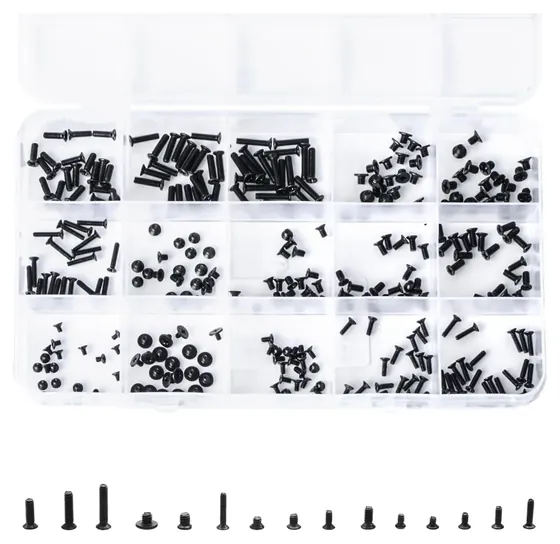
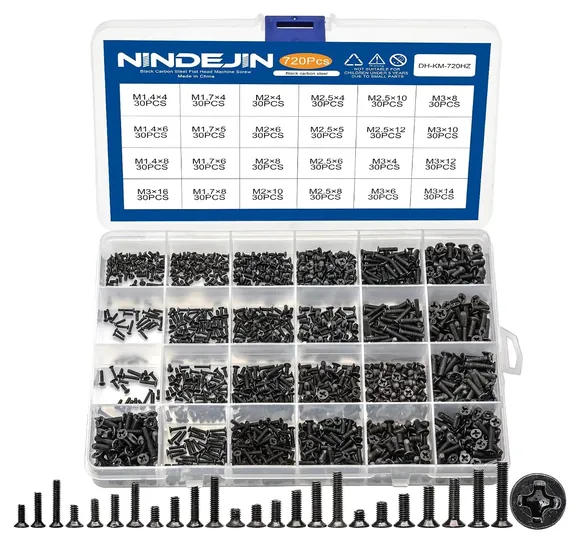
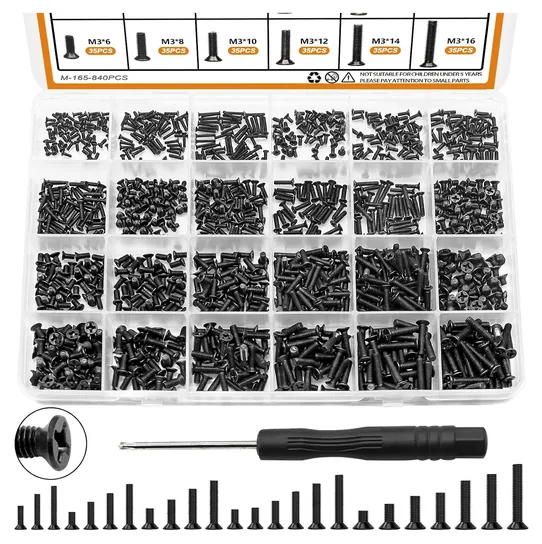
Of the old laptop kits, only the Qteatak JF0009 is still on sale, and it now heads the list because its spread of short and long screws lines up with what laptops use. Both Co Rode kits, the Glarks Replacement Repair Kit and the TLL Technology 8541583844 Set are gone, so three new laptop picks take their places: the Persberg 360 for value, the NINDEJIN 720 for tiny electronics and the mankk 840 for its screwdriver.
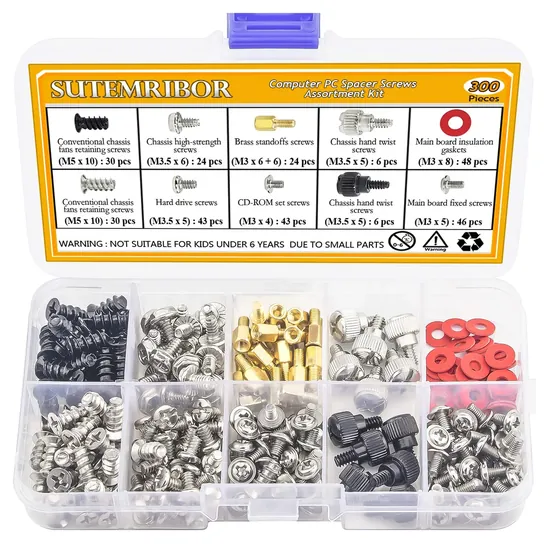
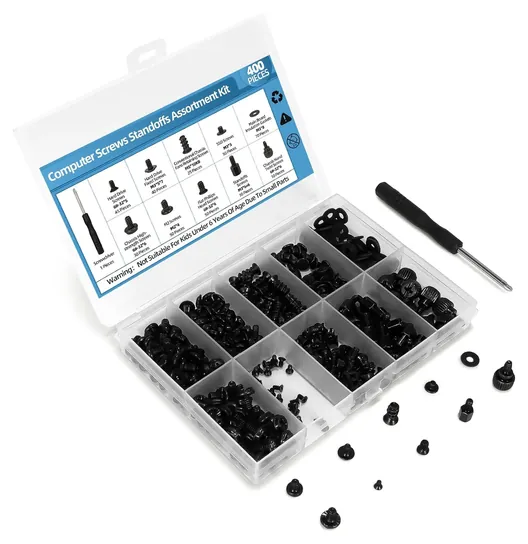
On the desktop side, the Sutemribor 300 and the MCSHER M1917 stay, joined by the Scartink 400 for a full build. Nobody lab-tests loose screw kits, so we matched each kit's threads and lengths against what laptops, drives and cases take, read iFixit's advice on mixed-up and overlong screws, and checked every brand for recalls. The most useful tip we found costs nothing: photograph the screws before you take them out.
Earlier notes
April 28, 2021, by Christopher Thomas:
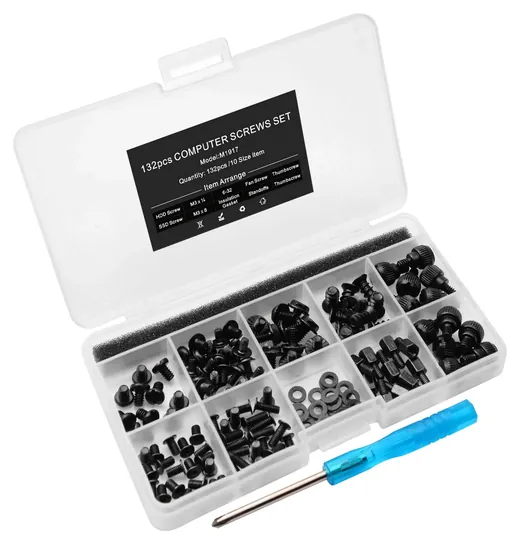
Just a few changes to the Wiki this round. One was upgrading to the 900-piece Co Rode Laptop, to replace the 750-piece option from the same company, which is no longer available. We also added a new #2, the MCSHER M1917. It only has enough pieces for one entire build, but because every single screw is coated in anti-oxidative black paint, owners of fancy RGB systems will appreciate this kit the most.
Otherwise, the most important thing to keep in mind when choosing a computer screw kit is whether you'll be using it primarily for laptop or desktop use. If you need to maintain a large number of desktops, we still recommend the Sutemribor Assortment, and for keeping a fleet of laptops in perfect condition, consider the Co Rode Notebook Computer Kit.
March 17, 2020, by Nate Lakritz:
Having an assortment of screws for desktop and laptop computer repairs is absolutely essential for a seasoned tech technician. For everyone else, it’s a convenient purchase that helps to avoid unnecessary trips to repair shops. Each of the products on this list comes with a variety of different screw types that work universally across most devices. They also include several of each type, ensuring you can fully replace all the screws on a single device.
Most of the products on this list have plastic carrying cases with attached guides that explain the sizes of various screws. The Sutemribor 8541677150 even has colored pictures of each part alongside their measurements, to make identification as quick and straightforward as possible. Dividers keep everything organized and prevent different types of screws from mixing with each other during transportation. Some kits like the Co Rode CR150514E118 and Glarks LYSB01GPRLAWS include a Phillips-head screwdriver for added convenience.
Since your laptop may have somewhat specialized parts, it’s important to research the exact screw types that are included with one of these sets. It’s not guaranteed that a kit will have what you’re looking for, even if it has a large variety. These products are most useful when you are doing a full repair or modding and need a lot of common parts.
Special Honors
iFixit Repair Guides iFixit's free, photo-by-photo repair guides for thousands of laptops, consoles and phones show where each screw goes and how long it is, which is the best way to know what to look for in a kit. Its store also sells precision bit sets and magnetic project mats. ifixit.com
Match The Original Screw First
If nothing in the kit matches, leaving the hole empty is safer than forcing a longer screw.
No kit can promise the exact screw a given laptop needs. A single machine can use several lengths, sometimes three or more on the bottom panel alone, and kits stock only the common ones. The useful approach is to compare a surviving screw from the same spot against the kit, or check the model's service manual or an iFixit repair guide before ordering.
Three things have to match. The thread diameter on most laptops is M2, M2.5 or M3, and the number is the outside width in millimeters. The length matters most: iFixit warns that the wrong screw in the wrong hole causes real damage, and an overlong screw can press into a board or battery. If nothing in the kit matches, leaving the hole empty is safer than forcing a longer screw. Finally, the head: flat, or countersunk, heads sit flush in recessed holes, while pan heads sit proud.
The driver matters too. Some electronics use Japanese Industrial Standard (JIS) cross-head screws, which look like Phillips but take a slightly different bit, and the Hardware Hacks screw guide notes that the wrong bit is a common cause of stripped heads. Most kits ship without a driver, or with a basic one, so a decent precision set is worth owning.
Laptop Kits Versus Desktop Build Kits
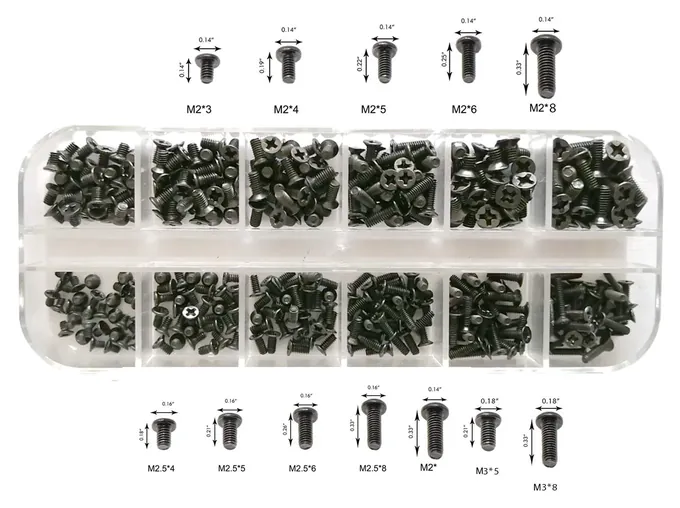
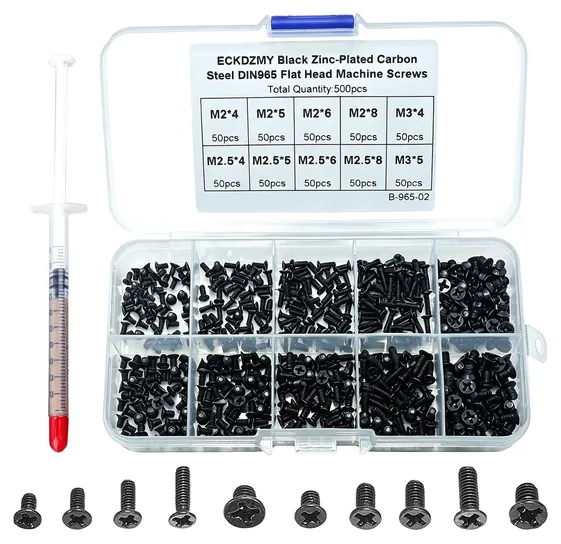
Laptop kits are boxes of black flat-head machine screws in M2, M2.5 and M3, with lengths from about 3 to 16 millimeters. The larger ones add M1.4 and M1.7 for webcams, keyboards and other small electronics. These kits also cover the single mounting screw that holds an M.2 solid-state drive, which Wikipedia's M.2 entry describes; many motherboards ship with that screw, so check the board's box first.
Desktop kits are a different set of parts. According to Wikipedia's computer case screws entry, #6-32 UNC screws hold covers and 3.5-inch hard drives, M3 screws fit 2.5-inch drives and optical drives, and motherboards usually sit on #6-32 standoffs. Imperial and metric threads look alike, so a kit with a printed chart helps avoid cross-threading. Desktop kits add thumbscrews, standoffs and insulating washers, and some sellers list #6-32 as M3.5, since it's about 3.5 millimeters wide.
If you fix both, buy one of each type. A laptop kit has nothing that fits a tower's case or drive bays, and a desktop kit's screws are too large for a laptop.
Keeping Screws Straight During A Repair
Most lost screws go missing during the repair, not before it. In iFixit's roundup of reader tips, the favorites were cheap: ice cube trays, egg cartons, sticky notes and double-sided tape on cardboard, with each screw placed in the pattern it came out. Taking a photo before each step helps too. A magnetic mat with a dry-erase surface, which iFixit sells, does the same job for regular repairers.
Power the machine down, unplug it and disconnect the battery before removing any screw, since a dropped screw or slipped driver can short a live board. Turn tiny screws gently: they strip and snap with little force, and a screw only needs to be snug. Store the kit closed and out of reach of young children and pets, because loose screws are a choking hazard.
How we researched this
We looked at 16 screw kits, compared the 12 still on sale, and narrowed them to 8. We checked each kit's threads and lengths against the screws laptops, drives and desktop cases use, read repair guidance from iFixit and other repair sites, analyzed owner feedback for fit and stripping problems, and checked every brand against the U.S. Consumer Product Safety Commission's recall database. Updated October 23, 2026 by Ezvid Wiki Editors.
Frequently asked questions
What screws do most laptops use?
Most use small metric machine screws in M2, M2.5 or M3, usually with black flat heads, in lengths from about 3 to 10 millimeters. Some brands use JIS cross-head screws, which need a JIS or close-fitting bit to avoid stripping.
Will a screw kit have the exact screw for my laptop?
Often, but not always. Kits carry common sizes, and one laptop can use several lengths. Compare a matching screw from the same spot, or check the service manual, before relying on a kit.
What screw holds an M.2 SSD in place?
A single small mounting screw, usually M2 with a short length. Many motherboards include one, so check the box before buying a kit just for that.
What screws does a desktop PC case use?
Mostly #6-32 UNC for side panels, power supplies and 3.5-inch drives, and M3 for 2.5-inch and optical drives. Motherboards sit on standoffs, usually #6-32.
Is it OK to use a slightly longer screw?
It's risky. Inside a laptop, a longer screw can reach a board, cable or battery. Use the same length or slightly shorter, or leave the hole empty until you find the right one.