The 8 Best Gaming Keypads
Updated by · How we research

Three Razer Tartarus models top these eight gaming keypads, ahead of rivals from Redragon, Azeron and Keychron. The Razer Tartarus V2 is first. When users buy our independently chosen editorial picks, we may earn commissions to help fund the Wiki.
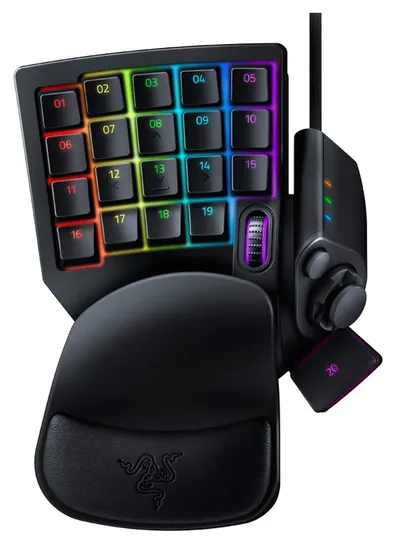
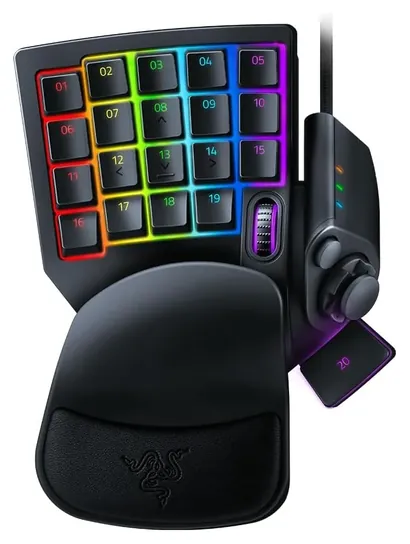
Every Razer Tartarus, even the newest, plugs in with a cable, so wireless play means looking at another brand. A gaming keypad puts the keys a game needs under one hand, with a thumb control for movement and a wrist rest, so the other hand stays on the mouse. Most buyers want a Razer Tartarus or something close to one.


Editor's Notes
October 15, 2026, by Ezvid Wiki Admin:
The Razer Tartarus now fills the top three spots, the biggest change since the 2021 version. Most people who land here want a Razer Tartarus or an alternative to one, so we now cover three: the Razer Tartarus V2 for most players, the Razer Tartarus Pro for adjustable analog keys and the Razer Tartarus V2 Pro for a thumbstick. An early note on this page warned against the Tartarus, but it has since built a long owner record and become the design every other keypad is measured against, so that advice no longer stands.
We dropped the Koolertron SMKD92, the Aula 109R and the GameSir VX2 AimSwitch because they're no longer available, and the GameSir was really a console keyboard-and-mouse adapter. The Logitech G13 Gameboard is discontinued, and the Azeron Classic gave way to the Azeron Cyborg II. We added the Redragon K585 PRO for wireless play, the Keychron C0 HE 8K and the RedThunder G30.
We stopped at eight because the rest of the field is new brands with almost no owner history or near copies of these designs. Independent tests of keypads are rare, so switch, polling and battery figures come from the makers. A handful of reviews, such as Hardware Canucks' look at the Tartarus Pro, and years of owner reports on the older designs fill in the rest.
December 24, 2020:
If you want something reasonably priced, go for the Redragon K585 DITI, or for something that's not flashy, the Koolertron SMKD92. Fans of complex MMOs or combo-heavy fighting games will appreciate the huge wealth of keys on the Aula 109R and how easy it is to reach them. As far as relatively keyboard-like models go, though, the Razer Tartarus Pro is basically impossible to beat. It's immensely well designed and has a host of premium features that place it very clearly at the top of the pack.
We also want to mention the Logitech G13 Gameboard, which is a great device in its own right, but due to some specific durability issues, has been discontinued. It might not last for years, but the issues that it does have are often fixable if you're handy. Then there's the Azeron Classic, which, as you can see, is very weird, but many dedicated gamers simply love it.
January 16, 2019:
First off, keep in mind that these things will be under a lot of stress. So make sure you take care of it, and keep it clean. And they tend to have very different installation and programming methods. These all offer a widely varying range of features, and depending on what you need, it's important to get the one that will work right for you. If you're just testing the keypad waters, try the Teshiuck or Sades, because they cost next to nothing, and so make a great starting point. If your mitts are wide enough, the Aula is a good option, and it's laid out in a perfect grid, whereas most of the others are offset like those on a normal keyboard.. The Razer OrbWeaver tries very hard to be a professional-quality device, and with a little bit of extra upkeep and maintenance, it's quite satisfactory, if expensive. Incidentally, the Razer Tartarus (either version) is not recommended; we've just seen too many dissatisfied customers. Southpaws should look into the Deebol, because it's the only good symmetrical one we could find. Oddly enough, in a category full of breathing lights and flashy devices, the relatively simple Koolertron may be the best choice for some gamers, because it works very well, lasts a long time, is fully programmable, and leaves most buyers with a good impression.
Special Honors
ZSA Moonlander ZSA's split ergonomic keyboard can double as a gaming keypad: unplug the right half and the left half works on its own as a programmable macro pad, with a thumb cluster that tilts to fit your hand and optional tenting. It's a full keyboard first, sold direct from ZSA from about $365 with a two-year warranty. zsa.io
Which Razer Tartarus Should You Buy?
Choose it if you want stick movement in games that accept controller input, and expect to spend time in the software.
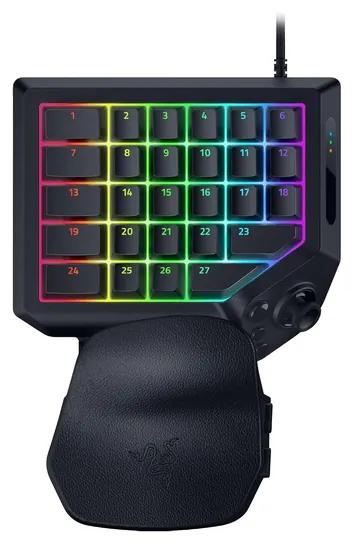
Razer sells three Tartarus models, and all of them are wired USB; there is no wireless Tartarus. The Tartarus V2 has mecha-membrane keys, a soft dome with a tactile bump, plus an 8-way thumbpad and a scroll wheel (Razer). It's the right choice for MMOs and most other games where you mainly need more hotkeys within reach.
The Tartarus Pro adds analog optical switches. You set each key's actuation point between 1.5 and 3.6 millimeters and can give a key a second action at full depth (Razer). Hardware Canucks liked its smooth switches but found the extras hard to justify for most players, and noted that its profiles stay in Razer's Synapse software rather than on the pad.
The Tartarus V2 Pro replaces the thumbpad with a full-size analog thumbstick, widens actuation to 0.1 to 4 millimeters and stores three profiles on board (Razer). Choose it if you want stick movement in games that accept controller input, and expect to spend time in the software.
The Best Razer Tartarus Alternatives
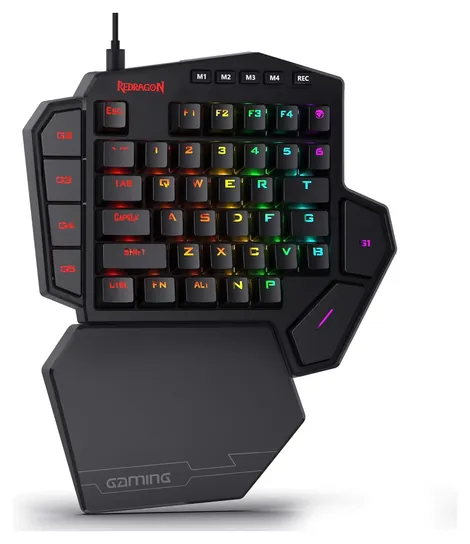
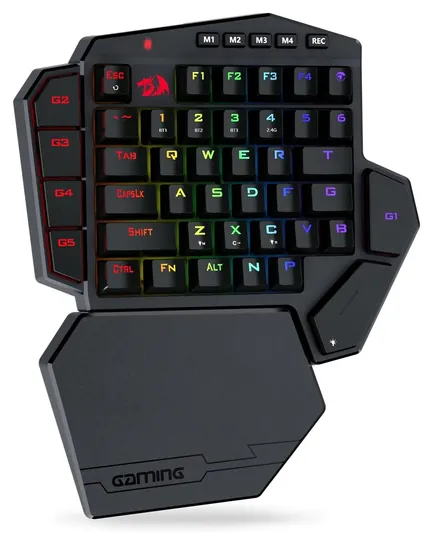
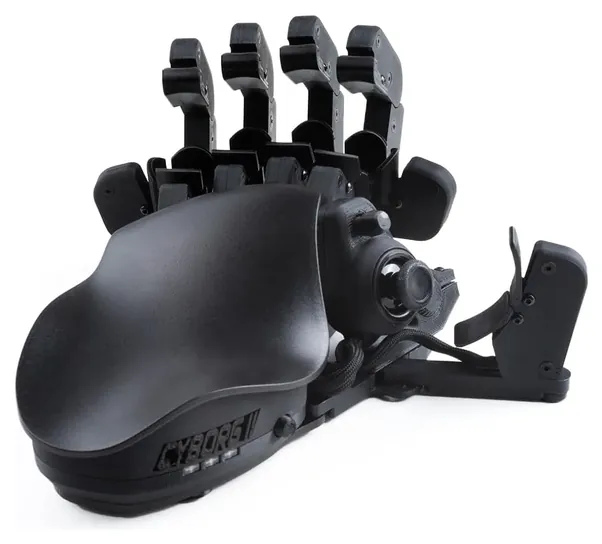
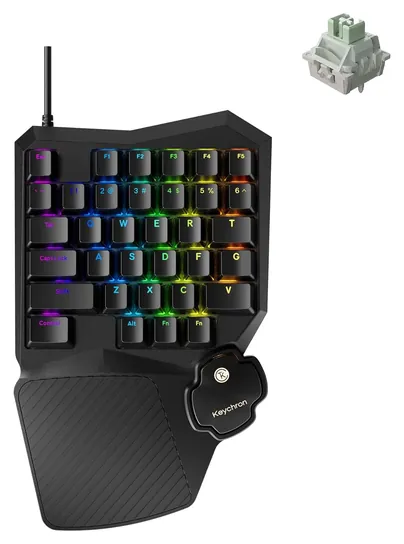
If you like the Tartarus idea but not the price, the Redragon K585 DITI swaps the thumbpad for a bigger block of mechanical keys at well under half the cost, and its K585 PRO version adds 2.4-gigahertz and Bluetooth wireless (Redragon). If you want a thumbstick and a body shaped around your hand, Azeron is the main alternative; a 2026 review of the Cyborg II found it rewarding for players willing to spend days adjusting it (Audiophile Heaven). For shooters, Hall-effect pads like the Keychron C0 HE 8K offer Rapid Trigger and fine actuation in a smaller, cheaper body, set up in a browser and usable on a Mac.
Some older favorites are gone. Logitech's G13 Gameboard came out in 2009 and has since been discontinued, though owners still use it, and a 2025 Linux driver patch added support for its keys and thumbstick (Phoronix). Owners report that its thumbstick wears, so check it on a used one. Razer no longer lists the Orbweaver or the Nostromo, so both are hard to find new; the Tartarus is their successor.
Switches, Analog Keys And Setup
Keypads use four kinds of switches. Membrane and mecha-membrane keys are quiet and cheap. Mechanical switches, like the Redragon's, give a sharper, more consistent press. Analog optical switches (Razer's Pro models) and Hall-effect magnetic switches (Keychron, and the Azeron's stick) measure how far a key is pressed, which allows adjustable actuation and Rapid Trigger, where a key resets the instant it starts to rise. Those features matter most in fast shooters; Tom's Guide found the Tartarus Pro made some games a little easier and others harder.
Check the software before you buy. Razer's Synapse runs on Windows, so treat these as PC devices rather than console accessories. Pads with onboard memory, like the Azeron (six layouts) and the Tartarus V2 Pro (three profiles), keep your bindings when you move to another computer. Most keypads go under the left hand, with the mouse on the right; Azeron also makes versions for the other hand. You'll still need a mouse with any of them.
We found no recalls for Razer, Redragon, Logitech, Azeron or Keychron in the U.S. Consumer Product Safety Commission's database (CPSC).
How we researched this
We screened 15 gaming keypads in detail, read makers' specifications, used the few independent reviews that exist (Hardware Canucks and Tom's Guide on the Tartarus Pro, a launch review of the Tartarus V2 Pro and a 2026 review of the Azeron Cyborg II), analyzed patterns in owner feedback, and checked every brand for recalls with the U.S. Consumer Product Safety Commission. No lab has tested these keypads side by side.
Sources (13)
- Razer Tartarus V2
- Razer Tartarus Pro
- Razer Tartarus V2 Pro
- Hardware Canucks: Razer Tartarus Pro review
- Tom's Guide: Razer Tartarus Pro review
- Digital Citizen: Razer Tartarus V2 Pro review
- Audiophile Heaven: Azeron Cyborg II review
- Azeron
- Keychron C0 HE 8K
- Redragon
- Phoronix: Logitech G13 Linux support (2025)
- ZSA Moonlander
- CPSC recalls
Frequently asked questions
Is there a wireless Razer Tartarus?
No. Every Tartarus, including the Tartarus Pro and Tartarus V2 Pro, connects by USB cable. For a wireless one-handed keypad, look at the Redragon K585 PRO.
What is the best alternative to the Razer Tartarus?
The Redragon K585 DITI for a low price and mechanical keys, the Azeron Cyborg II for ergonomics and a thumbstick, and the Keychron C0 HE 8K for fast Hall-effect switches.
What's the difference between the Tartarus V2 and the Tartarus Pro?
They share a shape. The V2 has mecha-membrane keys; the Pro has analog optical switches with actuation adjustable from 1.5 to 3.6 millimeters and Rapid Trigger.
Are the Razer Orbweaver and Logitech G13 still made?
No. Logitech discontinued the G13, and Razer no longer lists the Orbweaver or the Nostromo, so all three are hard to find new.
Can I use a gaming keypad on a console?
Not reliably. Most are PC devices whose setup software runs on Windows; the Keychron's browser configurator also supports macOS.
Do I still need a mouse?
Yes. A keypad replaces the keyboard under one hand, and the other hand stays on the mouse.