The 7 Best WiFi Boosters
Updated by · How we research

Lab results from four testers shaped this ranking of seven WiFi boosters, from Wi-Fi 5 to 7, by speed, router fit, Ethernet and price. TP-Link RE715X leads. When users buy our independently chosen editorial recommendations, we may earn commissions to help fund the Wiki.
A WiFi booster doesn't make the internet faster. It spreads the signal you have, and most models cut the speed roughly in half. Plugged into an outlet, it picks up your router's signal and rebroadcasts it to rooms the router can't reach. Homeowners, renters and remote workers use one to fix a dead zone without running cable.


From the manual
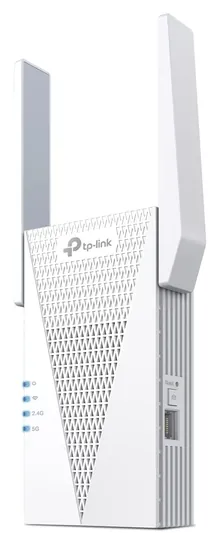
- For safety, TP-Link says to plug it in upright only, so a sideways-mounted outlet won't do. p. 7
- OneMesh roaming needs a TP-Link router on the OneMesh list, and some routers need a firmware update first. p. 17
- Inside a OneMesh network it copies the router's access-control rules, so set device blocks on the router. p. 28
- Until setup, it broadcasts an open network named TP-Link_Extender with no password, so finish setup promptly. setup guide, step 1
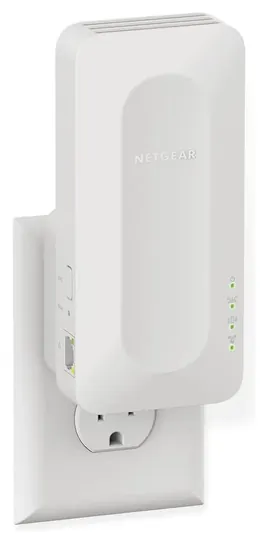
From the manual
- Set it up in the same room as the router, then move it; the Router Link light shows green at a good spot. pp. 13, 19
- It can't join a router using WEP or WPA/WPA2-Enterprise security; switch the router to a personal mode first. p. 13
- With a MAC filter or access list on the router, devices behind it connect but get no internet until you allow their translated addresses. pp. 45-46
- In repeater mode it must link to the router by Wi-Fi; an Ethernet cable to the router works only in access point mode. p. 66
Compare the specs
Swipe the table sideways to see every column.
| Product | Wi-Fi standard | Top 5 GHz link rate (Mbps) | Ethernet port | Antennas | Mesh or roaming |
|---|---|---|---|---|---|
| 1. TP-Link RE715X | Wi-Fi 6 (AX3000) | 2,402 | Gigabit | 2 external | OneMesh, EasyMesh |
| 2. Netgear Nighthawk EAX17 | Wi-Fi 6 (AX3000) | — | Gigabit | — | One WiFi Name |
| 3. Asus RP-BE58 | Wi-Fi 7 (BE3600) | 2,882 | Gigabit | 2 internal | AiMesh node |
| 4. TP-Link RE315 | Wi-Fi 5 (AC1200) | 867 | 100 Mbps | 2 external | OneMesh, EasyMesh |
| 5. Netgear Nighthawk EXS27 | Wi-Fi 7 (BE5000) | 4,320 | 2.5 Gbps | 3 internal | One WiFi Name |
| 6. TP-Link RE235BE | Wi-Fi 7 (BE3600) | 2,882 | 2.5 Gbps | 2 external | EasyMesh |
| 7. TP-Link RE500X | Wi-Fi 6 (AX1500) | 1,200 | Gigabit | 2 internal | EasyMesh |
Link rates are the makers' maximum signal rates, not real-world speed, and a repeater that resends on the same band can deliver about half. All seven are dual-band, 2.4 and 5 GHz, with no 6 GHz radio.
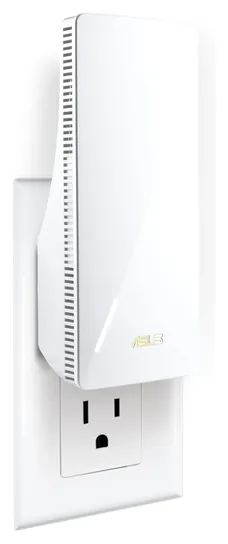
From the manual
- With a router that doesn't support AiMesh you set it up in the ASUS Extender app; joining an AiMesh system uses the ASUS Router app. pp. 9-10
- Its single light reads white for a good link to the router, yellow for a weak one and red for none. p. 7
- A reset takes a pin held in the reset hole for five seconds, until the light blinks yellow. p. 7
- Warranty service ends if it's repaired or modified without Asus' written approval, or the serial number is defaced or missing. p. 2
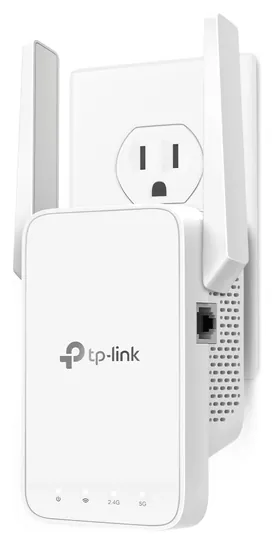
From the manual
- Turn on Smart Connect on a TP-Link router before forming a OneMesh network, so both bands share one name. ch. 3
- Its access control can't block devices plugged into the Ethernet port, and in OneMesh the router's rules take over. ch. 5
- Night Mode turns the lights off on a schedule, and a power schedule can switch the extender off overnight. ch. 7
- TP-Link advises upgrading firmware over a cable, not Wi-Fi, with a file matched to your hardware version. ch. 7
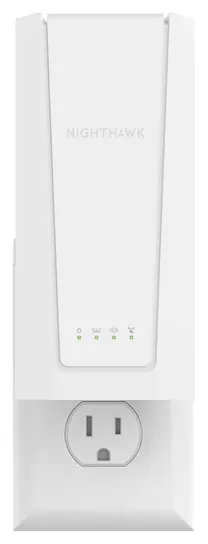
From the manual
- Netgear ranks setup methods by security: the https web page first, then the Nighthawk app and WPS, with plain http last. p. 5
- Leave One WiFi Name on; clearing it makes the extender broadcast its own network names and passwords. p. 8
- In access point mode, cable it to a router's LAN port, never straight to the modem: it doesn't act as a router. p. 8
- Forget your security-question answers and the only way back in is a factory reset, holding Reset for seven seconds. pp. 3, 31
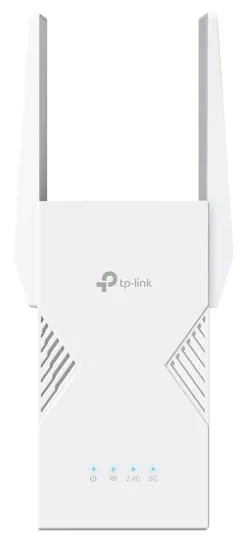
From the manual
- If no network names ending in _EXT appear after WPS setup, it joined an EasyMesh router and copied its settings. Set Up, method 1
- TP-Link warns that EasyMesh with another brand's router can fail on firmware conflicts. More Info
- Wi-Fi 7 features such as using both bands at once work only with phones and laptops that support them. More Info
- Forget the login password and you must reset it with a pin, then set up the whole connection again. FAQ
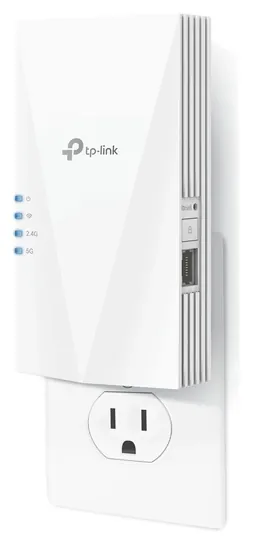
Editor's Notes
November 17, 2026, by Ezvid Wiki Editors:
In November we replaced the Asus RP-AX58, which Asus lists as end of life in Europe and CDW lists as discontinued, with its direct successor, the Wi-Fi 7 Asus RP-BE58; an independent review found it reliable in every mode, though its gigabit wired port keeps real speeds modest. For this pass we read the makers' manuals for six picks and added a spec table and notes from those manuals. We also moved the mesh threshold to Netgear's roughly 3,000 square feet, credited the halfway placement advice to TP-Link, dropped two unsupported item claims, and updated the guide on the FCC's foreign-router rules.
November 16, 2026, by Ezvid Wiki Editors:
The Asus RP-AX58 has reached the end of its life, with no more firmware updates and only leftover stock, so its direct successor, the Asus RP-BE58, now serves Asus router owners. It adds Wi-Fi 7 and proved reliable in every mode in an independent review, though its gigabit wired port keeps real speeds modest.
October 18, 2026, by Ezvid Wiki Editors:
The TP-Link RE715X earns first place with strong results in two separate lab tests and the option to double as a wired access point. Most of the old picks were Wi-Fi 5 extenders from 2016 to 2019, and several of the big tri-band models were down to their last units at prices close to a full mesh system. The TP-Link WPA8630 powerline kit is unavailable, the TP-Link RE650 has been discontinued, and the Securifi Almond 3 belongs to a product line that's no longer developed, so all of them went.
The new list is built mostly on Wi-Fi 6, with two Wi-Fi 7 options for people who already own a Wi-Fi 7 router. [2026 update: since the Asus RP-AX58 gave way to the Wi-Fi 7 RP-BE58 in November, the list has three Wi-Fi 7 picks.] The Netgear Nighthawk EAX17 is the safe choice if you don't know or care what brand your router is, and the TP-Link RE315 stays cheap for one stubborn room.
The question we see most is whether a booster makes the internet faster. It doesn't. It spreads the signal you already have, and most models cut the speed roughly in half along the way. The guide explains when a mesh system, a wired access point or powerline is the better buy.
We leaned on maker spec pages and published lab results from TechGearLab, BroadbandNow, Expert Reviews and Dong Knows Tech, plus owner feedback and recall checks.
Earlier notes
November 4, 2020, by Luke Mitchell:
One term we are increasingly seeing when discussing WiFi extenders is "wireless mesh network", and many of the units ranked here use this technology. In short, these devices create multiple signal sources, to help ensure a seamless connection within the network, and as the demands of wireless connectivity become more complex, this feature becomes increasingly important.
In this latest update to our ranking, we made three new additions. These are the popular TP-Link AC1200, which replaced the older TP-Link AC750; the D-Link DAP-1955, which is both affordable and compact; and the robust, high-performance, Netgear EX7700. Each of these new items utilizes mesh functionality, and each can be managed via an iOS or Android app.
A dedicated app is a handy tool to have, as it assists in configuring the extender with your router, and helps you determine the optimal position where signal strength is at its highest. The TP-Link app goes one further and allows you to control which devices can connect to your network and disable them at preset times. This feature is especially useful if you are concerned about your children browsing the internet after lights out, or if you simply wish to limit their usage.
November 15, 2019, by Christopher Thomas:
There are two main reasons why you might want a Wi-Fi booster. You may have a router that works but is beginning to age, and in this case, an inexpensive repeater might be your best bet, especially if you don't have an ultra-high-speed Internet package or an incredibly large house. The TP-Link AC750 is remarkably affordable and praised by experts, but many users find it just doesn't hold up for very long in the real world. If you're okay with a comparatively unknown brand, check out the Rock Space AC1200, which is also pretty cheap. Although it doesn't technically use the 802.11ac standard, it does operate on both the 2.4- and 5-gigahertz bands, so it's plenty fast enough for streaming video.
Alternately, you might just need a stronger signal if your house is very large or if your walls obstruct the signal too much. If you plan on gaming, streaming multiple 4K videos at once, or just being generally demanding when it comes to speed, you can probably get by with a mid-range device, such as the TrendNet TPL-430APK or the TP-Link WPA8630, which are two of the best powerline extenders. In places where there's a glut of Wi-Fi networks, these handy devices can help propagate a strong signal in spite of overcrowding. For a bit more, the TP-Link RE650 and Linksys Max-Stream RE9000 provide good performance using wireless communication only. And those who insist on making the very most of their bandwidth need to look at the Netgear Nighthawk Mesh X6S and Amped Wireless Athena RTA2600-R2, which should take full advantage of even the most high-performing routers and ISPs.
Finally, there are two specialty items worth mentioning. The Alfa SMA is a simple antenna upgrade that can breathe new life into old devices, and it's one of the least expensive tools for increasing range. The Securifi Almond 3 is aimed at security-minded users and has a host of useful features, but it's pretty costly and its range isn't actually all that great.
What A Booster Can And Can't Fix
Most units have a signal light or an app reading to guide you.
A WiFi booster, also called a range extender or repeater, joins your router's network and rebroadcasts it. That fixes coverage, not your internet plan. If your plan is slow at the router, it will be slow everywhere. Most extenders also lose speed along the way: a unit that receives and resends on the same channel can cut available bandwidth roughly in half, as Netgear explains. Dong Knows Tech saw that happen with the RE715X, which lost about half its bandwidth on each side when repeating.
Before buying, confirm that Wi-Fi is the problem. Run a speed test next to the router, then in the weak room. Expert Reviews suggests trying other wireless settings first, such as switching the router's band, and it treats about 120 Mbps (15 megabytes per second) as a good result from an extender.
Placement matters more than the model. Plug the extender in about halfway between the router and the dead zone, where it still gets a solid signal, not inside the dead zone itself, as TP-Link advises. Most units have a signal light or an app reading to guide you. Every extender adds some delay, and BroadbandNow found higher latency on every one it tested than on the router alone, so a competitive gamer is better served by an Ethernet cable.
Wi-Fi 5, 6 Or 7, And Which Router You Own
Match the extender to your router and your plan. Wi-Fi 6 is the sensible middle for most homes: AX3000 models such as the TP-Link RE715X support 160 MHz channels and held more than 200 Mbps on 5 GHz in TechGearLab's tests. Cheaper AX1500 models skip those wide channels. Wi-Fi 5 units still work for a slow plan or a single room. Wi-Fi 7 extenders add Multi-Link Operation, and most add 2.5-gigabit ports, but Netgear notes that its EXS27 performs best with a Wi-Fi 7 router. None of the plug-in extenders here use the 6 GHz band.
Any of these extenders can repeat any router's signal. The extras depend on the ecosystem. TP-Link OneMesh and the wider EasyMesh standard, Asus AiMesh and Netgear Smart Roaming keep one network name so phones switch over automatically; a plain repeater may create a second network you have to pick by hand. Eero extenders work only inside an existing eero system. Dong Knows Tech also found that devices behind the RE715X show a substitute hardware address, which can confuse router-based parental controls and address reservations; Netgear's extender manuals describe the same address swap.
Check the Ethernet port too. A 100 Mbps port caps a wired TV or console, a Gigabit port suits most plans, and a 2.5-gigabit port only matters on multi-gigabit service.
When To Skip The Extender: Mesh, Access Points And Powerline
An extender is the right tool for one or two weak rooms. For a home over roughly 3,000 square feet, or one that would need more than one extender, a mesh system usually works better, according to Netgear; BroadbandNow gives the same advice for any home larger than an extender's rated area. Square-foot ratings on extender boxes are marketing figures; reviewers suggest closer to 1,500 square feet of real added range for a strong model.
The best fix of all is a cable. Many extenders, including the RE715X and Asus RP-BE58, can run in access-point mode, where an Ethernet line from the router feeds them and none of the speed is lost to repeating. Where you can't run cable, powerline adapters send data over the home's electrical wiring. Real throughput is far below the label: TP-Link says to expect about 20% to 30% of the rated speed, and results depend on the wiring.
A few practical points. The heavier plug-in units weigh more than 300 grams and hang from the outlet, so use a wall socket that grips firmly, not a loose power strip, and keep the vents clear. Change the default admin password, use WPA3 or WPA2, and install firmware updates. A search of the CPSC recall database found no recalls for these models. On March 23, 2026, the FCC added foreign-made consumer routers to its Covered List, as Wiley explains. New models can't get FCC approval unless the maker wins a Conditional Approval. Wired lists Netgear and Asus among the companies that have one, and Heise reported in mid-November 2026 that TP-Link still had none. Models already approved stay legal to sell and use, and devices in homes keep working. The FCC's definition names routers, but the law firm Davis Wright Tremaine reads it as arguably covering extenders and mesh nodes too. TP-Link also faced a proposed federal ban, shelved in February 2026, and a Texas lawsuit it disputes.
How we researched this
We compared 21 range extenders and powerline kits, including the 10 on the earlier version of this list, and screened 7 finalists in depth. We read Netgear's EXS27 user manual and its EAX16/EAX17 manual (French edition), the Asus RP-BE58 user guide, TP-Link's user guides for the RE715X, RE315 and RE235BE, and each maker's spec page. Lab results from TechGearLab and BroadbandNow, Expert Reviews' file-copy tests and Dong Knows Tech's reviews of the RE715X and RP-BE58 carried the most weight. A search of the CPSC recall database found no recalls for any of these models or any TP-Link product; Netgear's two listed recalls cover camera power adapters and a 2004 Ethernet bridge.
Sources (29)
- TechGearLab: The 8 Best WiFi Extenders
- BroadbandNow: Best WiFi Extenders
- Expert Reviews: Best Wi-Fi extenders
- Dong Knows Tech: TP-Link RE715X review
- Dong Knows Tech: Asus RP-BE58 review
- Netgear: WiFi extender vs. mesh WiFi
- TP-Link: RE715X specifications
- Netgear: Nighthawk EAX17
- Asus: RP-BE58
- TP-Link: RE315 specifications
- Netgear: Nighthawk EXS27
- TP-Link: RE235BE specifications
- TP-Link: RE500X specifications
- TP-Link: powerline real-world speed FAQ
- SaferProducts.gov (CPSC) recall database
- Wiley: FCC adds foreign-produced consumer routers to Covered List
- 9to5Mac: Federal ban on TP-Link routers shelved
- TP-Link RE715X user guide (ManualsLib)
- TP-Link RE215 & RE315 user guide
- TP-Link RE235BE installation and user guide
- TP-Link: range extender, powerline and mesh compared
- Netgear EAX16/EAX17 user manual (PDF, French)
- Netgear EXS18/EXS25/EXS27 user manual (PDF)
- Netgear hardware warranty
- Asus RP-BE58 user guide (PDF)
- eero: extenders need an eero network
- Wired: the U.S. ban on foreign-made routers explained
- Heise: U.S. regulator approves waivers from router ban
- Davis Wright Tremaine: FCC bans new foreign-made consumer routers
Frequently asked questions
Will a WiFi booster increase my internet speed?
No. It spreads the signal you already have into rooms that get little or none. Most extenders deliver about half of the router's speed or less. If your speed is slow right next to the router, the fix is your plan or your router, not an extender.
Where should I plug in a WiFi extender?
About halfway between the router and the dead zone, in a spot that still gets a strong signal. Putting it inside the dead zone means it repeats a weak signal. Use the extender's signal light or app to fine-tune the spot.
Does the extender have to match my router's brand?
No. These extenders repeat any router's Wi-Fi. A matching brand adds mesh features, such as one network name and shared settings, through TP-Link OneMesh, Asus AiMesh or EasyMesh. Netgear's Smart Roaming keeps one name with any router. Eero extenders are the exception: they need an eero system.
What is the best WiFi booster for a large home?
For one or two weak rooms, a strong Wi-Fi 6 extender like the TP-Link RE715X. For a home over about 3,000 square feet, or one that needs several extenders, a mesh system is the better buy. Wherever you can run Ethernet, use an extender in access-point mode.
Is a WiFi extender good for gaming or streaming?
Streaming, yes: both Netgear extenders here carried 4K video 130 feet from the extender in TechGearLab's tests. For competitive gaming, an extender adds delay, so connect the console or PC with an Ethernet cable, either to the router or to the extender's Ethernet port.
Should I buy a Wi-Fi 6 or Wi-Fi 7 extender?
Wi-Fi 6 suits most homes and costs less. A Wi-Fi 7 extender is worth it if you already have a Wi-Fi 7 router, a plan near or above 1 gigabit, and devices that support Wi-Fi 7.