The 7 Best Laptops For Programming
Updated by · How we research

Seven coding laptops compared on memory, keyboard, screen and battery. The MacBook Air M5 leads for most coders; the ThinkPad E16 Gen 3 is the Windows pick. When users buy our independently chosen editorial selections, we may earn commissions to help fund the Wiki.
Memory matters more than processor speed for most programming work. An editor, a browser, a local database and a couple of containers can fill 16 gigabytes, and on most thin laptops that memory is soldered in for good. This list is for students, working developers and anyone weighing a Mac against a Windows machine for writing code.


Editor's Notes
October 26, 2026, by Ezvid Wiki Admin:
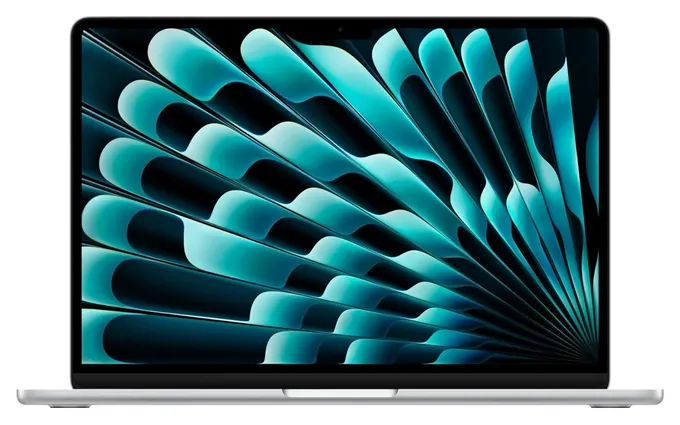
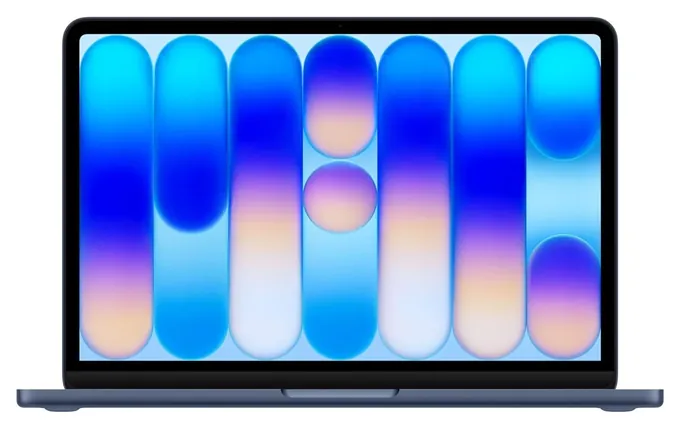
The MacBook Air M5 is now the pick for most programmers. It's silent, it lasts a full workday, and Apple's base memory finally starts at 16 GB, which is what a modern coding setup needs. The old list was built around 2020 machines like the ThinkPad X1 Carbon 8th Gen, the Dell XPS 15 9500 and an Intel MacBook Pro, and every one of them has been replaced by newer generations.
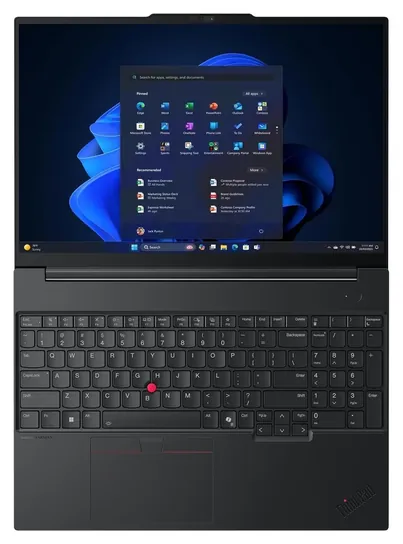
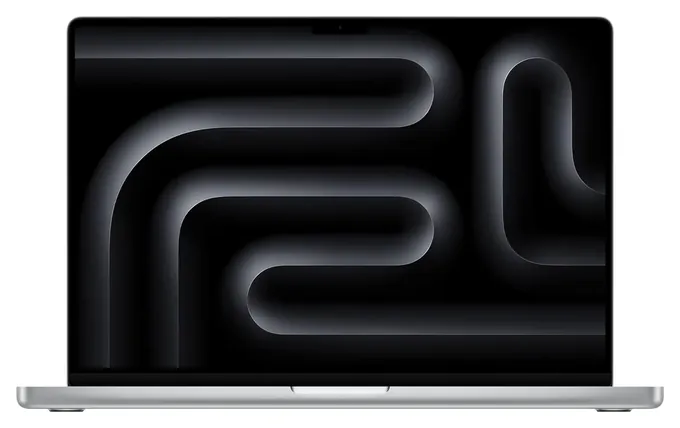
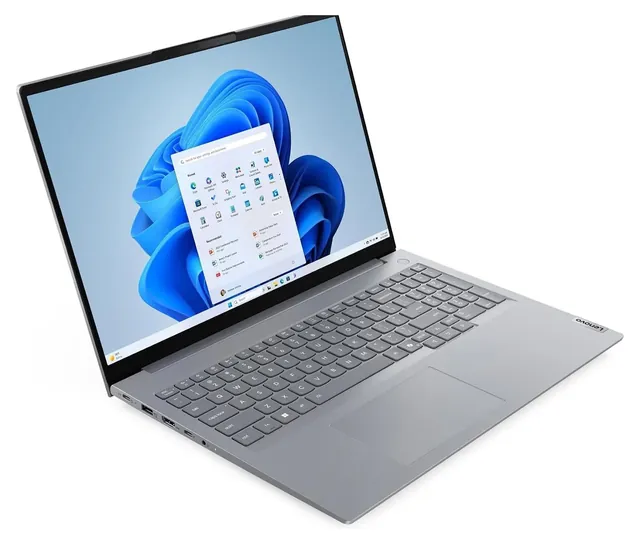
The ThinkPad name carries on in the Lenovo ThinkPad E16 Gen 3, for people who live on the keyboard and want memory they can upgrade. The Apple MacBook Neo is here for students, with a clear warning about its fixed memory, and the Apple MacBook Pro M5 Max covers heavy machine-learning work. We looked for a convertible worth adding and didn't find one; a regular laptop does the job.
The deciding evidence was memory: how much each machine has, and whether it's soldered. We checked that against Docker's system requirements, Microsoft's notes on Linux and Arm, Apple's spec sheets and how the major programming-laptop roundups rank these model lines.
October 09, 2020:
Programming can refer to a wide range of tasks, from simple and relatively non-taxing coding to testing advanced graphical algorithms that require the most advanced hardware. A majority of programmers, though, look for pretty similar things in their mobile workstations. These include a screen that's easy to look at, enough storage to maintain various projects at once, and a keyboard that's pleasant and reliable to type on.
With those common requirements in mind, it's very difficult to top the Lenovo ThinkPad X1 Carbon 8th Gen, which routinely comes up in conversations about the best laptop keyboard available today. It's a little pricey, but if you're willing to sacrifice a little horsepower, the Lenovo ThinkPad X1 Carbon 7th Gen from last year is actually a fantastic deal. The Lenovo ThinkPad E15 is another from the popular business-oriented line, and has many similar design elements to the flagship model. And while the Lenovo Flex 5 is considerably farther down the line, its Ryzen APU, 2-in-1 rotating hinge, and precise touchscreen make an especially versatile choice.
From a line that's about as famous as the ThinkPad comes the Dell XPS 15 9500, which is the latest evolution of what may be the single most popular laptop ever. This advanced machine has plenty of capable hardware inside, including the GTX 1650 Ti graphics card that can help with resource-intensive engineering tasks as well as providing a little gaming fun when work's over with. Although the HP Spectre x360 hasn't been around as long as the Dell or Lenovo flagships, it's a great device in its own right, and its premium appearance certainly doesn't hurt its case as one of the top options. Finally, the LG Gram is a relative newcomer that's taken many circles by storm, due not only to its impressive battery life, but also its slim package and remarkably light weight.
January 02, 2019:
While coding isn't necessarily a performance-demanding task in and of itself, software development as a whole can be pretty taxing on a computer's system. For that reason, programmers must be more discerning than the average user when looking for a laptop. Battery life, processor speed, keyboard layout and graphics quality are among the most important features one should consider, and the laptops on this list have all been carefully selected based largely on them. Naturally, we've included the flagship models for all major operating systems, including the Microsoft Surface Pro 6, Apple MacBook Pro and the Google Pixelbook. We've also included a number of gaming laptops, including the Dell G5 15 and Razer Blade 15, both of which offer advanced graphics cards at relatively affordable prices.
Special Honors
Framework Laptop Framework sells laptops built to be repaired and upgraded by the owner: memory, storage, the battery and even the ports, which slide in as swappable expansion cards. It officially supports popular Linux distributions such as Ubuntu and Fedora, which makes it a favorite for developers who want Linux on modern hardware. It's sold direct from the maker. frame.work
System76 System76, based in Denver, builds laptops that ship with Linux preinstalled, either the company's own Ubuntu-based system or Ubuntu itself. For developers who want Linux without driver hunting, it's a direct route. Laptops are sold through the maker's own store. system76.com
Memory First, Then Everything Else
For storage, 512 GB is a workable floor and 1 TB is comfortable once container images, SDKs and virtual machines pile up.
Memory is the spec that decides how a coding laptop feels a year from now. Docker Desktop will start with 4 GB (Docker), but real projects with an editor, a browser full of documentation, a database and a few containers want 16 GB at minimum. If you work with Android emulators, Kubernetes or big monorepos, aim for 32 GB.
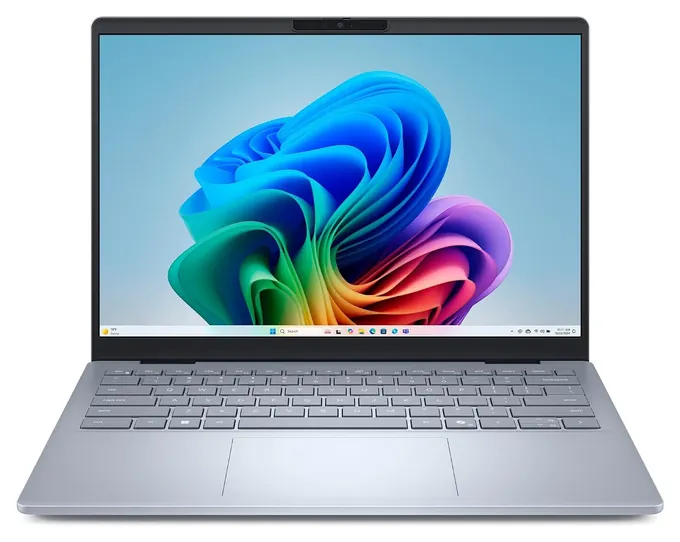
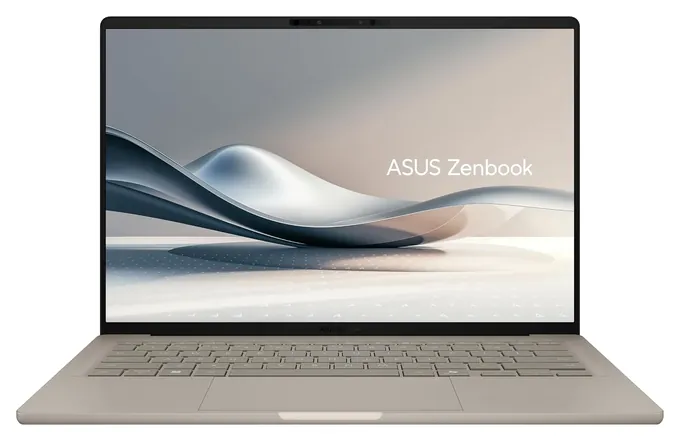
Check whether the memory is soldered. Every current MacBook has fixed memory, so buy what you'll need on day one: the MacBook Air starts at 16 GB and can be ordered with up to 32 GB, while the MacBook Neo is fixed at 8 GB. Thin Windows laptops like the Dell 14 Plus and Asus Zenbook A14 also solder their memory. The Lenovo ThinkPad E16 Gen 3 and Lenovo ThinkBook 16 Gen 8 use standard memory slots that take up to 64 GB, which is the cheapest way to future-proof.
For storage, 512 GB is a workable floor and 1 TB is comfortable once container images, SDKs and virtual machines pile up.
Mac, Windows Or Linux
All three work for programming, and the right one is usually the one your team or course uses. A Mac gives you a Unix-style shell out of the box and the longest battery life on this list by Apple's own figures. It's also the only way to build apps for iPhone. On Apple silicon, Docker recommends turning on Rosetta for the best experience with Intel-based container images (Docker).
Windows covers the widest range of corporate tools, and the Windows Subsystem for Linux runs a real Linux kernel in a lightweight virtual machine, with support for Node, Python, Ruby, Rust, Go, PostgreSQL and Docker (Microsoft Learn). For many developers, that removes the need to dual-boot.
If you want Linux as the main system, look at ThinkPads or at makers that ship Linux preinstalled, like System76 and Framework, and check driver support for the exact model before you buy.
Arm Chips, Screens And Keyboards
Apple silicon and Qualcomm's Snapdragon X chips are Arm designs, which is why they run cool and last long on battery. Windows on Arm runs most older x64 apps through emulation, and Visual Studio, VS Code, .NET and Docker Desktop have native Arm versions (Microsoft Learn). Some drivers, VPN clients and niche tools still don't run, so check your stack on Windows on Arm Ready Software first.
For the screen, a 16:10 shape shows more lines of code than 16:9, and a matte finish cuts glare in bright rooms. A 14-inch screen is the sweet spot for carrying; a 16-inch model with a number pad suits a desk.
Gaming laptops can code, but they're heavy and run down their batteries fast. Buy one only if you need a strong graphics card for machine learning or game development. A 2-in-1 convertible is a nice extra for sketching diagrams, not something code needs.
How we researched this
We compared 18 current laptops, read Apple's spec pages for the three Macs and the makers' published specs for the rest, checked Docker's and Microsoft's documentation on memory needs, Linux and Arm compatibility, looked at how independent programming-laptop roundups rank these model lines, studied owner feedback patterns, and checked Apple, Lenovo, Dell and Asus against U.S. Consumer Product Safety Commission recalls.
Sources (8)
- Apple: MacBook Air technical specifications
- Apple: MacBook Pro technical specifications
- Apple: MacBook Neo technical specifications
- Docker: Install Docker Desktop on Mac
- Microsoft Learn: What is Windows Subsystem for Linux
- Microsoft Learn: Windows on Arm overview
- RTINGS: The best laptops for programming
- U.S. Consumer Product Safety Commission recalls
Frequently asked questions
How much RAM do I need for programming?
16 GB is the practical floor for an editor, browser and a few containers. Get 32 GB for Docker-heavy work, Android emulators or large codebases, and check whether the memory can be upgraded later.
Is 8 GB of RAM enough for coding?
For learning and small projects, yes. It gets tight once you add containers, virtual machines or a phone emulator, and on a laptop with soldered memory you can't add more later.
Is a Mac or Windows laptop better for programming?
Both work. Macs have a Unix-style shell built in, long battery life, and are required for iPhone apps. Windows has the widest tool support and runs Linux through the Windows Subsystem for Linux.
Do I need a graphics card for programming?
Not for most work. A dedicated graphics card helps with machine learning, game development and 3D work. Otherwise, built-in graphics are fine and save weight and battery.
Is a 2-in-1 laptop good for programming?
It works, but the fold-over screen adds nothing for code. Choose on memory, keyboard and screen first, and treat a touchscreen or pen as a bonus.