The 10 Best Portable Keyboards
Updated by · How we research

Pocket folders, slim slabs and touchpad models for tablets, phones and laptops, compared. The Logitech Pebble Keys 2 K380s suits most people. When users buy our independently chosen editorial recommendations, we may earn commissions to help fund the Wiki.
A folding keyboard slips into a pocket, but its keys run smaller and a seam splits the middle, while a one-piece slab types more like a laptop and has to live in a bag. Nearly all of them pair over Bluetooth with phones, tablets and computers alike. This list is for students, travelers and anyone who writes more than a quick text on a tablet.


Editor's Notes
November 1, 2026, by Ezvid Wiki Admin:
The Logitech Pebble Keys 2 K380s now leads this list. It swaps among three devices, works with almost any system, and runs for years on its batteries, at a lower price than most folding boards. The rest of the page changed just as much. Of the old picks, only the Logitech K780 is still a good buy, so it stays as a board for the desk or couch. The iClever BK05 is gone and the iClever BK08 takes over its role, while the Arteck, Jelly Comb, MoKo, Nulaxy and Cooper keyboards were dropped because they're unavailable or dated. The Zagg Pocket is still around, but newer folders charge by USB-C and pair with more devices.
Independent reviews of small Bluetooth keyboards are scarce, so we relied on Logitech, ProtoArc and Keychron spec pages, a LaptopMag roundup for students, the seller details for each board, and a check of every brand against U.S. recall records. If your tablet runs iPadOS, read the compatibility notes before you buy a touchpad model.
March 30, 2021:
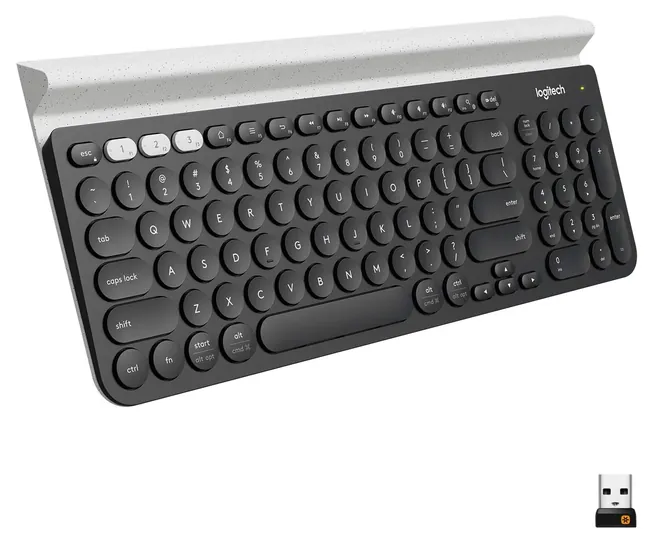
There are two broad types of portable keyboards. Some, like the Logitech K780, have a fixed body and are meant for carrying in a briefcase or backpack. The Arteck HB220B is similar, yet even smaller and easy to carry, although its typing feel isn't quite as nice as the Logitech. Meanwhile, the Nulaxy KM12 Business is also fixed, but has an attached stand that works with many lightweight tablets.
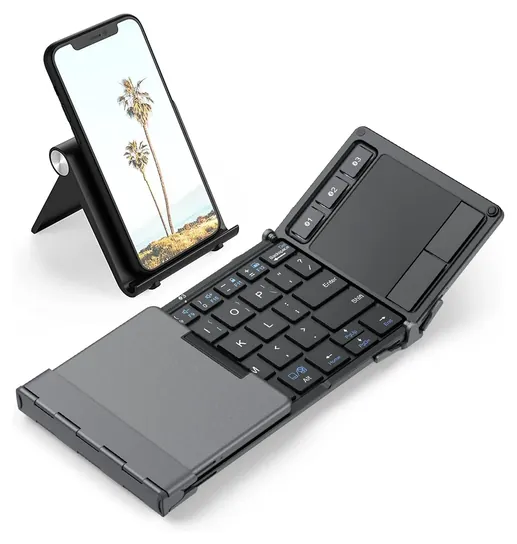
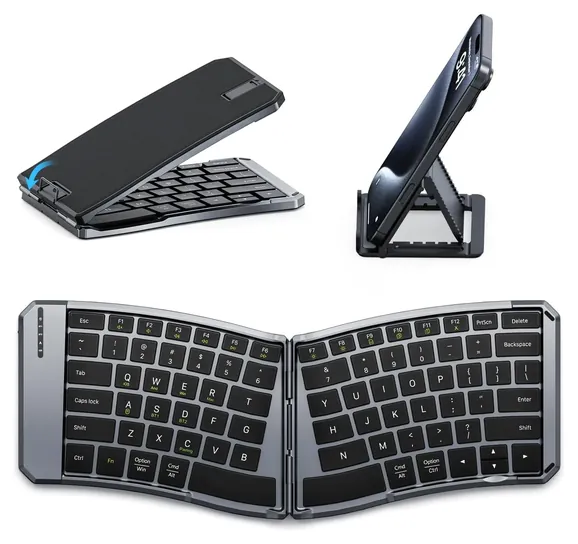
Quite a few portable keyboards go a step further and fold up for increased convenience. The iClever BK05 offers a durable, tri-fold design, as does the Jelly Comb Mini BT, which sports a touchpad. The Pocket Zagg BK0 folds on the longest axis, which can make it easier to store in some bags than others. The MoKo Wireless is another with an interesting hinge design, as it's one of the very few in this class that's even remotely ergonomic.
March 03, 2020:
To ensure that we included a range of keyboard styles, we replaced four of our older entries. Since a large portion of users are looking for a product to use while traveling, we made sure to include a range of foldable models that wouldn’t take up much space in a backpack or purse.
We really wanted to include a bendable roll-up option, but our old entry, the Yuzihan LYSB01 was removed due to some significant usability issues. Unfortunately, we were unable to find one that didn’t have similar problems.
Ergonomics can be a big issue for some people who suffer from wrist or nerve pain issues, so we also made sure to fill this list with a couple of angled keyboards. One of these, the iClever BK06 that features an updated 5.1 Bluetooth chip, was brought in to replace the MoKo Universal and its 3.0 technology.
October 15, 2018:
Replaced unavailable items and updated old and discontinued ones. Moved a few underrated items, including the Nulaxy KM12 Business and Moko Universal, up in rank.
Special Honors
Keychron K3 Tom's Hardware names the Keychron K3 its portable pick among wireless keyboards. It's a different breed: a slim mechanical board with low-profile switches in a compact layout, a backlight, Bluetooth for three devices and a USB-C cable mode. Keychron rates it at up to 34 hours at the lowest backlight, and it's heavier than the boards above, so it suits a laptop bag, not a pocket. keychron.com
Pocket Folder Or Bag Slab
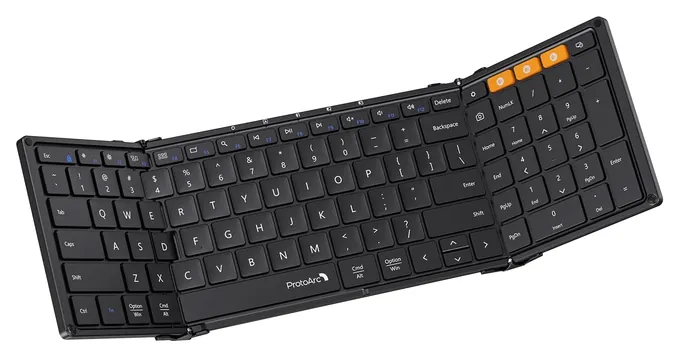
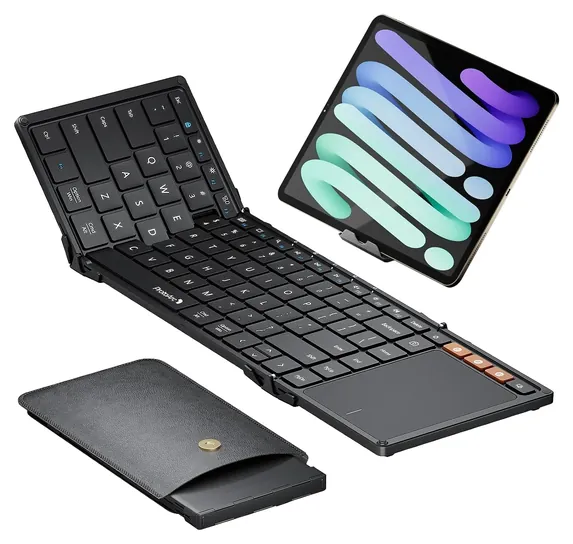
Tri-folds like the ProtoArc XK01 add a number pad but run long when open.
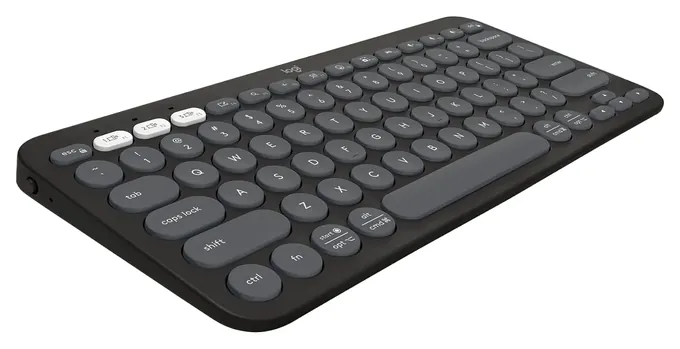
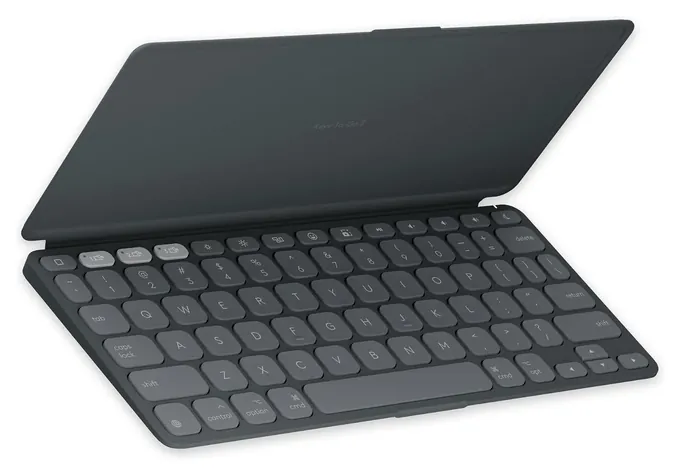
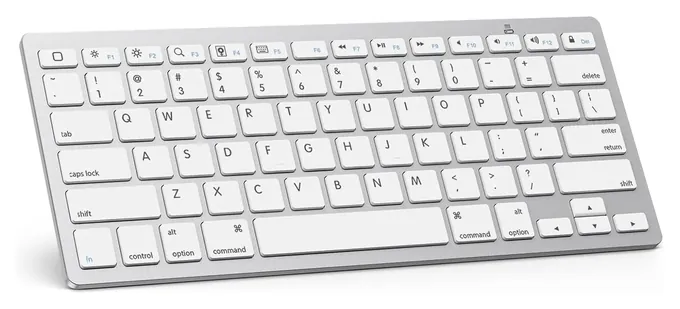
The first choice is how you'll carry it. A one-piece slab, like the Logitech Pebble Keys 2 K380s or the OMOTON KB066, gives you an unbroken row of keys and types much like a laptop, but it needs a bag. LaptopMag picked the Logitech Keys-to-Go 2 for students because its built-in cover lets it travel without a case, though it flagged the tiny arrow keys.
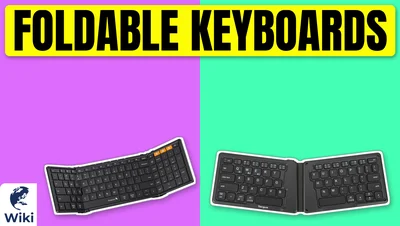
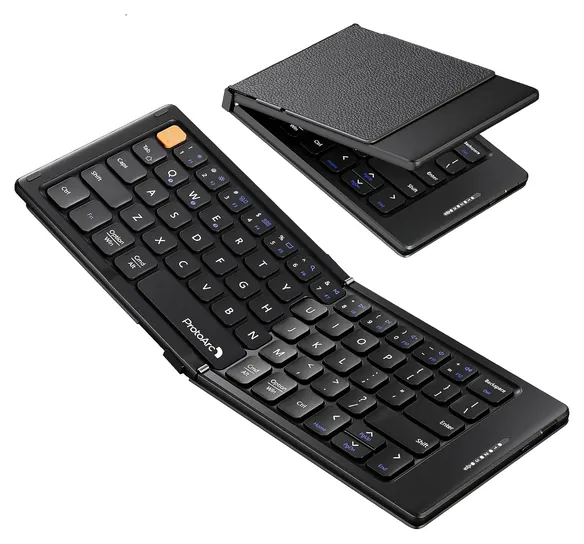
A folding board trades key room for pocket size. The ProtoArc XK04 folds in half to roughly phone size and closes with magnets, and ProtoArc backs it with a two-year warranty. Tri-folds like the ProtoArc XK01 add a number pad but run long when open. Every folder has a seam where the halves meet, and the keys on either side of it shift a little, so expect a few days of typos before your hands adjust.
Pairing, Shortcut Keys And Touchpads
Any of these boards pairs through your device's Bluetooth settings. Apple's guide covers iPhone and iPad, and Google's help page covers Android. Most here remember three devices and switch with a key press. The OMOTON KB066 pairs with one at a time.
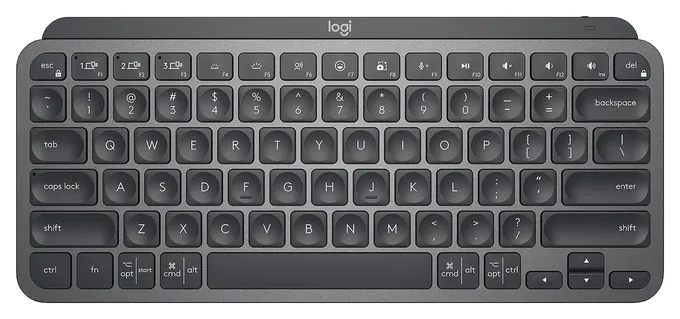
Layout matters more than pairing. Keyboards built for Apple, such as the OMOTON and this edition of the Keys-to-Go 2, label their shortcut row for iPadOS. Windows and Android still type on them, but some keys do nothing. Touchpad folders such as the ProtoArc XK01 TP and iClever BK08 are designed around Windows and Android pointer gestures, so check iPad support before you rely on the touchpad. The Logitech MX Keys Mini lists Windows, macOS, Linux and iPadOS, and its receiver is sold separately.
Batteries, Charging And Flying
Boards that run on coin cells or AAA batteries, such as the Pebble Keys 2 and Keys-to-Go 2, are rated by Logitech for about three years, so you rarely think about power. The OMOTON ships without its AAA batteries. Rechargeable folders charge by USB-C and are rated for weeks to months on standby, but a split board like the MoKo Ergonomic Foldable lasts only about a day of steady typing. Backlights cost the most: Logitech rates the MX Keys Mini at about 10 days with the light on and five months with it off.
Rechargeable keyboards hold small lithium batteries. The FAA requires spare lithium batteries and power banks to travel in carry-on bags, and it bars damaged or recalled ones; a keyboard with its battery built in is simplest kept in your carry-on too. We found no keyboard recalls for any brand on this list in U.S. Consumer Product Safety Commission records.
How we researched this
We compared 19 keyboards, including the eight from the earlier version of this page, read the maker spec pages that were available from Logitech, ProtoArc and Keychron, weighed the seller details for each board, read a LaptopMag student roundup and Tom's Hardware's wireless keyboard picks, looked at owner feedback patterns, and checked every brand against U.S. Consumer Product Safety Commission recall records. Updated November 1, 2026 by Ezvid Wiki Admin.
Sources (10)
- LaptopMag: Best portable keyboards for students
- Tom's Hardware: Best wireless keyboards
- ProtoArc: XK04 foldable keyboard
- Logitech: MX Keys Mini
- Logitech: K780 Multi-Device Wireless Keyboard
- Keychron: K3 ultra-slim wireless mechanical keyboard
- Apple Support: Connect a third-party Bluetooth accessory
- Google: Find and set up Bluetooth devices on Android
- FAA PackSafe: Lithium batteries
- U.S. Consumer Product Safety Commission recalls
Frequently asked questions
What is the best portable keyboard?
For most people, the Logitech Pebble Keys 2 K380s. It switches among three devices, works with Windows, macOS, iPadOS and ChromeOS, and runs about three years on its batteries. If it has to fit a pocket, a folding board such as the ProtoArc XK04 is the better fit.
Can I use a Bluetooth keyboard with my phone?
Yes. Put the keyboard in pairing mode, then pick it in your phone's Bluetooth settings. iPhones and Android phones both support Bluetooth keyboards. A stand helps, since a phone won't prop itself up.
Which keyboards work best with an iPad?
Any Bluetooth keyboard works, but boards with an Apple layout, such as the Logitech Keys-to-Go 2 and OMOTON KB066, have shortcut keys labeled for iPadOS. Touchpad models are built for Windows and Android first, so check iPad gesture support.
Are folding keyboards good for typing?
They're fine for emails and notes. The keys are a little smaller and the halves meet at a seam, so most people need a few days to adjust. For long writing sessions, a one-piece slab is more comfortable.
Can I take a rechargeable keyboard on a plane?
Yes. The FAA's strict rules apply to spare lithium batteries and power banks, which must go in carry-on bags. Keeping a keyboard with a built-in battery in your carry-on is the simple choice.