The 8 Best Robot Kits
Updated by · How we research

Eight robot building kits for kids compared, from block coding to Arduino and Python. The Makeblock mBot leads for its metal frame and room to grow. When users buy our independently chosen editorial picks, we may earn commissions to help fund the Wiki.
Lego has retired Mindstorms and Boost, the kits that once topped every robot list, so families now shop among smaller makers. The best of these let a child build a working robot in an afternoon, then grow from drag-and-drop blocks into typed code. Most suit ages 8 to 14 with an adult nearby for screws and wiring, and one is for preschoolers.


Editor's Notes
November 16, 2026, by Ezvid Wiki Editors:
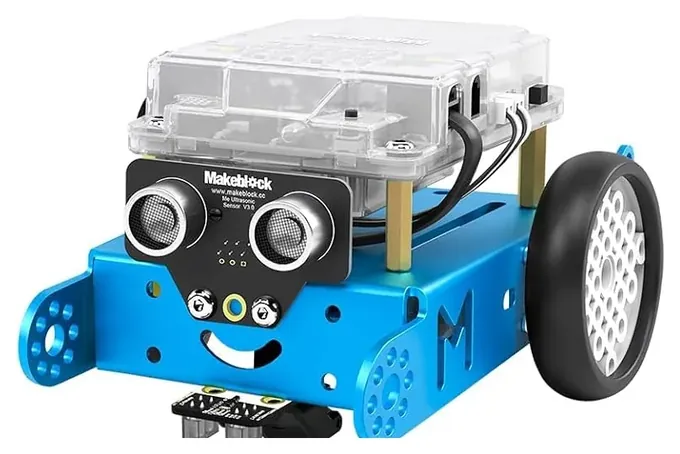
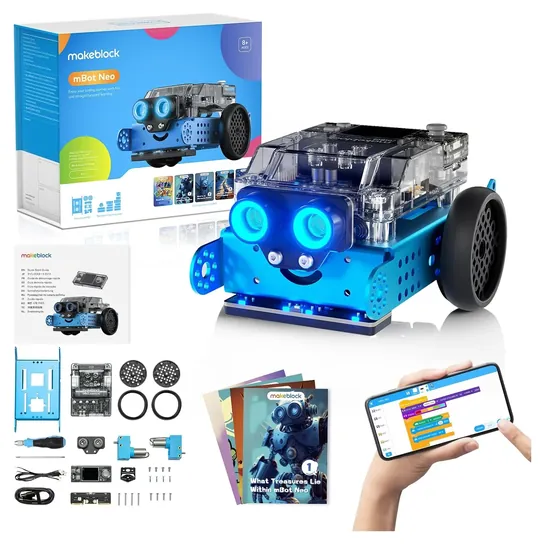
The Makeblock mBot moves to the top. It was already on this list, it's still sold new at a fair price, and it's the kit TechGearLab rated best after building the field. Its bigger sibling, the Makeblock mBot2, joins for kids who want to type Python.
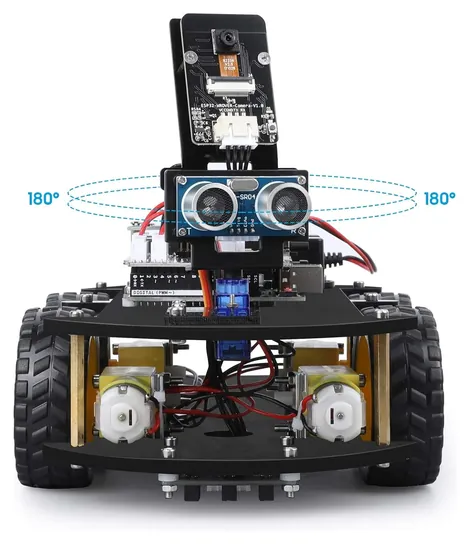
Most of the old list had disappeared. Lego retired Mindstorms and Boost, UBTECH dropped its Jimu robots, and the Meccanoid XL 2.0, Tin Can Robot, Yerloa and Ciro kits are gone because of availability concerns. The Elegoo Mega 2560 was a box of electronics parts rather than a robot, so the Elegoo Smart Robot Car V4 takes its place. Dash comes assembled, which makes it a better fit for our robots for kids list, and Lego fans should see the Lego robots page.
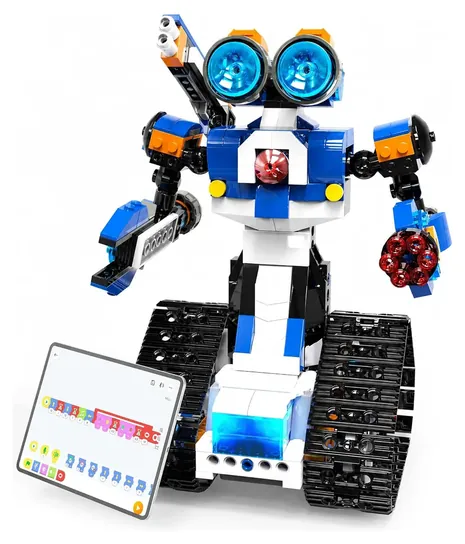
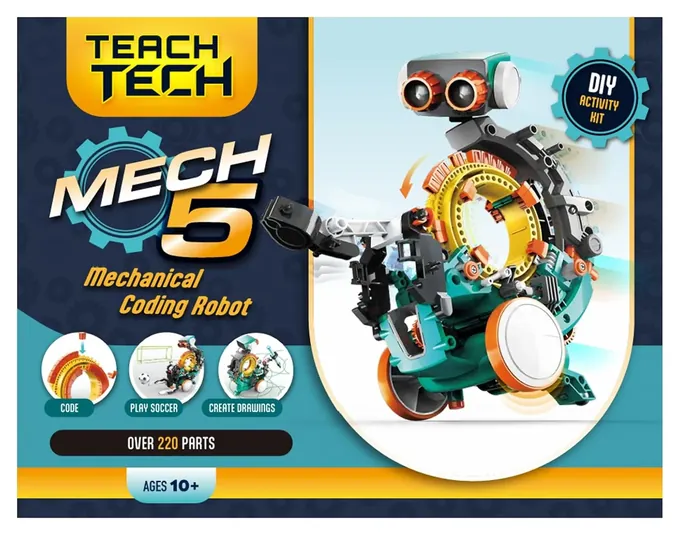
For this update we read Makeblock's and Elegoo's own setup guides, compared the age, battery and small-parts labels that U.S. toy rules require, and weighed what parents report after the build. If a child already loves bricks, start with the Apitor Robot J. If screens are off the table, the Teach Tech Mech-5 does it with pegs.
Earlier notes
December 3, 2020:
The nature of robotics, and the associated software and coding innovations dictate that many items on our previous list were either outdated or have been upgraded. It should be noted that many of these choices are designed for children, so there may be a choking hazard for very young kids.
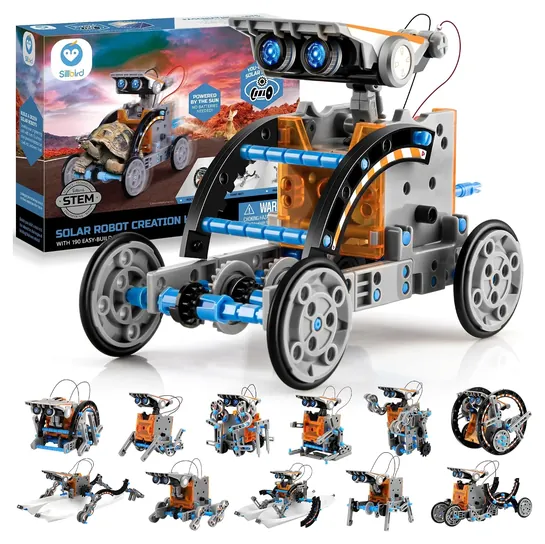
The Ciro Stem Solar Robot is good addition due to its innovation and adaptability. Solar power technology is getting better and better, and this choice clearly showcases the future of kits like these. It also features 12 different models to build in the same bundle. Many of the latest generations of robot kits come with their own dedicated app, and the Yerloa 405 piece Kit has this feature as well as an exhaustive list of parts that are all related to STEM technology, with a focus on learning as well as fun.
To allow even younger children to get a grasp of basic coding, the Makeblock mBot 90053 is an easy choice for this list. It is an update to its predecessor and represents better value for around the same cost. Its all-aluminum construction also makes it one of the sturdier models available in this category. If simplicity and value are important, then the 4M Tin Can is a great entry-level option that everyone can enjoy.
May 24, 2019, by Misty Alder:
While fan favorites from well-established names like Lego and Smithsonian remain popular, an insatiable demand for STEM toys and technology gives competitors such as Ubtech and Tenergy the opportunity to rise in the rankings with all sorts of versatile, user-friendly options. For the younger crowd, the charm and durability of Wonder Workshop's programmable orbs are pretty tough to beat, while more advanced skills can be applied to turn the Elegoo Mega into a practically limitless range of innovative possibilities.
Special Honors
VEX IQ VEX IQ is the snap-together robotics system behind the VEX IQ Robotics Competition for grades 4 to 8. It's sold mainly to schools and clubs and runs on VEXcode, which moves from blocks to Python. For a child who wants to join a robotics team, it's the platform many teams use. vexrobotics.com
How we researched this
We looked at 18 robot kits, including the 10 on the earlier version of this page, read the makers' specifications and setup guides for the 8 finalists, used TechGearLab's roundup of kids' robot kits, the one independent test we found, looked for patterns in owner feedback, and checked every brand against U.S. Consumer Product Safety Commission recall records. Ages, battery types and part counts come from the makers.
Frequently asked questions
What is a good robot kit for an 8-year-old?
The Makeblock mBot is labeled 8 and up and is the most proven first coding robot, though a parent may need to help with the screws. A child who likes bricks may prefer the Apitor Robot J, which needs no tools.
What robot kit suits a 10-year-old?
At 10, the Teach Tech Mech-5 is a satisfying screen-free build, and the Makeblock mBot2 gives room to grow into Python. Kids 12 and up who want to write real code can try the Elegoo Smart Robot Car V4.
Can I still buy Lego Mindstorms?
Not new. Lego retired Mindstorms at the end of 2022 and has also retired Boost, so remaining sets are reseller stock. Current Lego-built robots are on our Lego robots page.
Do these kits need a tablet or computer?
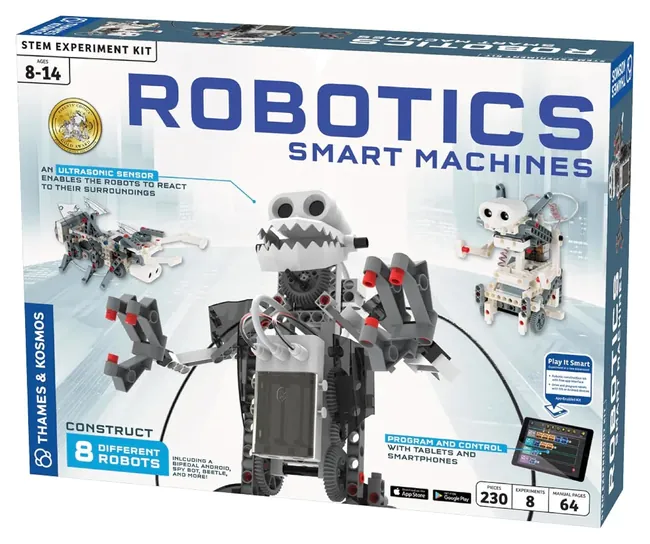
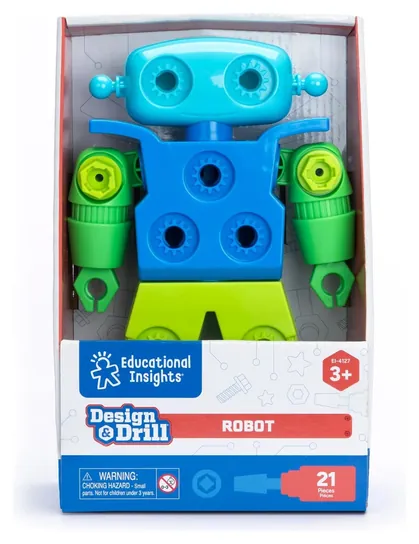
Most do. The Apitor and Thames & Kosmos kits are run from a phone or tablet app, and the Makeblock and Elegoo robots are coded on a computer or tablet. The Teach Tech Mech-5, the Sillbird solar kit and the Design & Drill need neither.
What's the difference between the mBot and the mBot2?
The original mBot runs on AA batteries and is coded with blocks or Arduino C. The mBot2, also sold as the mBot Neo, has a rechargeable battery, a color screen, Wi-Fi and Python support, at about twice the price.