The 10 Best Robots For Kids
Updated by · How we research

Coding robots, build-it kits and remote-control robots for ages 3 to 12, compared on age fit, screen needs and batteries. Wonder Workshop Dash is our top pick. When users buy our independently chosen editorial picks, we may earn commissions to help fund the Wiki.
Most toy robots on store shelves are remote-control dancers that teach little about coding. A real coding robot lets a child plan moves in order, test them and fix mistakes, with buttons and cards or with drag-and-drop blocks on a tablet. This list covers both kinds, plus build-it-yourself kits, for children from preschool through middle school.


Editor's Notes
November 1, 2026, by Ezvid Wiki Admin:
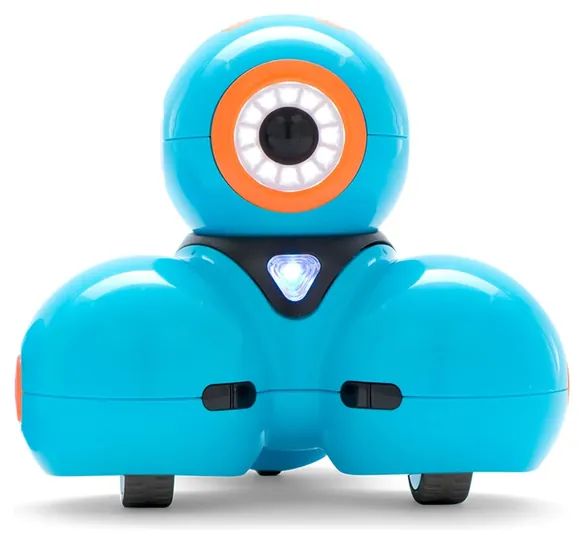
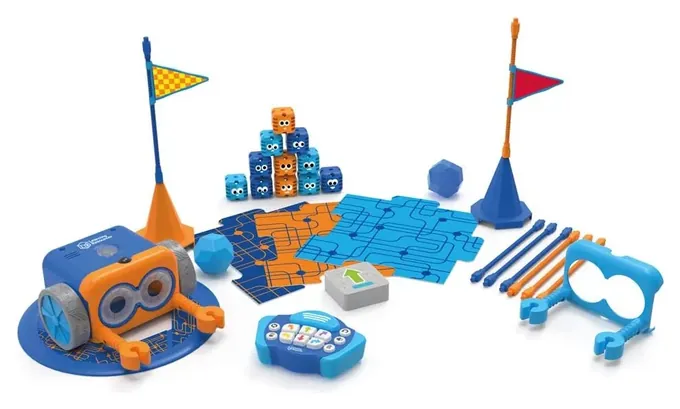
Wonder Workshop Dash leads now because it grows with a child, from first drag-and-drop blocks to typed code, and it reacts to voices and walls in ways that keep kids interested. Much of the earlier list had left the shelves. LEGO retired the Boost and Mindstorms lines, the UBTECH Jimu Cosmos and Meccano Micronoid are gone, and the Wonder Workshop Pack is unavailable, so they're out. Botley moves up to the Learning Resources Botley 2.0, and the Sphero Mini stands in for the old Bolt.
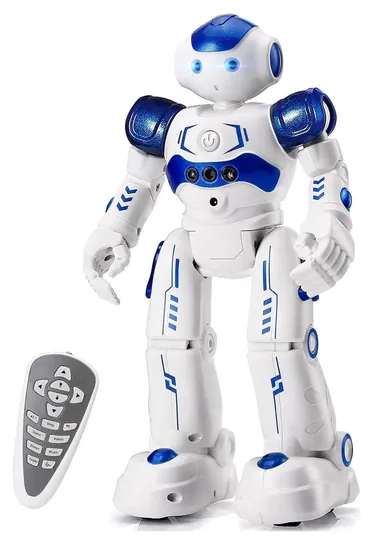
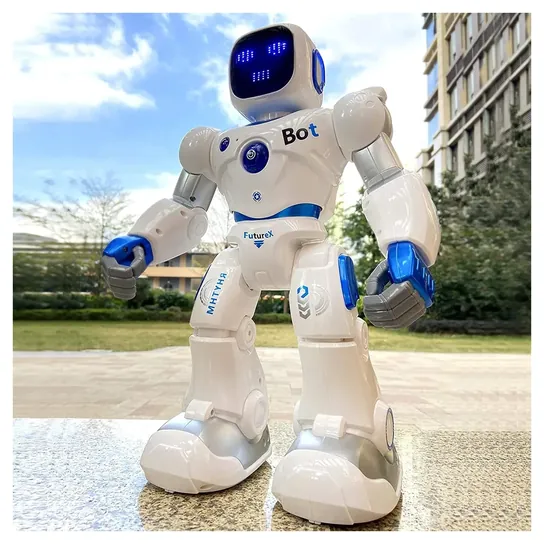
We kept the KingsDragon RC Robot because it's still a cheerful, cheap gift, but we now say plainly that it's a toy, not a coding teacher. The list is sorted so parents can match a robot to a child's age and their screen rules.
No lab has tested kids' robots side by side. The order rests on what each maker publishes about ages, apps and batteries, on patterns in owner reports, like Botley's habit of stalling in coding mode, and on federal recall records, which list nothing for these brands.
November 03, 2020:
You'll always find something novel and exciting when you're shopping for robots for kids, and we've added several new models to our list during this update.
For those searching for robotics at a budget-friendly price point, the 4M Tin Can Robot and the KingsDragon RC are great for beginners, although their level of mobility and interaction is much lower than the more expensive models. Another well-priced newcomer to the list is the Learning Resources Botley, which is designed for young children as young as 5 years old.
For mid-range options, the Bolt Ball offers a distinct spherical design, and the Ubtech Jimu Cosmos gives you bang for your buck when it comes to programming abilities - and it's also really cute.
We've also updated the information on all remaining listings, often upgrading them to the newer model, including the Lego Mindstorms EV3, the Fisher-Price Think & Learn Teach 'N Tag Movi, and the Lego Boost Creative Toolbox.
We removed the Anki Cozmo and the Sphero BB-8 because their prices grew too high relative to their ratings. The Hexbug Vex IQ and the WowWee Robosapien Blue are no longer available, and the reviews for the newer model of the Ozobot Evo are no longer up to par.
Finally, we added a new Special Honors listing that can take your child's interest in robotics to a whole new level - one that's completely out of this world.
November 22, 2019:
Ranking a list like this, we wanted to ensure that the top spots went to bots that struck a nice balance between the STEM learning potential they have to offer and the actual fun kids could have with them. No child wants to spend hours learning a coding language just to have a bot that walks forward without falling over.
In the process of reorganizing the list around this and a few other parameters, we struck the Mattel Kamigami from our ranking, mainly because it's too difficult to guarantee the durability of its foldable plastic components, and it's a little too easy to make the wrong fold in a piece and have it throw off the design and functionality of the whole bot.
In its place, we added the Lego Mindstorms EV3, which represents the peak of the company's robotics platforms, right down to its impressively fast Arm9 processor. This model is something that — like the Hexbug Vex IQ and the Wonder Workshop Pack — offers a lot of added value in its ability to be broken down and reconfigured in a completely different design, each with its own coded movements and abilities.
Special Honors
Space Camp Robotics This six-day camp at the U.S. Space & Rocket Center in Huntsville, Alabama, has kids design, build and program land robots for a team competition, then pilot underwater robots and practice drone flying in a simulator. It's open to children from fourth grade. rocketcenter.com
FIRST LEGO League This nonprofit robotics program puts kids on teams that build and code LEGO robots, then compete in timed matches and present a research project. Divisions run from kindergarten to about age 16, so it can follow a child for years. firstinspires.org
Coding Robot Or Remote-Control Toy
Some can record a string of moves and play them back, but that's closer to a music box than to programming.
The word robot covers two very different toys. A remote-control robot, like the KingsDragon RC Robot or the Ruko 1088, dances, sings and follows hand signals. Some can record a string of moves and play them back, but that's closer to a music box than to programming. They make good gifts for kids who want a robot friend.
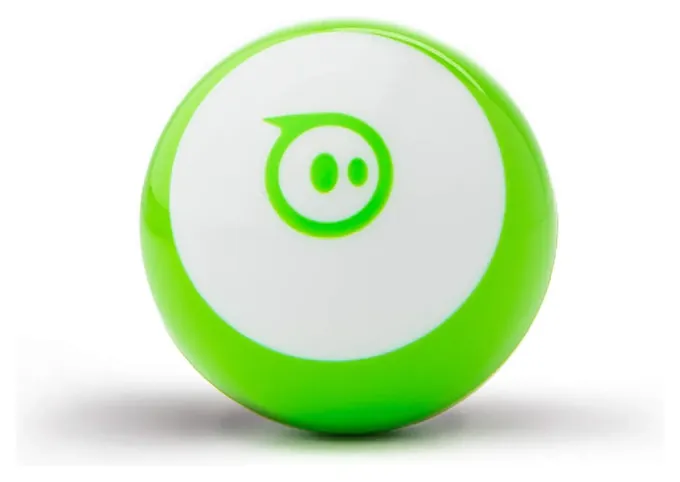
A coding robot asks the child to plan a sequence, run it, see what went wrong and fix it. That loop is the core of programming, whether the plan is a row of arrow cards or a stack of blocks on a tablet. Wonder Workshop lists free block-coding apps for Dash that lead to typed JavaScript, and Sphero lets kids draw a path, use blocks or write JavaScript for the Mini. A 2024 roundup from STEM Education Guide makes the same split between screen-free robots for young children and app-based ones for older kids.
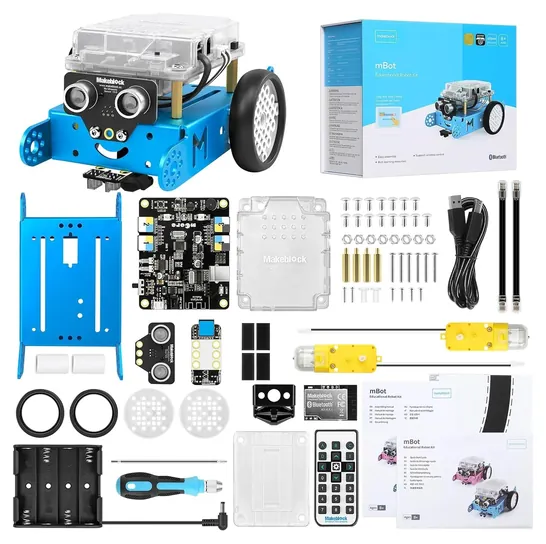
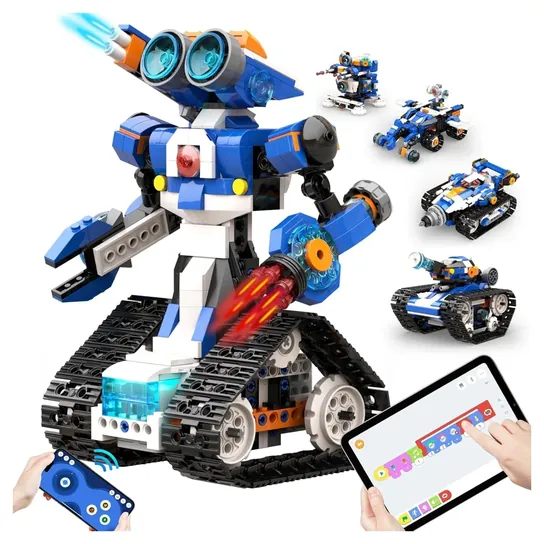
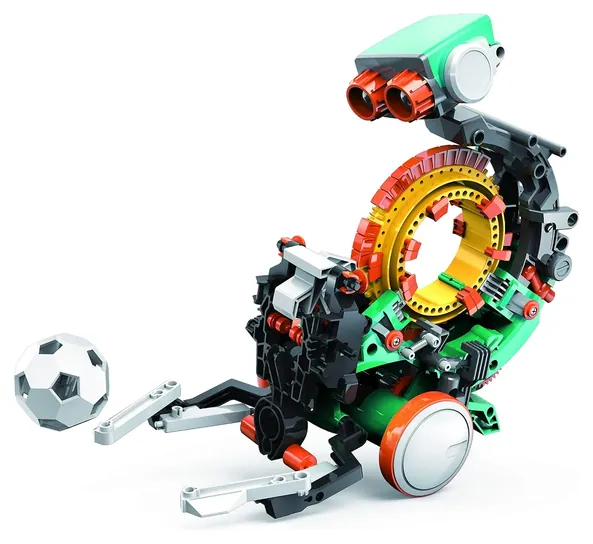
Build kits add a third step: making the robot first. The Makeblock mBot and Apitor Robot J teach how motors and sensors fit together before any code runs, and the Teach Tech Mech-5 skips the screen entirely in favor of pegs on a wheel.
Matching The Robot To The Age And The Screen Rules
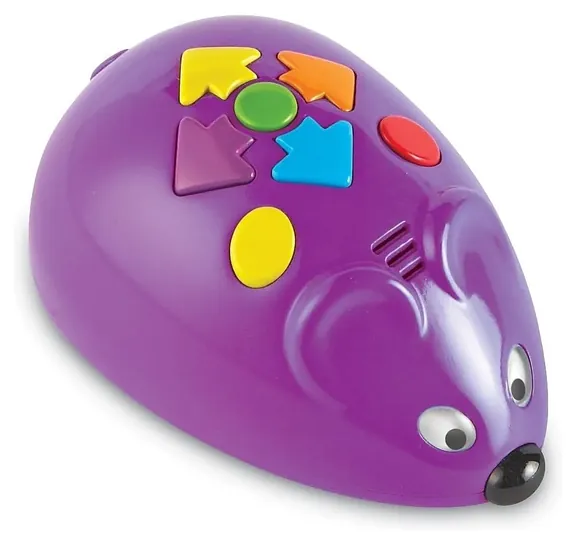
For ages 4 to 6, pick a screen-free robot that's programmed with buttons. The Learning Resources Code & Go Robot Mouse is rated 4 to 7, and the Learning Resources Botley 2.0 5 to 10. Arrow cards let children lay out a plan on the table before they press go, which is exactly the skill teachers want at that age.
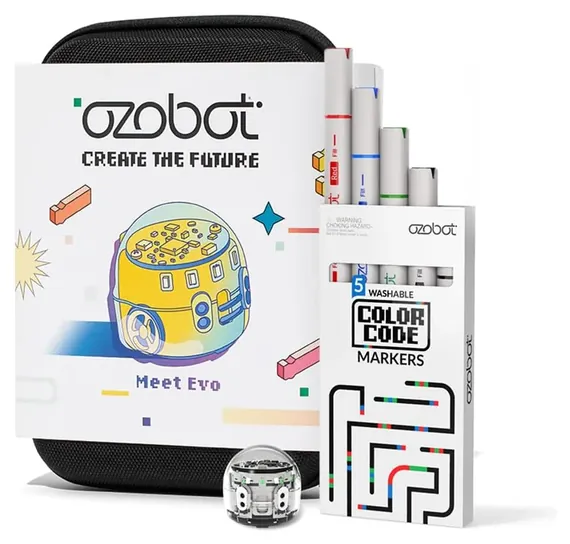
From about 6 to 11, an app robot opens up more. Dash is sold for ages 6 and up, and Ozobot Evo for 5 to 11, with marker drawings on paper for younger kids and block coding online for older ones. The Sphero Mini carries an 8-and-up rating because the shell opens to small parts.
From 8 up, build kits make sense: the mBot is rated 8 to 12, the Apitor kit 7 to 12 and the Mech-5 10 and up, mostly because of the many small parts and the patience the build takes. A child who catches the bug can join a team: FIRST LEGO League runs divisions from about age 5 to 16. Kids who like making things may also enjoy our lists of circuit boards for kids and 3D printers for kids.
Batteries, Small Parts And Toy Safety Rules
Every toy sold in the U.S. for children 12 and under must meet the ASTM F963 toy standard and come with a Children's Product Certificate, and toys for children under 3 can't contain small parts, according to the Consumer Product Safety Commission. The age on the box is part of that safety labeling, not just a skill guess, so treat it as a floor.
Check the power before you wrap a gift. Dash, the Sphero Mini, the KingsDragon RC Robot, the Ozobot Evo and the Ruko 1088 have built-in rechargeable batteries. The Dash battery can't be swapped by the owner, and the Ruko charges only with its own cable. The mBot needs 4 AA cells plus a coin cell for its remote, so keep spare coin cells away from small children. The Robot Mouse and Apitor kit also run on disposable batteries that aren't in the box.
We searched federal recall records for every brand on this list and found no recalls.
How we researched this
We compared 19 kids' robots and robot kits, read the makers' pages and spec sheets for the 10 finalists, analyzed owner feedback for repeated problems, and checked every brand against federal recall records. Updated November 1, 2026 by Ezvid Wiki Admin.
Sources (9)
- Wonder Workshop: Dash
- Sphero: Sphero Mini
- CPSC: Toy Safety business guidance
- CPSC SaferProducts.gov recall database
- STEM Education Guide: coding robots for kids (2024)
- Carnegie Mellon Robotics Academy: EV3 retirement
- Brickset: the end of LEGO Mindstorms
- U.S. Space & Rocket Center: Space Camp Robotics
- FIRST: FIRST LEGO League
Frequently asked questions
What age is right for a first coding robot?
Around 4 or 5, with a screen-free robot that's programmed by pressing arrow buttons. App-based robots suit kids from about 6, and build-it-yourself kits usually start at 8 because of the small parts and the patience they take.
Do coding robots need a phone or tablet?
Some do and some don't. Button and card robots, marker robots like the Ozobot Evo, and the Teach Tech Mech-5 work without a screen. Dash, the Sphero Mini, the mBot and the Apitor kit need a phone, tablet or computer for coding.
Do these robots teach real programming?
Yes, at the level of ideas like sequences, loops and conditions. Several start with blocks and move to typed languages: Dash and the Sphero Mini reach JavaScript, the Ozobot Evo reaches Python and the mBot reaches Arduino code.
What's the difference between a remote-control robot and a coding robot?
A remote-control robot does what you tell it in the moment and may record a short routine. A coding robot makes the child plan the whole sequence first, test it and fix mistakes, which is how programming works.
How long do kids' robot batteries last?
It varies a lot. Wonder Workshop rates Dash at about five hours of play, the Ruko 1088 claims about 100 minutes, and the Sphero Mini about 45 minutes. Robots on disposable AA or AAA cells run until the batteries fade.