The 6 Best Satellite Finders
Updated by · How we research

Six satellite finders compared, from needle meters to digital meters that confirm the satellite. The GTmedia V8 Finder2 is our pick for free-to-air dishes. When users buy our independently chosen editorial recommendations, we may earn commissions to help fund the Wiki.
A phone app can tell you where to point a dish, but only a meter on the coax shows when the dish is peaked. Cheap needle and bar-graph meters read raw signal, which is enough for Dish and older DirecTV dishes. Free-to-air hobbyists need a digital meter that confirms the satellite, and newer DirecTV systems need the receiver's own meter.


Editor's Notes
October 27, 2026, by Ezvid Wiki Admin:
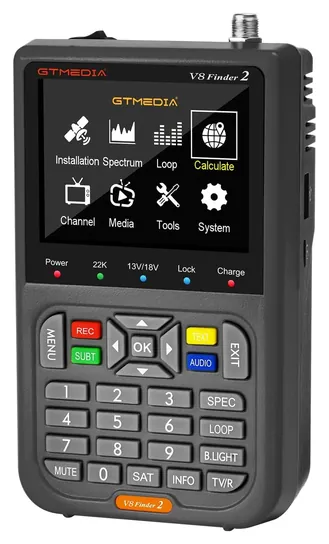
The GTmedia V8 Finder2 now leads, because it decodes the signal and shows you've found the right satellite, which a needle or bar-graph pointer can't do. Six of the ten earlier picks are no longer sold: the Birdog Ultra, the original GT Media V8, the Satlink WS-6980, WS-6916 and WS-6906, and the Kangput KPT-255H+TVI.
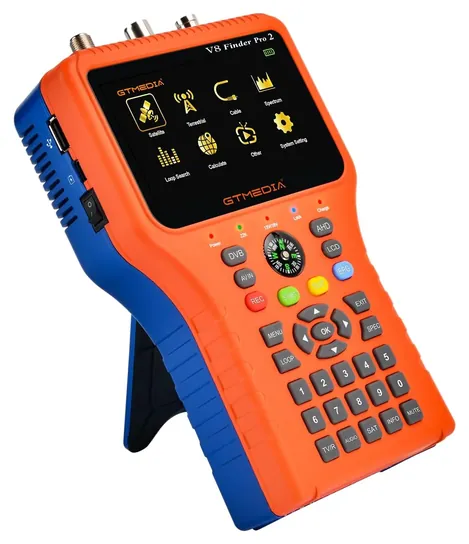
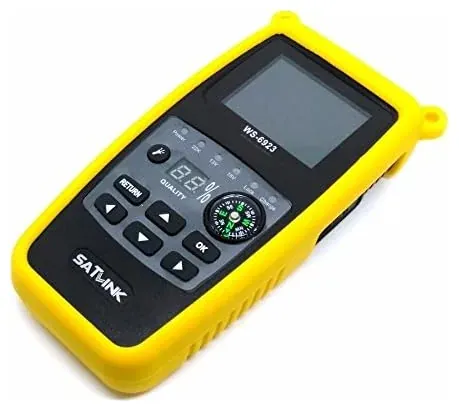
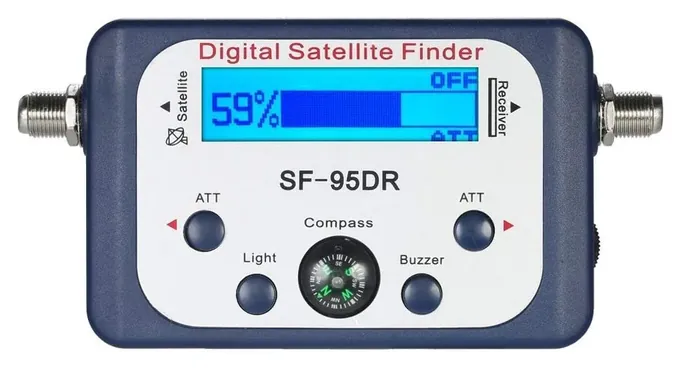
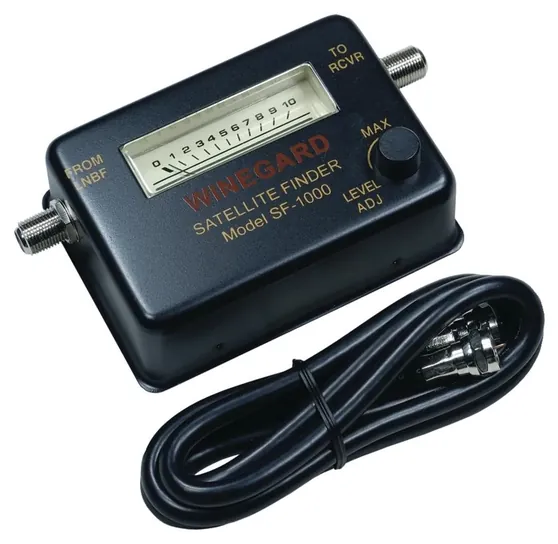
The Satlink WS-6933 stays under a current listing, and the old BrainyTrade meter is now sold as the AGPtek SF-95DR. The Winegard SF-1000 and the Skywalker Signature stay as simple receiver-powered meters. The GTmedia V8 Finder Pro 2 is new, for installers who also work with antenna and cable signals.
DirecTV owners were the hardest to serve. Current DirecTV systems use dish heads that a plain meter can't talk to properly, so we moved DirecTV's own installer meter to the special honors and explain the receiver's built-in signal screen in the guide.
No lab has published a test of these meters. We worked from GTmedia's distributor spec sheet, installer advice on satsig.net and the DirecTV forums, owner feedback patterns and recall checks. We left out the many unbranded copies of the AGPtek design.
November 12, 2020:
Depending on where the dish in question is situated, you might find yourself drawn to one finder over another. For example, if you prefer the kind of throwback camping you can get in an old Airstream, a model with a big screen that can pull double duty as an entertainment source, like the Satlink WS-6980 High Definition, might be the way to go, especially if the room in that trailer is too limited to even allow for a capable kitchen television. These are often ultimately easier to use than models with simpler LCD screens like the Satlink WS-6933 Digital, if only because things like constellation diagrams and pictographic instructions can clarify things for new users.
There are far less expensive options out there as well, like the BrainyTrade EC9B-ABT1 Digital and the Skywalker Signature Series, both of which draw their power from the receiver itself, so there's no need to worry about batteries or external power sources. Of course, you might have a hard time nailing the strongest position, as the signal range these display is incrementally limited and can be difficult to dial in.
December 06, 2018:
Satlink seems to be one of the most consistent companies in the category, putting out really nice units with plenty of features. The Birdog ultra proved to be an especially smart option, though, even despite its lack of a screen for real time feedback.
Special Honors
DirecTV AIM 2.0 This is the installer meter DirecTV technicians use. It walks through alignment for each DirecTV dish, tests the cable run and saves the results for each job. It's the right tool for current DirecTV systems with single-wire dish heads, which plain meters can't read properly. Viavi, the test-equipment company, publishes its manual. It's priced for professionals, so most owners will do fine with the receiver's built-in signal screen. viavisolutions.com
Satellite Finder (DishAligner) This Android app from exultation.de works out the compass heading and elevation for a satellite from your location, and a camera view helps you spot trees or buildings in the way. It's free with ads and in-app purchases. It can't measure signal, so it gets the dish close and a meter or the receiver's signal screen finishes the job. play.google.com
Pointer Or Digital Meter: What Each One Can Tell You
The GTmedia V8 Finder Pro 2 adds a basic one, which helps installers spot interference and find weak carriers.
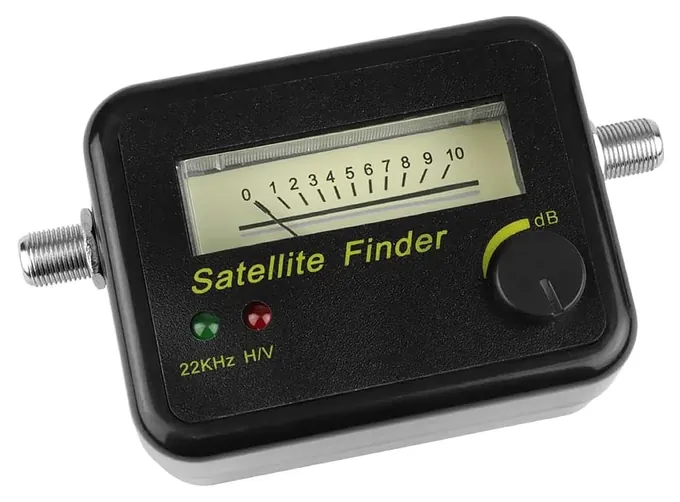
Every satellite finder sits on the coax between the dish's LNB and the receiver, and most draw their power from the receiver through that same cable. What they tell you differs a lot. A simple pointer, like the needle Winegard SF-1000 or the bar-graph AGPtek SF-95DR, measures the total signal power arriving from the dish. As satsig.net explains, that kind of meter reacts to almost any satellite, so it's good for peaking a dish's direction and tilt but can't prove you're on the right one. Needle meters are often said to be the most sensitive when you're hunting for a weak signal.
A digital meter such as the GTmedia V8 Finder2 or Satlink WS-6933 decodes the DVB-S or DVB-S2 signal. When it locks, it shows a quality reading and often the satellite's channel list, so you know you've found the right one. That matters for free-to-air dishes, where dozens of satellites sit a few degrees apart. Digital meters also carry their own batteries, so you don't need a receiver running on the roof. A hobbyist's satellite finder guide walks through how the cheap analog type behaves in use.
Spectrum analyzers sit above both. The GTmedia V8 Finder Pro 2 adds a basic one, which helps installers spot interference and find weak carriers.
DirecTV, Dish And Free-To-Air: Match The Meter To The Service
Start with the service you have. For free-to-air hobby dishes, get a digital DVB-S2 meter. GTmedia's distributor lists the V8 Finder2 as not compatible with DirecTV (Elektor), which tells you who it's built for.
For a Dish Network dish, a simple pointer is usually enough to peak it, and the receiver's own signal screen then confirms each satellite.
DirecTV is the tricky one. Newer DirecTV installs use single-wire and wideband dish heads that talk to the receiver in ways a plain meter can't follow. A Harvey Mudd College clinic report on DirecTV installation meters described this problem years ago. Technicians use DirecTV's own installer meter, but on the DirecTV forums owners point out that the receiver's built-in signal meter is good enough for most people. Never feed a DirecTV power inserter's higher voltage into a cheap meter; most are built only for the normal 13- and 18-volt dish supply.
Aiming A Dish, Step By Step And Safely
First get the direction and tilt for your address. A free pointing calculator gives the compass heading, elevation and LNB tilt for any satellite from your location, and many receivers show the same numbers in setup. Make sure the mast is plumb, because a leaning mast throws off every other setting.
Set the LNB tilt and the elevation close to the numbers, then sweep the dish slowly side to side while watching the meter or listening to the tone. When you find a peak, nudge the elevation up and down, then go back to side to side. Turn the meter's sensitivity down as the reading climbs. Tighten the bolts a little at a time, because tightening can shift the aim. Finish by checking signal quality on the receiver itself. An installer thread on Tom's Guide covers the same order for a three-LNB dish.
Work safely. Keep ladders and masts well clear of power lines, avoid roofs in wind or wet weather, and ground the mast and coax as your local electrical code requires. Renters and condo owners have rights here too: the FCC's over-the-air reception devices rule limits how landlords and associations can restrict small dishes on property you control.
How we researched this
We compared 20 satellite finders, read the maker or distributor specs for the 7 finalists, studied installer advice and owner feedback, and checked each brand against the CPSC recall database. We found no independent lab tests of these meters. Updated October 27, 2026 by Ezvid Wiki Admin.
Sources (9)
- satsig.net: satellite meter types
- heyrick.eu: using a satfinder
- Tom's Guide forum: aligning a dish with a meter
- DirecTV forums: dish alignment
- Harvey Mudd College clinic: satellite installation meter
- Viavi: AIM 2.0 operation manual
- usradioguy.com: satellite pointing calculator
- FCC: over-the-air reception devices rule
- CPSC SaferProducts recall search
Frequently asked questions
Can a phone app replace a satellite finder?
Not fully. An app uses your location and the phone's compass to tell you where to point the dish. It can't measure the signal, so you still need a meter or the receiver's signal screen to peak the dish.
Will a satellite finder work with DirecTV?
A simple pointer can peak an older DirecTV dish. Newer single-wire DirecTV systems need the receiver's built-in signal meter or DirecTV's installer meter. GTmedia says the V8 Finder2 isn't compatible with DirecTV.
How do I test a satellite finder?
Connect it between the dish and the receiver, turn the receiver on, and sweep the dish slowly. A working meter jumps and its tone rises as the dish crosses a satellite. A digital meter should also lock and show the satellite's channels.
Does a satellite finder need batteries?
Pointers like the AGPtek SF-95DR, Winegard SF-1000 and Skywalker Signature run on power from the receiver. Digital meters have rechargeable batteries, so they work on the roof without a receiver.
Which satellite should I aim at?
Your provider or your receiver's setup screen names it. For free-to-air, pick a satellite carrying channels you want, then use a pointing calculator for its heading and elevation from your address.