The 6 Best Tablets With LTE
Updated by · How we research

Six cellular iPads and Galaxy Tabs compared by 5G support, SIM type, carrier locks and price. The Apple iPad (A16) is the best choice for most. When users buy our independently chosen editorial picks, we may earn commissions to help fund the Wiki.
An LTE tablet carries its own cellular modem, so it gets online anywhere your carrier has signal, with no Wi-Fi or phone hotspot needed. Every current iPad with cellular uses an eSIM only, with no SIM tray, while many Android tablets still take a physical card. This list suits commuters, travelers and families who want a tablet that's always connected.


Editor's Notes
October 23, 2026, by Ezvid Wiki Editors:
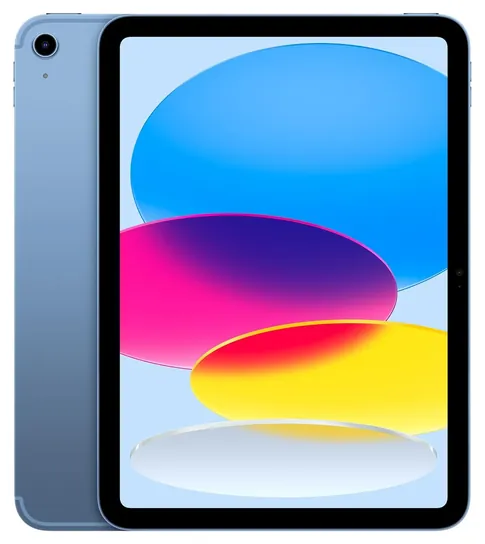
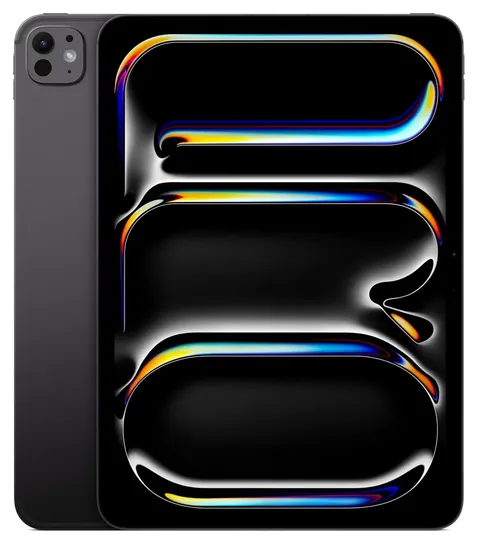
The Apple iPad (A16) moves to the top because it's the least expensive iPad with 5G, and the cellular version adds GPS, which the Wi-Fi model lacks. Every tablet on the old list dated from 2019 or 2020, from the Apple iPad 7th Generation to the Samsung Galaxy Tab Active Pro, and each one has a newer replacement or is no longer made, so all ten came off.
For this update we went through Apple's spec pages for modem, SIM and GPS details, sorted out which carrier each version of the Samsung Galaxy Tab A11+ is built for, and searched federal recall records for both brands. Six picks is short on purpose: most other cellular tablets for sale now are years-old models or little-known imports with almost no documentation. Windows fans have one current option, a 5G Surface Pro sold to businesses, so it's in the honors.
Earlier notes
August 21, 2020, by Christopher Thomas:
In different ways, the tablet market is simultaneously somewhat thin and full of interesting options. Essentially, there are three main types of tablets manufactured with LTE connectivity: iPads, Android tablets, and Windows computers masquerading as tablets.
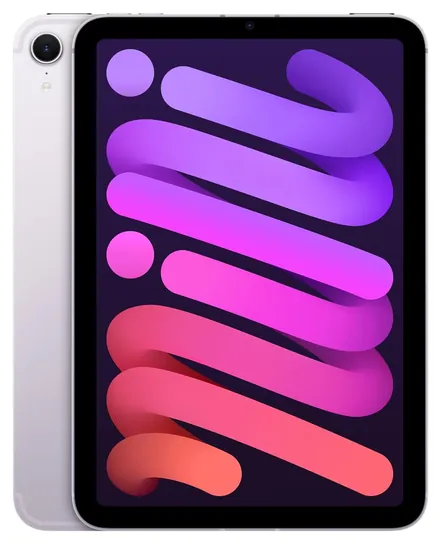
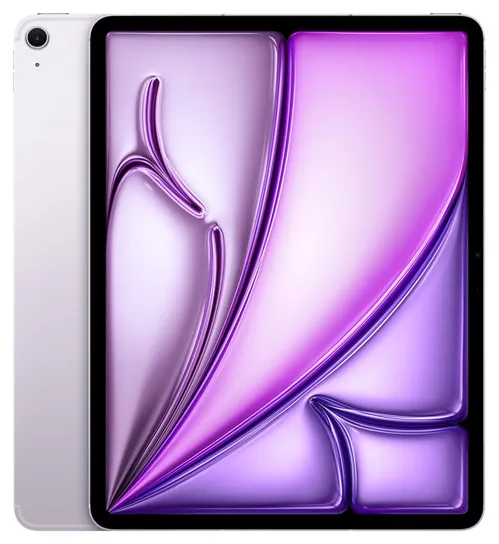
The value judgments of the latest iPad generation hold up well; the Apple iPad Pro is impressive but costly, the Apple iPad 7th Generation is reasonably priced if slightly bland, and the Apple iPad Mini is the best 4G-connected compact model out there. The Apple iPad Air, meanwhile, has proven to fill an important spot in the venerated device's lineup, as it combines some of the best features of the Pro with the reasonable cost of lesser variants. For what it's worth, any of iPads are well known to offer better performance than Android models overall.
As far as Android tablets, be especially wary about unknown or sketchy-looking brands. In fact, it's no mistake that the only 4G Android tablets we've recommended come from Samsung, who is obviously reputable and has far an away more focused Android experience than other manufacturers. The Samsung Galaxy Tab S5e is an all-around good performer at a reasonable price, and while the Samsung Galaxy Tab S6 Lite makes some sacrifices in comparison, it actually doesn't make many. The Samsung Galaxy Tab A, on the other hand, does sacrifice considerable performance power compared to the others, but it offers something almost no others can: the ability to make and receive phone calls and text messages. Most tablet manufacturers are removing this feature from their new releases, but some international versions can be found that still allow it.
Then there are the Windows PCs. In this case, Microsoft Surface Go 2 is basically a smaller, less costly, and slower version of the Microsoft Surface Pro 5. These are both designed run Windows in its essentially full-featured mode. The Go does come configured for Windows streamlined S mode, but it performs just well enough to handle being unlocked and running most of your favorite programs. For more models intended for keyboard use that also have 4G modems, consider an LTE-enabled laptop. There aren't a ton available, but there are some worthwhile options to consider.
August 5, 2019, by Christopher Thomas:
First off, we don't always recommend Apple products to a lot of people, not because they aren't great products -- they generally are, with a few exceptions -- but because they're not always cost-effective and their streamlined interface isn't always necessary for most applications. When it comes to tablets, though, it's hard to argue that Apple pretty much runs the game. From their frequently updated mainstream iPad all the way up to their flagship-level iPad Pro, their most recent crop of tablets is yet again a fine family of devices. We almost included the 12.9-inch Pro, but it really is ungodly expensive for a tablet -- most users would be better off with an actual laptop if they're going to spend that kind of money. Meanwhile, the 11-inch Pro isn't too terribly costly for some people, and few tablets are more high-powered. That said, the new Mini and Air have the same ultra-strong internals as the Pro. If you can stomach the cost, you'll almost certainly be happy with any of the current-generation iPads.
Then there are some noteworthy entries from Microsoft's Surface line. The Pro, of course, is really a full-on Windows laptop crammed into a sleek body and engineered about as well as a 2-in-1 can be. The Surface Go (note the difference between the original and the "New" Go released only months later -- aim for the New one if possible) is basically a hybrid laptop/tablet and while it's a little pricier than we'd like with LTE connectivity, it's hard to beat its portability. Then there's the old-but-good standard Surface 3, which won't win any races, but will save you from overpaying. And if you're traveling or going to school, you probably don't want to drop a fortune on a tablet. One of the drawbacks of the Surface line is that they don't generally come with keyboards, and the matching options from Microsoft tend to be awfully expensive, but you an sometimes find a good bundle, as we've done here with the Surface 3.
Samsung can't be ignored, of course, and their Galaxy Tab line is great. But one relatively unknown device that we found is the not-so-originally-named Chuwi HiPad, which is pretty much the only option in its price range that's entirely promising. It doesn't boast a ton of advanced features, but it is one of the rare ones with dual SIM support.
Special Honors
Microsoft Surface Pro 5G For Business Readers looking for a Windows tablet with LTE will find almost nothing current sold to consumers. Microsoft's Surface Pro for Business can be ordered with a 5G modem, runs full Windows 11 Pro and works with a detachable keyboard, so it can replace a laptop for field staff. These 5G models are sold through business channels and resellers rather than to the general public, and they cost far more than any tablet on the list. microsoft.com
What LTE And 5G Add To A Tablet
A cellular tablet has its own modem and a line on a carrier plan, so it connects wherever there's signal.
A Wi-Fi-only tablet goes dark when you leave the house unless you share your phone's connection. A cellular tablet has its own modem and a line on a carrier plan, so it connects wherever there's signal. Current models use 5G where it's available and fall back to LTE, which still covers far more ground. Apple's spec pages list 5G (sub-6 GHz) and Gigabit LTE for every cellular iPad, from the iPad (A16) to the iPad Pro.
Cellular models also carry GPS. Apple puts satellite location only in its cellular iPads, so a Wi-Fi iPad can guess its position from nearby networks but can't follow a road in the countryside. That alone makes a cellular tablet worth it for some road-trippers, boaters and hikers.
There is a small cost in battery life. Apple rates its current iPads at up to 10 hours of web use on Wi-Fi and 9 hours on cellular. Weak signal drains a battery faster, so expect less on rural roads.
eSIM, SIM Cards And Carrier Locks
Every current iPad with cellular is eSIM only. The iPad mini spec page says plainly that it doesn't take a physical SIM card. You add a plan by scanning a code or picking a carrier in Settings. Most big U.S. carriers handle that, but some prepaid and smaller carriers don't, so check first.
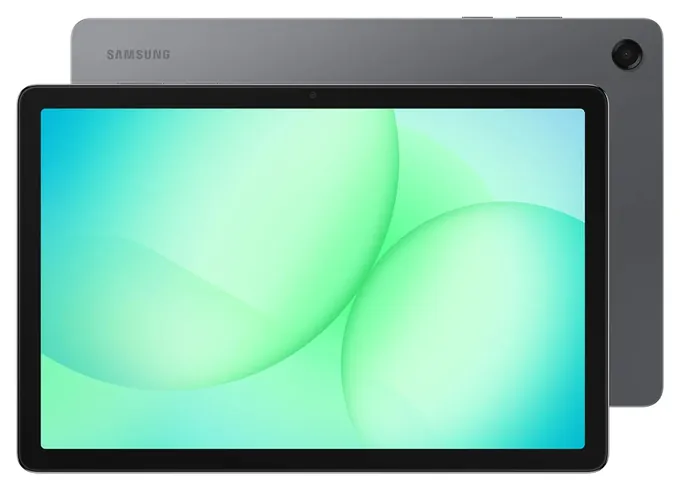
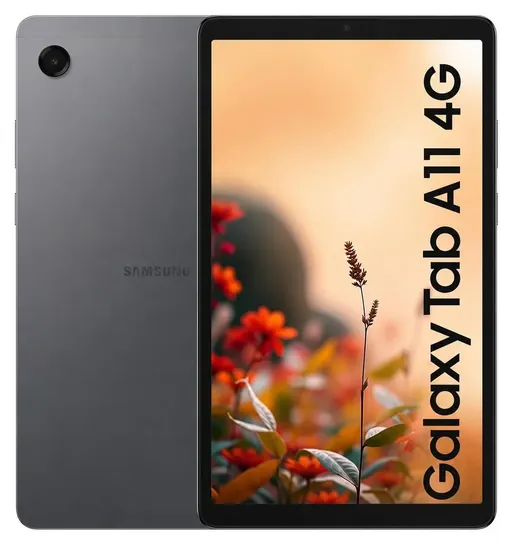
Samsung's budget tablets still take a nano-SIM, and the Galaxy Tab A11 takes an eSIM too. The catch is versions. The Galaxy Tab A11+ 5G is sold in separate models for AT&T, Verizon, T-Mobile and an unlocked one, and a carrier model may not work on a rival network. International models are cheaper but can lack some U.S. bands, come without a U.S. warranty, and may be refused by a carrier that doesn't recognize their device ID.
Unlocking removes the software lock but doesn't add missing radio hardware, as the FCC's unlocking guide explains. If you plan to switch carriers, buy an unlocked U.S. model.
What A Cellular Tablet Really Costs
The modem costs extra up front. On Apple's store, the cellular iPad (A16) is about a third more than the Wi-Fi version with the same storage, and the gap is similar on other iPads.
Then there's the plan. Most carriers sell a tablet line as an add-on to a phone plan for a monthly fee, and some prepaid carriers sell data-only plans. Look at the data cap, since video eats data fast. Netflix says HD streaming uses up to about 3 GB an hour, while e-mail, maps and web pages use little.
If you only go online away from Wi-Fi a few times a month, your phone's hotspot may be enough. It costs nothing extra on many plans, though it drains the phone's battery and some plans cap hotspot data. A cellular tablet makes more sense for daily commuters, field workers, and anyone who wants GPS or a connection that doesn't depend on a phone.
How we researched this
We compared about 20 tablets with LTE or 5G, including every carrier version of the Samsung Galaxy Tab A11+, read Apple's spec pages for each iPad finalist and the published specs for the Samsung Galaxy Tab A11 family, read an independent 5G tablet roundup, and checked both brands against U.S. Consumer Product Safety Commission recall records. Updated October 23, 2026 by Ezvid Wiki Editors.
Sources (10)
Frequently asked questions
What is an LTE tablet?
It's a tablet with a cellular modem, so it can use a carrier's data network like a phone does. LTE is 4G service; newer models also support 5G. A Wi-Fi-only tablet needs a Wi-Fi network or a phone hotspot.
Does a cellular iPad need a SIM card?
No. Every current iPad with cellular uses an eSIM only and has no SIM tray. You add a plan in Settings, so check that your carrier supports eSIM on iPad.
Can I use my phone's hotspot instead?
Yes, and it costs nothing extra on many plans. It drains the phone's battery, though, and some plans cap hotspot data. A cellular tablet also gets GPS, which most Wi-Fi tablets lack.
Will any LTE tablet work on Verizon or AT&T?
Not always. Carrier versions can be locked, and international models may lack some U.S. bands or be refused by a carrier. Buy the version made for your carrier or an unlocked U.S. model.
How much data does a tablet use?
E-mail, maps and web browsing use little. Video is the big one: Netflix says HD streaming uses up to about 3 GB an hour, so pick a plan with room if you stream on the go.