The 7 Best Windows Tablets
Updated by · How we research

Seven Windows 11 tablets compared on chip, battery, screen and what's in the box, from Arm Surface Pros to budget Intel models. The Surface Pro 12-inch leads. When users buy our independently chosen editorial picks, we may earn commissions to help fund the Wiki.
Windows 10 lost security updates in October 2025, so every tablet worth buying runs Windows 11, and the bigger choice is the chip. Arm models last longer on a charge and run silent, but a few drivers and security apps won't install. Intel models run everything, just slower. This guide is for students, travelers and office workers replacing a laptop.


Editor's Notes
October 23, 2026, by Ezvid Wiki Admin:
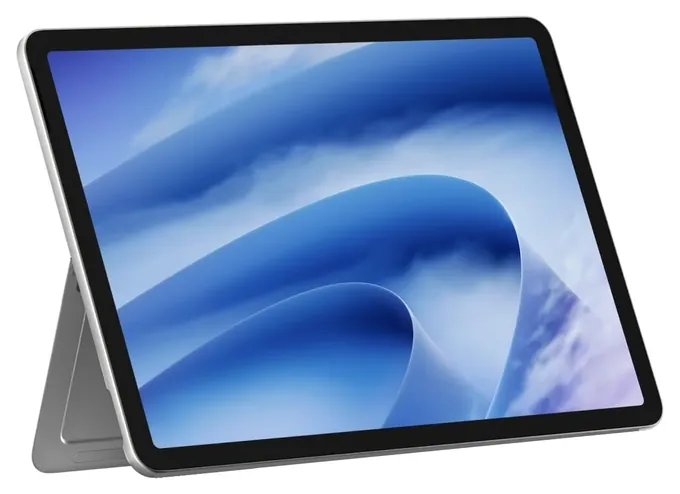
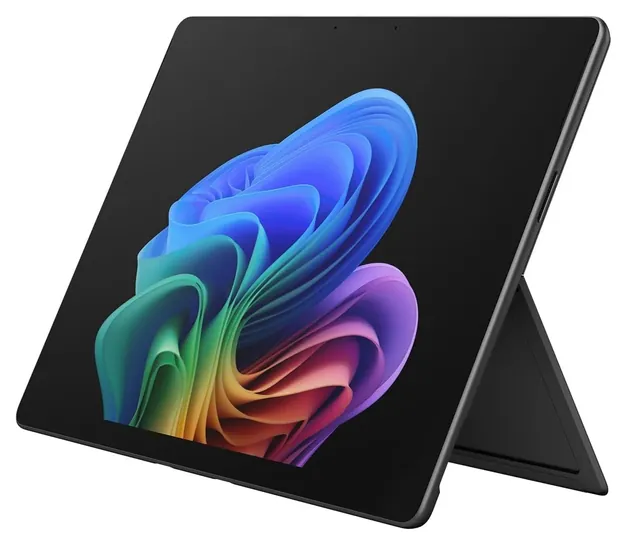
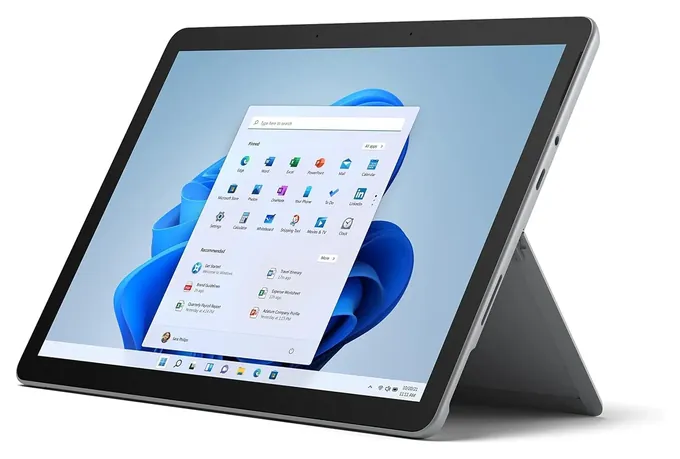
The Microsoft Surface Pro 12-inch now leads this page. It brings a silent, fanless Arm design and long battery life to the lowest price of any current Surface Pro, and that's what most readers asking about Microsoft tablets need. Five of the six earlier picks had aged out. The Surface Pro 7 and Surface Book 3 belong to 2019 and 2020, the old Fusion5 FWIN232 shipped with Windows 10, which no longer gets security updates, and the Chuwi UBook and MobileDemand Flex 10B have been passed by newer hardware.
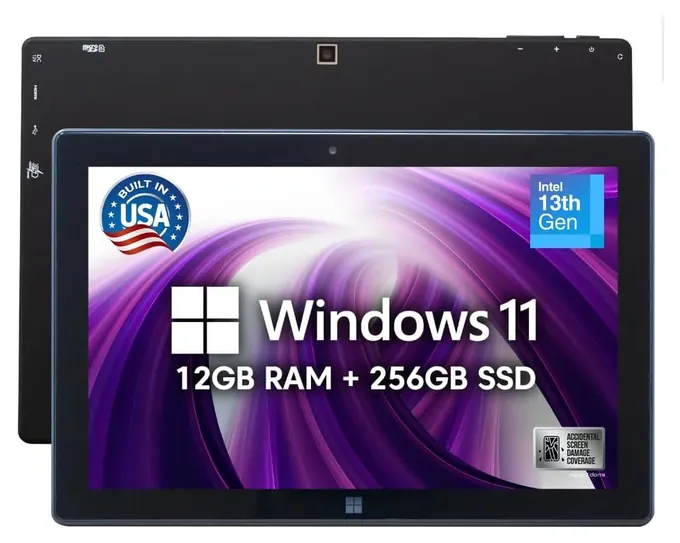
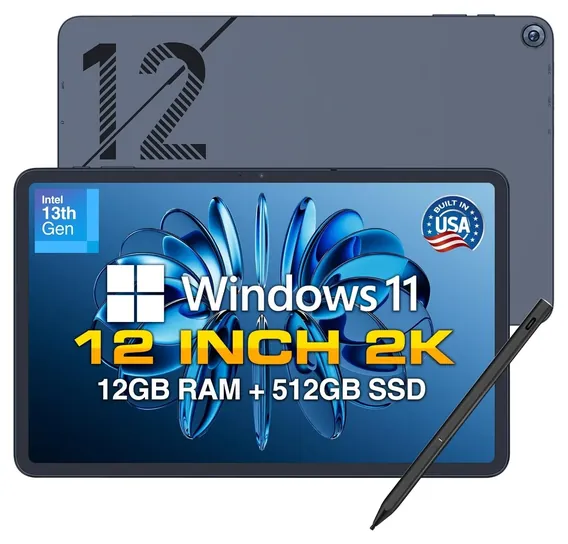
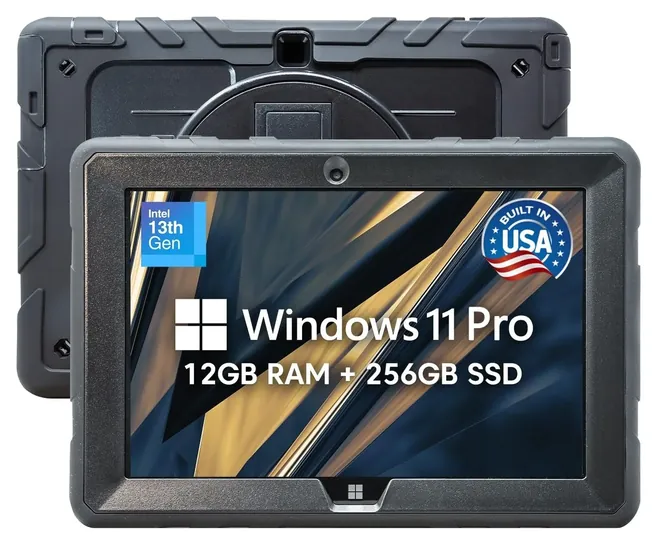
The Microsoft Surface Go 2 stays, now as a refurbished unit, because new ones are gone. The Fusion5 FWIN232 PRO N5 replaces its older sibling, and the Fusion5 PRO N5 Rugged takes the job-site role. The deciding evidence here was Microsoft's own documentation of which apps run on Arm and which don't, set against early reviews of the 2026 Surface Pro models and owner reports on Fusion5 battery life and speed.
December 25, 2020:
From time to time, you'll see a variety of Windows tablets released and then quickly discontinued. This is because many of them either just don't have enough firepower to run Windows well, or have significant reliability and consistency issues, or both. Of course, the Microsoft Surface Go 2, Microsoft Surface Pro 7, and Microsoft Surface Book 3 are understandably not part of that group, as they're engineered by the same company that publishes the operating system. Alternatively, the Chuwi UBook is a reasonably capable detachable 2-in-1 laptop in the same mold as the older Microsoft Surface models, and it's not exactly powerful, but it does work for many uses. If you'll only be using low-intensity programs, though, the Fusion5 FWIN232 is worth a look, and its moderate performance is almost certainly worth the low price, at least for some use cases.
May 30, 2019:
First of all, there's one big note of caution when buying a Windows tablet. Do not, under any circumstances, buy a tablet with only 64 gigabytes of internal storage. Yes, Microsoft themselves sells a Surface Go with a 64GB drive. To be perfectly honest, we're not really sure why, as this is barely enough room to fit the operating system itself. Install one or two moderate-size programs and the drive speed will tank, rendering the experience very frustrating. And while 128 gigabytes is enough to load and run the OS without difficulty, we'd strongly recommend grabbing a decently large microSD card to go along with the tablet as storage. Also, don't waste your time on any machines with ARM processors, sometimes known as the Snapdragon family. They just aren't powerful enough to run Windows -- yet. There may come a day when a Windows tablet can run for 24 hours without recharging, but it is not this day. You have been warned.
With those things being said, Microsoft makes a handful of devices that, unsurprisingly, offer an excellent Windows experience. The Surface Book 2, Surface Pro 6, and Surface Go are, in that order, absurdly powerful, incredibly versatile, and especially portable. You can even play some pretty graphics-intensive games on the Surface Book 2.
If you want a little better bang for your buck, the Lenovo Miix, Samsung Galaxy Book, and Asus Transformer Mini are worth a look. The first two are remarkably similar to ultralight laptops, while the Asus is a bit smaller than those, and also a bit slower. It's still quite functional. The Samsung Galaxy TabPro S is one of the slimmest and lightest outside of the Surface Go, and its screen looks especially great thanks to its incredible pixel density.
Meanwhile, it's not very recent, but the Acer Switch Alpha is essentially a clone of the Surface Pro 4, and for its cost, it makes a surprisingly good everyday computer. I've personally used one every day for over a year now; it's a bit heavy and the battery life is pretty poor, but it's never once performed slowly or hesitated to open programs or complete commands. In fact, I like it so much that I went ahead and got a second one when I dropped the first one (pro tip: don't drop your laptop, kids). You'll be hard-pressed to find anything else with 8 GB of RAM and a 256GB SSD for that price.
Finally, the HP Spectre x360 is too good of a machine to not consider. It's one of the few 4K 2-in-1s worth its salt, it's packed with ultra-fast components, and it's visually stunning to look at in person. But, it will cost you a considerable amount of dough.
Special Honors
Asus ProArt PZ13 The Asus ProArt PZ13 is a 13-inch Arm tablet with an OLED screen, a larger battery than most Surface Pros and a keyboard cover in the box. PCMag rated it its top Windows tablet. Asus sells it directly and through major electronics stores. asus.com
Asus ROG Flow Z13 For readers who want the most powerful Windows tablet, the Asus ROG Flow Z13 puts an AMD Ryzen AI Max chip with strong built-in graphics in a detachable tablet, so it can play demanding games and run creative work that Arm tablets can't. It's heavy and costly, and battery life is far shorter than a Surface Pro's. rog.asus.com
Arm Or Intel: Pick The Chip First
Tablets with Intel chips, like the Fusion5 models, skip that question: anything that runs on a Windows laptop runs on them.
Every current Surface Pro runs on a Qualcomm Snapdragon chip, which uses the Arm design found in phones. That's why these tablets run without a fan and last a long time on a charge. Apps written for Intel and AMD chips still run, because Windows translates them on the fly, and Microsoft's own guide explains how (Microsoft Learn). Office, the major browsers, Zoom and many creative apps already have native Arm versions.
The catch is drivers. Translation handles regular apps but not drivers, the low-level code that printers, scanners, some VPN clients, corporate security agents and anti-cheat systems in online games rely on (OnArm). If your job requires a specific VPN or security app, ask IT whether it has an Arm64 version before you buy.
Tablets with Intel chips, like the Fusion5 models, skip that question: anything that runs on a Windows laptop runs on them. The trade is speed. The Intel N100 in these tablets is an entry-level chip, fine for Office, web pages, school portals and video calls, but slow with dozens of tabs open or a big photo edit.
Budget For The Keyboard, Pen And Storage
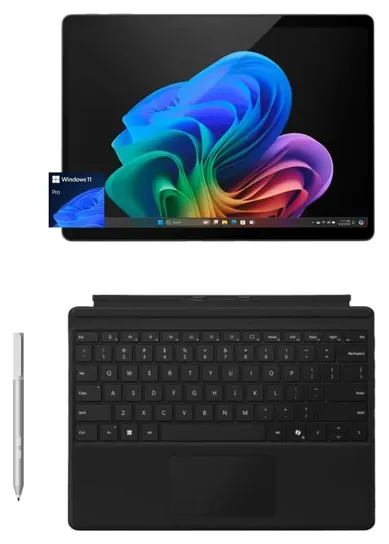
A Surface Pro is sold as a bare tablet. The keyboard cover and the Slim Pen are separate purchases on the 12-inch and 13-inch models, and together they can add several hundred dollars, so compare the full kit price, not the tablet price (Microsoft Surface). Bundles that include both, like the Surface Pro 11 bundle, can work out cheaper than buying a newer tablet and its accessories separately.
Memory matters more than the box suggests. Treat 8GB as the floor for Windows 11 and 16GB as the comfortable amount; every current Surface Pro on this page has 16GB. Storage is the other trap. A 128GB tablet fills up fast once Windows updates and Office are installed, so budget tablets with a microSD slot, like the Fusion5 models, are easier to live with. Surface Pro storage can't be expanded with a card, so buy the size you need up front.
Screen size is a matter of where you'll use it. A 10-inch tablet suits reading, forms and travel. A 12-inch or 13-inch screen is the minimum for comfortable side-by-side windows or spreadsheet work.
Windows 11 Support, Refurbished Units And Battery Care
Microsoft ended support for Windows 10 Home and Pro on October 14, 2025, so a Windows 10 tablet no longer gets security fixes (Microsoft Learn). Every pick here runs Windows 11. If you're shopping used or refurbished, check the processor against Microsoft's requirements: Windows 11 officially needs an 8th-generation Intel chip or newer, which rules out older tablets such as the Surface Pro 5 (Microsoft).
Surface hardware also gets firmware and driver updates for a fixed period after release, which Microsoft publishes for each model (Microsoft Learn). A refurbished Surface Go 2 still gets Windows 11 security updates, but its own firmware updates are older.
Batteries are the weak point of any used tablet. Check the battery report (run powercfg /batteryreport in a command window) soon after a refurbished unit arrives, and return it inside the window if capacity is far below the design figure. Charge with the maker's power supply, keep the tablet out of hot cars, and stop using any tablet whose case bulges or whose screen lifts, which is a sign of a swelling battery.
How we researched this
We compared 17 Windows tablets, read Microsoft's published specs and its documentation on Windows 10 end of support and on running Intel apps on Arm, read reviews of the Surface Pro line from PCMag, ZDNet, Wirecutter and Tom's Guide, analyzed owner feedback on Surface and Fusion5 tablets, and checked each brand for recalls with the U.S. Consumer Product Safety Commission.
Sources (11)
- Microsoft Learn: How emulation works on Arm
- OnArm: Prism emulation explained
- Microsoft Learn: Windows 10 Home and Pro lifecycle
- Microsoft: Windows 11 specifications
- Microsoft Learn: Surface driver and firmware lifecycle
- PCMag: The Best Windows Tablets
- ZDNet: The best Windows tablets
- Wirecutter: Can pro tablets replace your laptop?
- r/Surface: best Windows tablet value for the buck
- r/Surface: best Windows tablet for travel and studying
- U.S. CPSC recall search
Frequently asked questions
Can a Windows tablet run Microsoft Office?
Yes. Every tablet on this page runs the full desktop versions of Word, Excel, PowerPoint and Outlook, not phone apps. Office has native Arm versions, so it runs well on the Surface Pro models too.
Does the Surface Pro come with a keyboard?
Not usually. The 12-inch and 13-inch Surface Pro are sold without the keyboard cover and pen. Some sellers offer bundles, like the Surface Pro 11 bundle with a Pro Keyboard and pen.
Will my apps work on a Snapdragon Surface Pro?
Most will. Windows runs Intel and AMD apps through translation, and most popular apps now have Arm versions. Drivers are the exception, so some printers, scanners, VPN clients, security agents and games with anti-cheat may not work.
Can I still buy a Windows 10 tablet?
You can, but you shouldn't. Microsoft stopped security updates for Windows 10 Home and Pro on October 14, 2025. If an older tablet has an 8th-generation Intel chip or newer, it can usually move to Windows 11.
Is a refurbished Surface worth it?
It can be, for light work. A renewed Surface Go 2 runs Windows 11 for a small price, but it's slow by today's standards. Check the battery health when it arrives and make sure the model is on Microsoft's Windows 11 list.
What's the most powerful Windows tablet?
Detachable gaming tablets like the Asus ROG Flow Z13 carry far stronger chips and graphics than any Surface Pro. They cost more, weigh more and run out of battery much sooner.