The 8 Best Wireless Adapters
Updated by · How we research

USB sticks and PCIe cards for Windows and Linux, compared on router match, antennas, drivers and warranty. The TP-Link Archer TX3000E leads for desktops. When users buy our independently chosen editorial choices, we may earn commissions to help fund the Wiki.
A Wi-Fi adapter can't outrun the router it talks to: a Wi-Fi 7 stick paired with an older router runs at that router's speed. So the right pick depends less on the number on the box and more on your router, your computer's ports and its operating system. These are USB sticks and desktop cards for Windows and Linux machines.


Editor's Notes
November 1, 2026, by Ezvid Wiki Admin:
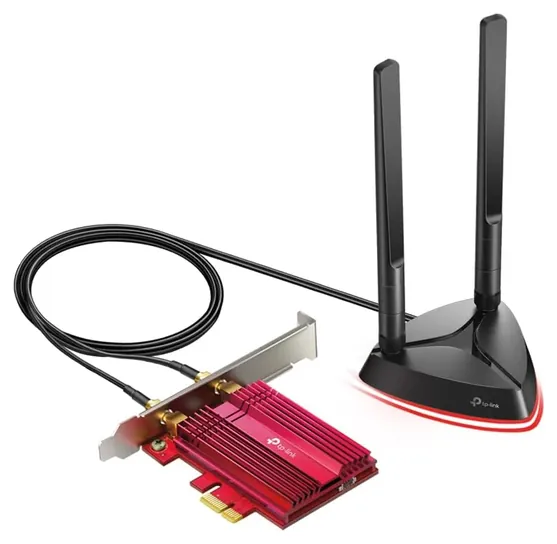
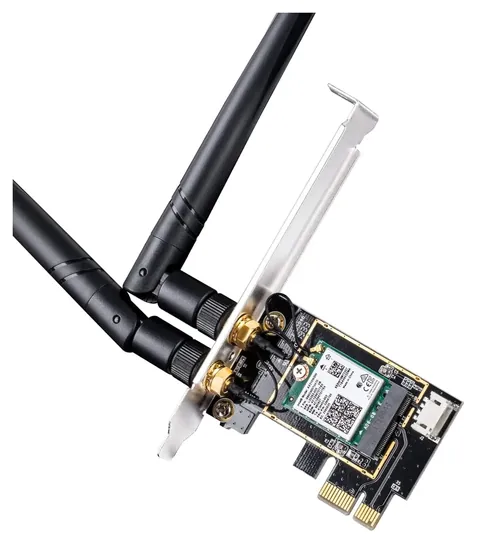
The TP-Link Archer TX3000E now leads. It is a plain desktop card with an Intel radio and Bluetooth, and its antennas sit on a magnetic base you can put on top of the case, which matters more for signal than the speed printed on the box. Among the cards we looked at, it also had the steadiest record from owners over the long run.
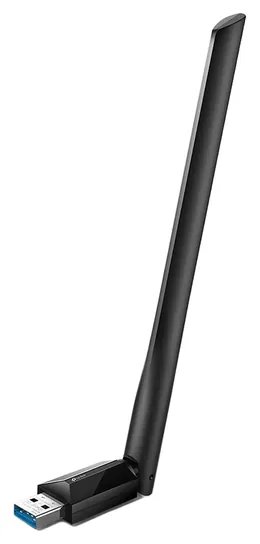
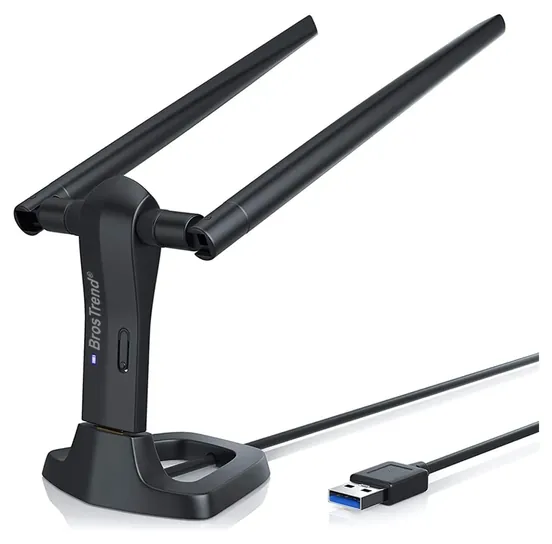
Five of the eight earlier picks had to go. The OKN AX210, the bare Intel AX200 module and the EDUP Mini are no longer offered, the Asus AC88 is a 2016 design we couldn't find new, and the old BrosTrend AC3 link now points to a flash drive. Its sibling, the BrosTrend AC3L, takes its place for Linux users. The TP-Link Archer T3U Plus and the Cudy WE3000 stay.
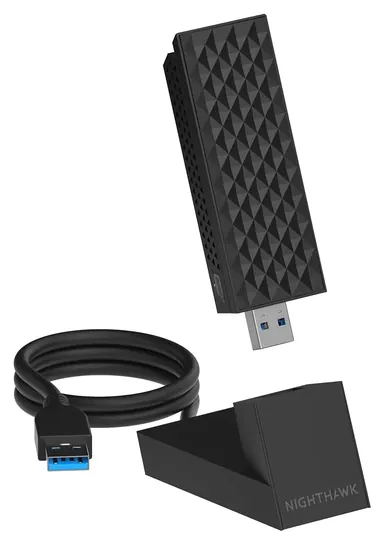
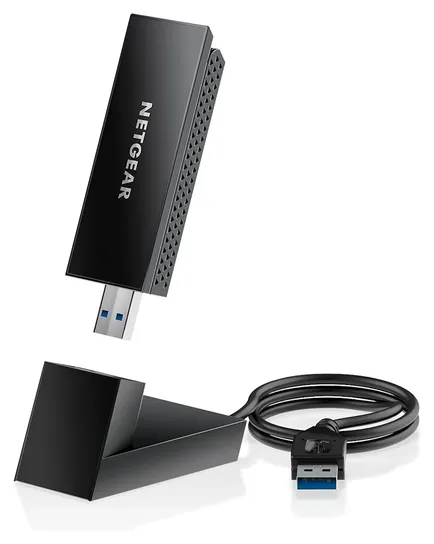
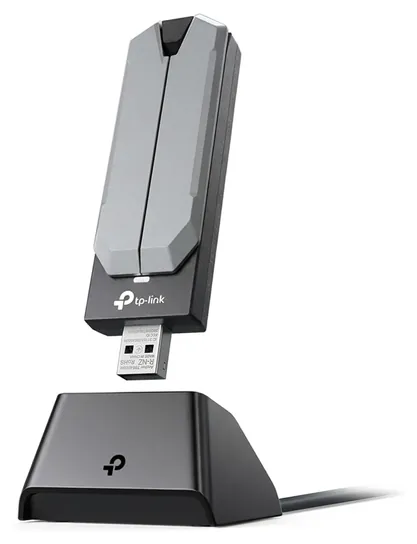
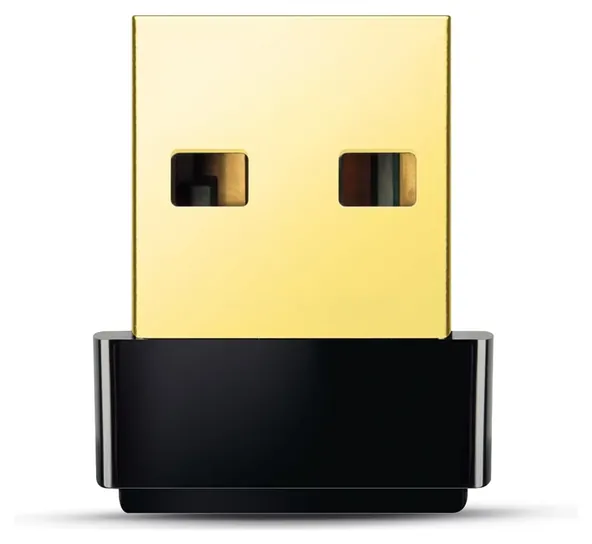
New are two Wi-Fi 7 sticks, the Netgear Nighthawk A9000 and the TP-Link Archer TBE401UH, the Wi-Fi 6E Netgear Nighthawk A8000, and the tiny TP-Link Archer T2U Nano. We left out a popular budget Wi-Fi 6 stick with two antennas because complaints about dropouts and dead units ran several times higher than for these picks.
The evidence came from maker spec pages and driver lists, Intel's Linux driver table, one enthusiast roundup and patterns in owner feedback.
December 08, 2020:
To be clear, there are two main types of adapters, internal and external ones. Internal ones are, generally, PCIe 1X cards, although those are actually usually made of of, essentially, an M.2 wireless networking card made by Intel, preinstalled in an M.2-to-PCIe adapter. If that sounds confusing, don't worry, all it means is you'll need to open up your PC case and install it in one of the smallest horizontal PCIe slots on the motherboard, near the back of the case.
If you're really dedicated to gaming, you should also consider a Wi-Fi 6 router, as that will help you minimize lag. If you do decide to go that route, the TP-Link Archer TX3000E and Cudy WE3000 are hard to beat. Alternatively, if you have an especially crowded network to deal with and are okay with waiting on a new router, consider the OKN AX210. It's actually able to utilize the relatively new 6-gigahertz band, so once the high-end gaming routers with Wi-Fi 6E support hit the market, you'll be ready to take advantage of the best ones.
If you already have a high-quality Wi-Fi 5 router, the Asus AC88 remains a good but expensive choice. In fact, it's one of the best options if your home network has a ton of devices connected to it, thanks to its 4X4 MU-MIMO connectivity that can manage multiple simultaneous inputs and outputs.
If you want to avoid opening your PC case, or there are just aren't any more PCIe slots in it, there are some good USB adapters worth considering. They might add a little latency, but there's a chance it will be negligible. The TP-Link Archer T3U Plus is a good balance of a compact form factor and advanced technology, but the EDUP Mini might be a little more convenient, as long as you don't need a super-long range.
As of this writing, there are no USB adapters available that support Wi-Fi 6.
December 19, 2018:
First off, Windows 10's obnoxiously frequent updates don't always play nicely with wireless drivers. In fact, you may have to track down and custom-install the latest drivers from the actual chipset's manufacturer, NOT the manufacturer of the device itself. To do this, go to said OEM manufacturer's page, download the software, and install using Windows's "Have disk..." prompts. With that said, dedicated gamers will prefer the Gigabyte or Asus add-in cards, which use the PCIe bus to eliminate the few milliseconds of lag that's inherent in USB communication. The BrosTrend is incredibly versatile, switching between desktop and portable use at a moment's notice. The OurLink shows great promise as a small-form-factor option. the Edimax is the most compact we found with a good reputation, and this particular editor has used that very same chipset for many months now on Windows 10 with zero issues. The Archer T6E is a great PCIe model for those who don't want to spend too much, while the Netgear and Archer T4U are good choices for laptop users.
Special Honors
ALFA Network ALFA Network makes USB Wi-Fi adapters with large removable antennas for long-range links, including the AWUS036AXM with Wi-Fi 6E and Bluetooth. Its models appear in enthusiast roundups, but we couldn't match a current offer to an exact model, so it is listed here rather than ranked. alfa.com.tw
Match The Adapter To Your Router And Your PC
Wi-Fi 6 and newer sticks need a USB 3.0 port, usually blue or marked SS, because a USB 2.0 port caps the speed well below what the adapter can do.
An adapter only talks as fast as the router at the other end allows. A Wi-Fi 7 stick connected to a Wi-Fi 5 router runs at Wi-Fi 5 speeds, a point the enthusiast site WirelesSHack makes in its adapter roundup. Wi-Fi 6E and Wi-Fi 7 add the 6 GHz band, and the Wi-Fi Alliance says Wi-Fi 7 also brings wider 320 MHz channels and multi-link operation, which spreads traffic across bands. None of that helps unless your router supports it.
Check the computer too. Wi-Fi 6 and newer sticks need a USB 3.0 port, usually blue or marked SS, because a USB 2.0 port caps the speed well below what the adapter can do. Many recent adapters also need Windows 11: Netgear states that the Nighthawk A9000 does not work on Windows 10 or older. The speeds printed on boxes add up every band at once, so expect real downloads well below them, and expect an Ethernet cable to still beat any adapter for lag in online games.
USB Stick Or PCIe Card
A laptop can only take a USB adapter, but a desktop gives you a choice. A PCIe card sits inside the tower in a spare slot. A short x1 card also fits a longer x4 or x16 slot. Most cards add Bluetooth, but only after a small cable is plugged into a free USB header on the motherboard. TP-Link ships the Archer TX3000E with a magnetic antenna base on a one-meter cable and a low-profile bracket for slim cases.
Placement often matters more than antenna size. A tower on the floor under a desk has metal and wood between its back panel and the router. A USB adapter on a cradle, or card antennas on a base, can sit up on the desk with a clear line to the router. WirelesSHack recommends exactly that. If you only need to get a TV, console or Ethernet-only desktop onto Wi-Fi, a wireless Ethernet bridge does the job without drivers. It takes Wi-Fi in and puts out a normal network jack.
Linux, Macs And Driver Traps
Most Wi-Fi 6, 6E and 7 USB sticks ship with Windows drivers only. On Linux, the safe bets are adapters whose chip has a driver built into the kernel or a maker that publishes Linux support. Intel's Linux driver table lists the Wi-Fi 6 AX200 module, used on the Cudy WE3000, as supported from kernel 5.1. BrosTrend supports the AC3L on Ubuntu, Debian, Mint, Raspberry Pi OS and Kali with kernel 6.2 or newer, but not on RHEL, CentOS or openSUSE Leap.
Watch for the driver catch-22: some adapters need an internet connection to install their driver, which is the thing you lack. Download the driver on another computer first and bring it on a USB drive, or share your phone's connection over a cable. Mac support is thin. TP-Link's older Wi-Fi 5 sticks list macOS drivers only up to 10.14 or 10.15, so a current Mac should stay on its built-in Wi-Fi. If the goal is mirroring a screen to a TV, that's a different device; see our wireless display adapters.
How we researched this
We compared 15 current Wi-Fi adapters, read the maker spec pages and driver lists for the 8 picks, checked Intel's Linux driver table and the Wi-Fi Alliance's Wi-Fi 7 notes, analyzed patterns in owner feedback, and checked each brand against the CPSC recall database. We found no lab tests of these adapters, so no speed results are quoted. Updated November 1, 2026 by Ezvid Wiki Admin.
Frequently asked questions
Will a Wi-Fi 7 adapter make my internet faster?
Only if your router supports Wi-Fi 7 and your internet plan is faster than your current link. With an older router, the adapter drops to that router's standard.
Do I need a USB 3.0 port?
For Wi-Fi 6 and newer sticks, yes. A USB 2.0 port caps the speed well below what the adapter can do. Basic Wi-Fi 5 sticks like the TP-Link Archer T2U Nano are built for USB 2.0.
Is a PCIe card better than a USB adapter?
In a desktop, a card frees a USB port and usually adds Bluetooth, but it needs a spare slot and a motherboard header. A USB adapter on a cradle is quicker to set up and easier to place well.
Which wireless adapters work on Linux?
Pick one whose maker lists Linux support, such as the BrosTrend AC3L, or one built on an Intel module like the Cudy WE3000, since Intel's driver is part of the kernel.
What is a wireless Ethernet adapter?
It's a small bridge that joins your Wi-Fi network and gives a wired device, such as a TV or console, a normal network jack. It needs no drivers on the device.
Do USB Wi-Fi adapters work on a Mac?
Rarely on current macOS. TP-Link's older Wi-Fi 5 sticks list drivers only up to macOS 10.15, so a recent Mac should rely on its built-in Wi-Fi.