The 10 Best 3D Printers
Updated by · How we research

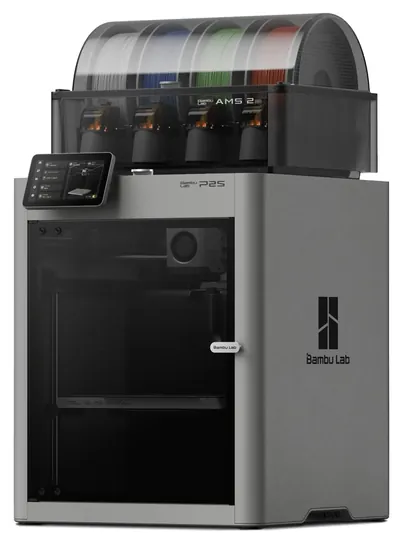
Ten 3D printers compared on reliability, enclosure, color and price, from kid-friendly starters to workshop toolchangers. The Bambu Lab P2S Combo leads. When users buy our independently chosen editorial selections, we may earn commissions to help fund the Wiki.
Most first-time buyers should start with a filament printer, not resin: filament machines are simpler to run and far safer around kids and pets, and today's self-calibrating models print well on day one. This list covers home, classroom and workshop machines, from starter printers for teens to enclosed models for tough plastics and toolchangers for multicolor work.


Editor's Notes
October 26, 2026, by Ezvid Wiki Editors:
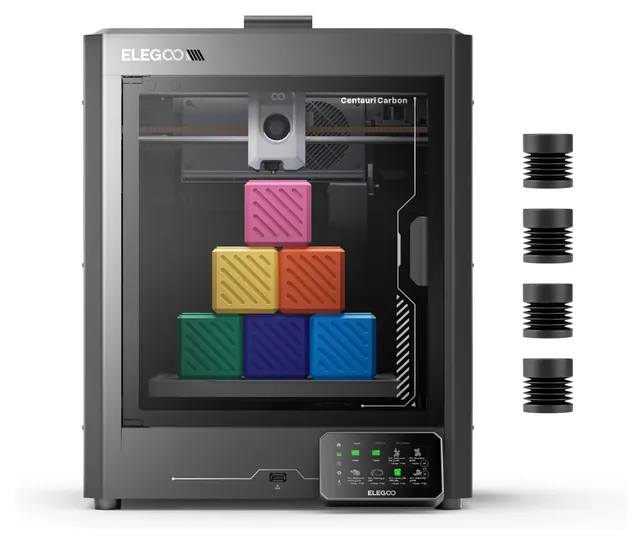
We moved the Bambu Lab P2S Combo to the top because it earned the best independent print-quality marks we found, it's enclosed and filtered, and its spool box dries filament, which fixes one of the most common causes of bad prints. The Elegoo Centauri Carbon is the value surprise: an enclosed, fast machine for about the price of an open starter.
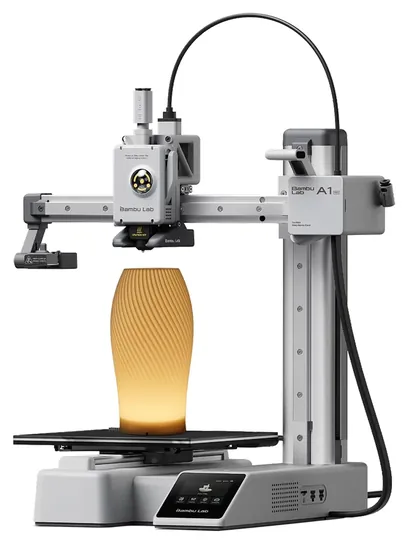
Every machine on the old list was from 2019 or 2020, and all of them are discontinued or replaced, from the Prusa i3 MK3S to the Dremel DigiLab 3D40 Flex. Printers now level and calibrate themselves, so the list leans toward machines a beginner can run on the first day. The Bambu Lab A1 mini is here for the many readers shopping for kids and classrooms.
We worked from PCMag's and Tom's Hardware's lab reviews where they exist, makers' spec sheets for build size, materials and enclosures, owner feedback patterns, and the CPSC's 2024 recall of early Bambu Lab A1 units. Prusa and Formlabs sell mostly direct, so they're in Special Honors.
Earlier notes
November 5, 2020, by Fred Naumann:
Thanks to the dedicated community of tinkerers, craftspeople, and engineers experimenting with additive manufacturing, 3D printing technology continues to advance at a rapid pace. Many of the models that were at the cutting edge of the field when they were released have been supplanted by newer competitors that boast significantly expanded capabilities, or provide quality performance at a price point that's more accessible to consumers.
Our new #1 entry is a great example. The Prusa i3 MK3S delivers exceptional accuracy, consistency, and stability, without an exorbitant cost, and its slicer software is straightforward yet highly customizable. We've also added the Ultimaker S3, which features an innovative system of rapid-switching hot ends, letting users quickly adjust settings as they work with different materials. It's taking the place of the Qidi Tech X-Max, which can't compete with the S3's advanced features like dual extrusion and auto-leveling.
Another outdated entry we dropped from the list is the Creality Ender 3 Pro, in favor of the upgraded Creality Ender 3 V2, which introduces a number of convenient features like a textured glass base for easy removal of completed prints, and tension-adjusting knobs for the X and Y axis belts. The Ender line is popular with open-source enthusiasts, and this latest entry makes it even easier to craft high-quality designs. We also swapped out the AnyCubic Photon for the Phrozen Sonic Mini, a newer SLA machine that can print considerably faster with roughly the same level of detail.
One recent release we added to the list, the Raise3D E2, is notable for straddling the line between consumer and professional models, with an impressive build volume and a high-quality air filtration system. It also has plenty of ease-of-use functions that make it well-suited for non-specialists, and an independent dual-extruder system that lets it print two models at once.
If you need materials for use with your 3D printer, check out our list of the best filaments. We've also reviewed the top choices for young users, and the best resin-based models.
November 27, 2019, by Christopher Thomas:
3D printing has become incredibly accessible to the common consumer in the last few years. If you're just getting started, options like the Qidi Tech X-One2 and Comgrow Creality Ender 3 Pro are basic models that will provide a good introduction to the field. The AnyCubic Photon is similarly affordable and quite reliable, though its volume isn't particularly large and it requires UV hardening for most pieces, and as such is more geared towards artistic use than the creation of functional mechanical components.
Dremel, makers industry-leading hand tools, happen to have a quite successful and high-performing line of printers as well. Their Dremel Digilab 3D20 is the most cost-effective and is noted as a great choice for engineering classrooms although it is somewhat limited in professional use. The Dremel DigiLab 3D40 Flex and Dremel DigiLab 3D45 are considerably larger and reasonably more capable; the 3D40 is unfortunately restricted to the use of only certain filament types, though, and the 3D45 costs a bit much for most consumers.
We want to specifically mention Qidi Tech, one of the best up-and-coming manufacturers around. The Qidi Tech X-One2 is a fantastic entry-level model, the Qidi Tech X-Plus can accomplish a huge range of tasks at reasonable volumes, and the Qidi Tech X-Max can create impressively sized models considering its actually reasonable cost.
And for a wonderfully balanced, highly reliable, and easy-to-use choice, look to the FlashForge Creator Pro, which isn't very expensive but provides more accuracy and consistency than others that cost twice as much. There are also quite a few industrial-level devices available, some of which you'll find in our Special Honors section.
Special Honors
Prusa Research Prusa builds its printers in Prague and sells them direct, as kits or assembled. The enclosed Core One is a favorite of reviewers who value open-source firmware, long support and parts you can print or order yourself. It costs more than mass-market machines, and most models ship from the maker rather than stores. prusa3d.com
Formlabs Formlabs makes professional resin printers, including the Form 4, used by dentists, jewelers and engineers for very fine detail. The machines, resins and wash and cure stations form a complete workflow with business-grade support. It's an outlay for a studio or lab, not a hobby desk. formlabs.com
Filament Or Resin, Open Or Enclosed
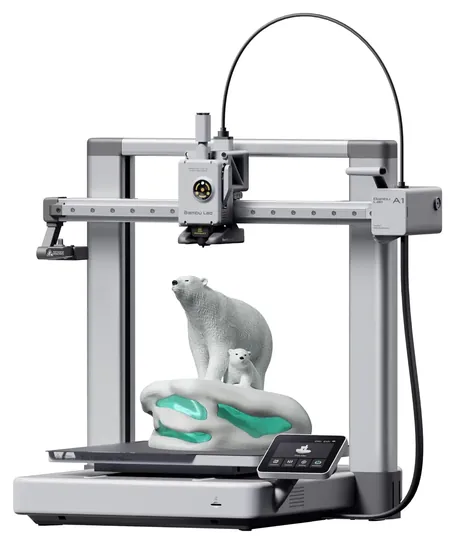
Bed slingers such as the Bambu Lab A1 and Creality Ender 3 V3 SE move the bed back and forth; they're cheaper and easy to repair but need room behind them.
Almost everyone should start with a filament printer, the kind that melts a plastic strand and lays it down layer by layer. Resin printers cure liquid with light and capture finer detail for miniatures and jewelry, but the resin irritates skin and needs gloves, washing and curing, so Tom's Hardware steers families toward filament.
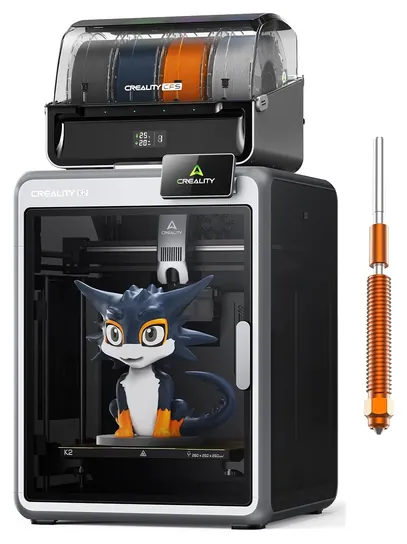
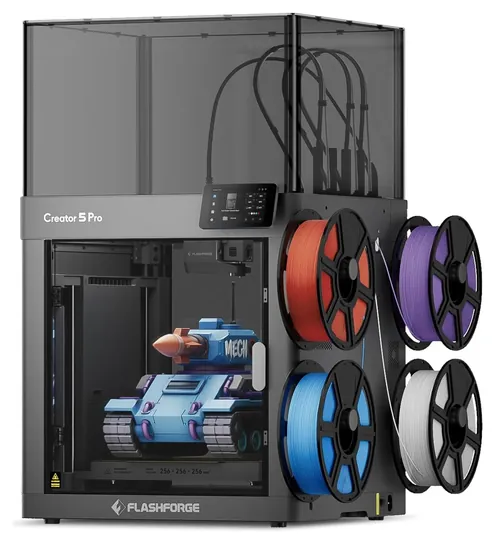
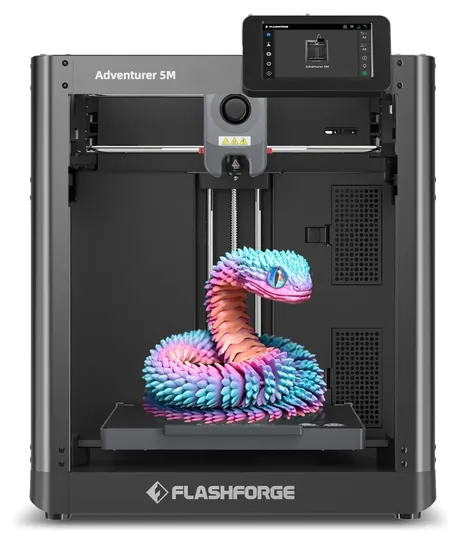
Next, decide on an enclosure. PLA and PETG, the everyday plastics, print fine on an open frame. ABS and ASA shrink as they cool and crack or curl in a draft, so they want a closed cabinet and good ventilation (3D Maker Engineering). The Bambu Lab P2S Combo, Elegoo Centauri Carbon, Creality K2 Combo and Flashforge Creator 5 Pro are enclosed; the Creator 5 Pro also heats its chamber, which helps nylon and polycarbonate.
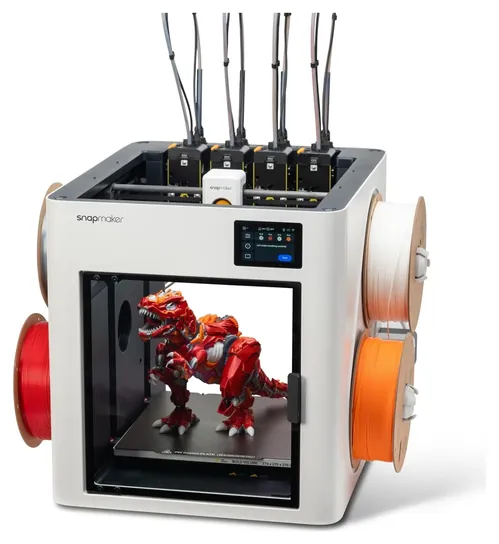
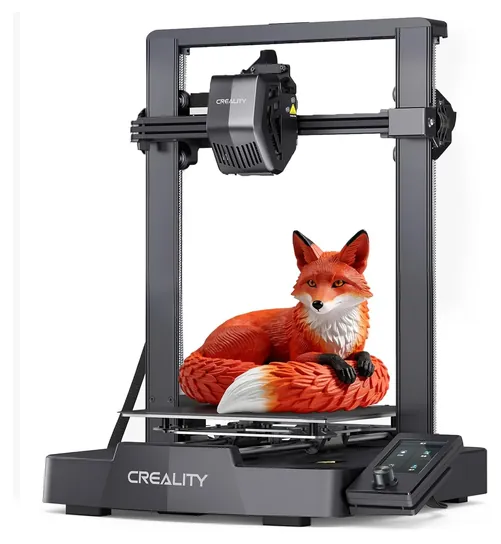
Frame style matters too. Bed slingers such as the Bambu Lab A1 and Creality Ender 3 V3 SE move the bed back and forth; they're cheaper and easy to repair but need room behind them. CoreXY machines move the nozzle and keep the bed still, which is faster and steadier for tall prints. For multicolor work, a spool box swaps filament through one nozzle and purges plastic at each change, while toolchangers like the Snapmaker U1 swap whole print heads and waste far less (PCMag).
Fumes, Heat And Kids
Melting plastic releases ultrafine particles, and a 2013 study in Atmospheric Environment found that ABS emits far more than PLA (Stephens et al.). Print in a room with fresh air, keep the printer out of bedrooms during long ABS jobs, and favor PLA at home. A carbon filter, like the one in the Bambu Lab P2S Combo, cuts odor, and the Flashforge Creator 5 Pro adds a HEPA filter for fine particles, but neither replaces ventilation.
Nozzles run at 200 to 300 degrees Celsius and beds can pass 100, so younger children need an adult nearby, and an open bed slinger has moving parts at finger height. Don't leave any printer running unattended for hours in an empty house, and keep firmware up to date.
Check recalls before buying used. In 2024 the CPSC announced a recall of about 12,800 Bambu Lab A1 printers sold from December 2023 to January 2024, because a heatbed cable could short and cause shocks or fire. Owners of affected units got a refund or a free replacement bed and cable.
What It Really Costs
Each pick shows its current price beside the buy button. Self-leveling starters sit at the bottom of the range, enclosed fast machines cost roughly one and a half to three times as much, and toolchangers about three times as much. Professional printers from Prusa, Formlabs or Bambu's top line cost several times more again (Tom's Hardware).
Filament is the ongoing cost: a one-kilogram spool of PLA costs a small fraction of the printer and makes dozens of small parts. Spool-box color printing adds waste, often more plastic than the model itself on small multicolor prints. Plan on spare nozzles and a replacement build plate after heavy use.
The software and most designs are free. Slicers such as PrusaSlicer, OrcaSlicer and Bambu Studio turn a model into printer instructions, and Printables and MakerWorld host millions of ready-to-print designs. Auto bed leveling is worth paying for at any price, because a bad first layer causes most failed prints (3DWithUs).
How we researched this
We compared 14 current 3D printers from seven brands, read the lab reviews from PCMag and Tom's Hardware where they exist, checked makers' spec sheets for build size, materials, enclosures and filtration, looked at owner feedback patterns, and searched the U.S. Consumer Product Safety Commission's recall database for every brand. Updated October 26, 2026 by Ezvid Wiki Editors.
Sources (12)
- PCMag: The best 3D printers
- Tom's Hardware: Best 3D printers
- 3D Maker Engineering: Best 3D printers
- 3DWithUs: Best budget FDM 3D printers
- CPSC: Bambu Lab recalls A1 3D printers
- Stephens et al., Atmospheric Environment 79 (2013)
- Bambu Lab
- Elegoo: Centauri Carbon
- Snapmaker: U1
- Creality
- Flashforge
- Anycubic
Frequently asked questions
How much does a 3D printer cost?
A reliable self-leveling starter is the cheapest way in, and each pick here shows its current price. Enclosed fast machines cost roughly one and a half to three times as much, multicolor toolchangers about three times, and professional models several times more. Filament is a modest ongoing cost.
What is the best 3D printer for kids?
A small, quiet machine that calibrates itself, such as the Bambu Lab A1 mini, is the easiest start. Stick to PLA filament, and keep an adult nearby, because the nozzle gets very hot and the bed moves.
Are 3D printer fumes harmful?
Printing releases ultrafine particles and some fumes, far more with ABS than with PLA. Print in a ventilated room, favor PLA at home, and treat built-in carbon or HEPA filters as a help, not a replacement for fresh air.
What are the main types of 3D printers?
Home machines are mostly filament (FDM) printers, which melt plastic, and resin (MSLA) printers, which cure liquid with light for fine detail. Industrial shops also use powder-based machines (SLS). Filament printers are the simplest and safest for beginners.
Can I use other brands of filament?
Most current printers take any standard 1.75-millimeter spool. Some closed systems, including Dremel's DigiLab line, read a chip on the maker's spools to set temperatures automatically, so check the maker's filament list before switching brands.
Do I need an enclosed printer?
Not for PLA or PETG. An enclosure matters for ABS, ASA and nylon, which warp in drafts, and it keeps fumes and curious hands contained.