The 10 Best Laser Printers
Updated by · How we research

From print-only mono models to color all-in-ones with fax, ten laser printers compared on speed, toner cost per page and warranty. The Canon MF753Cdw II leads. When users buy our independently chosen editorial recommendations, we may earn commissions to help fund the Wiki.
HP states that its current printers block toner with non-HP chips, and Brother has faced similar complaints, which it denies, so check before buying third-party toner. A laser printer fuses toner powder onto paper with heat, so it's fast and sharp for text and can sit unused for weeks without clogging. It suits homes and small offices.


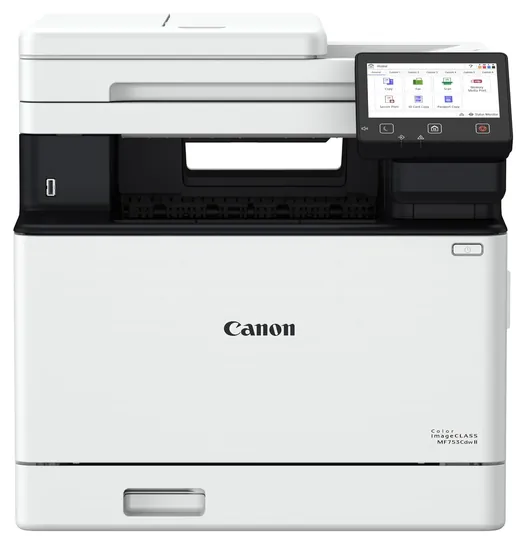
From the manual
- The administrator ID and PIN come unset, so anyone on the network can change important settings until you set them. Administrator ID and PIN
- Canon says two people should carry it, by the lift handles, with the optional 550-sheet feeder moved separately. Moving the Machine
- If something keeps it from sleeping, it can run automatic calibration, which uses toner. Sleep Mode
- The drum is part of each toner cartridge, so there's no separate drum to buy; shake a new cartridge five or six times first. Replacing the Toner Cartridges
Why the Canon MF753Cdw II is our top pick
Our pick prints in color and also copies, scans and faxes, yet its rated speed of 35 pages a minute is only one page behind our runner-up, the Brother HL-L2460DW, which prints only in black and can't scan or copy.1,6 Its 50-sheet feeder reads both sides of a page in one pass,2 and its maker covers the MF750 II series for three years, where the runner-up gets one.5,7
Paper handling suits a shared office: a 250-sheet drawer and a 50-sheet multipurpose tray, plus an optional 550-sheet drawer that sits underneath.1,3 The runner-up has one 250-sheet tray and a slot that feeds a single sheet.6 PCMag's figures for the earlier MF753Cdw put black pages close to the runner-up's 2.4 cents each with high-yield toner, and color at about 14.7 cents a page.8,9 Each of our pick's cartridges carries its own drum,4 while the runner-up needs a separate drum rated around 15,000 pages.6
If you print only black text, the runner-up is the smarter buy: it costs far less and weighs about a third as much.6,1 When one machine has to handle color, scanning and fax for a small office, our pick is the stronger choice.
| Canon MF753Cdw II | Brother HL-L2460DW | |
|---|---|---|
| Functions | Print, copy, scan, fax | Print only |
| Color | Yes | No, black only |
| Rated speed, one-sided | 35 pages/min | 36 pages/min |
| Paper sources | 250 + 50, add 550 | 250 + 1-sheet slot |
| Warranty | 3 years | 1 year |
Sources
- Canon MF753Cdw II 1User's guide: basic specifications 2User's guide: feeder specifications 3User's guide: Paper Feeder PF-K 4User's guide: replacing the toner cartridges 5Canon U.S.A. warranty table
- Brother HL-L2460DW 6Online user's guide, US (PDF), pp. 198, 243–244, 243, 244 7Product page
- PCMag 8Canon Color imageClass MF753Cdw review 9Brother HL-L2460DW review
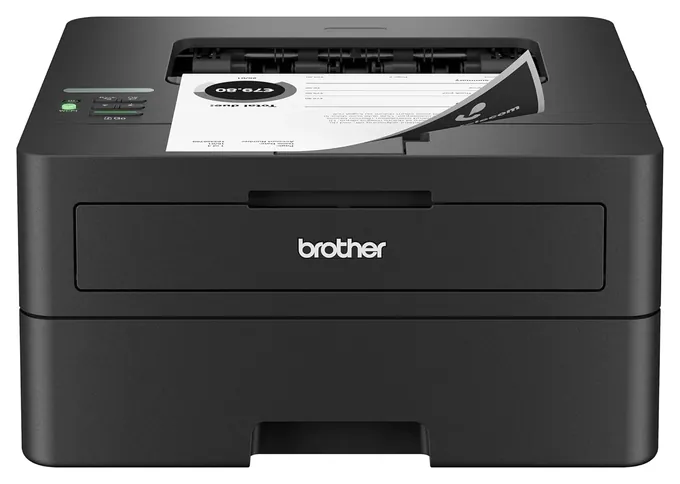
From the manual
- The admin password is printed on the back, marked "Pwd"; Brother says to change it the first time you log in. p. 54
- Two-sided printing runs at about half speed, roughly eight and a half sheets a minute. p. 244
- The drum is a separate part rated around 15,000 pages; past that it keeps printing, but quality can slip. p. 198
- Brother may charge for a repair it traces to non-genuine supplies, even while the printer is under warranty. p. 195
Compare the specs
Swipe the table sideways to see every column.
| Product | Prints in | Rated speed (pages/min) | Two-sided originals in the feeder | Fax | Wired Ethernet | Warranty (years) |
|---|---|---|---|---|---|---|
| 1. Canon MF753Cdw II | Color | 35 | One pass | Yes | Yes | 3 |
| 2. Brother HL-L2460DW | Black only | 36 | No scanner | No | Yes | 1 |
| 3. Brother MFC-L3780CDW | Color | 31 | One pass | Yes | Yes | 1 |
| 4. Brother DCP-L2640DW | Black only | 36 | One side at a time | No | Yes | 1 |
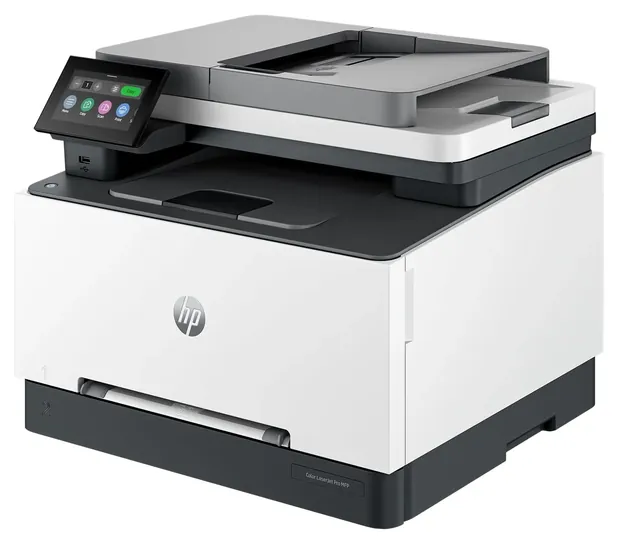
| 5. HP Color LaserJet 3301sdw | Color | 26 | One pass | No | Yes | 1 |
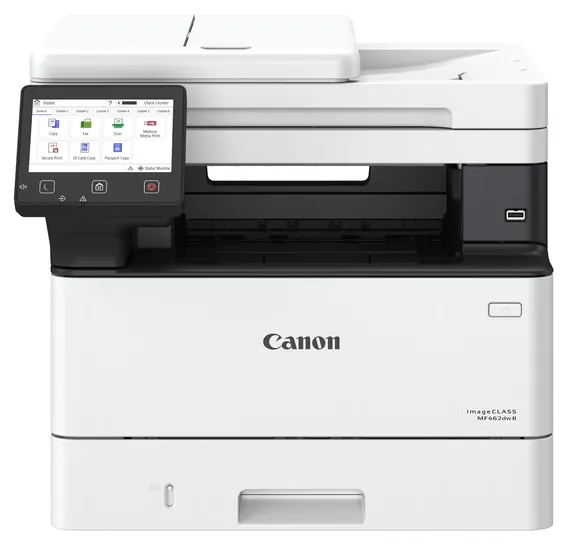
| 6. Canon MF462dw II | Black only | 37 | One pass | Yes | Yes | 3 |
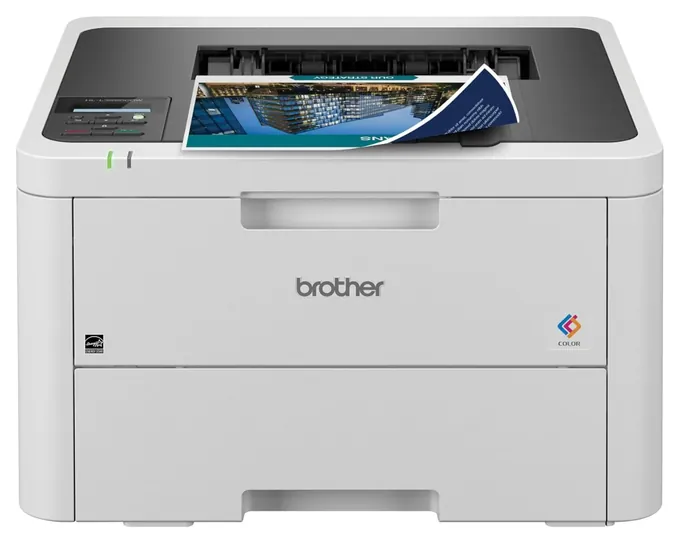
| 7. Brother HL-L3220CDW | Color | 19 | No scanner | No | No | 1 |
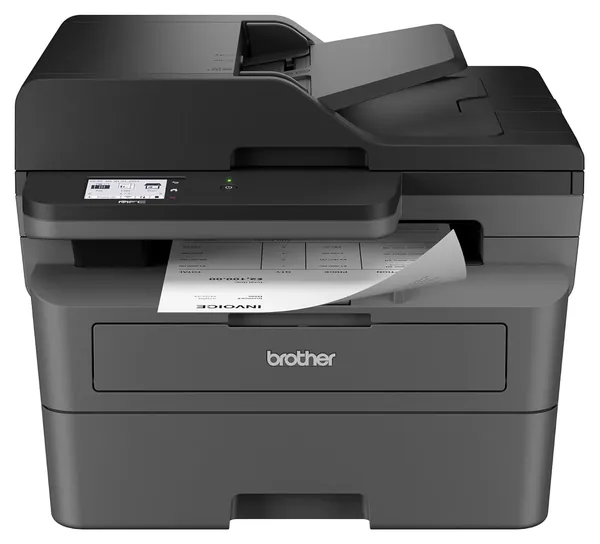
| 8. Brother MFC-L2820DW | Black only | 34 | One side at a time | Yes | Yes | 1 |
| 9. Canon MF665Cdw | Color | 26 | One pass | Yes | Yes | 3 |
| 10. HP LaserJet Pro 3101sdw | Black only | 35 | One side at a time | No | Yes | 1 |
Speeds are the makers' one-sided ratings on letter paper; two-sided printing runs slower. "One side at a time" means a two-sided original goes through the feeder twice, with the stack flipped by hand.
Sources
- Canon MF753Cdw II user's guide, specifications MF462dw II user's guide, specifications MF665Cdw user's guide, specifications U.S. warranty table
- Brother HL-L2460DW user's guide, US (PDF) HL-L2460DW product page MFC-L3780CDW product page DCP-L2640DW product page HL-L3220CDW user's guide, US (PDF) HL-L3220CDW product page MFC-L2820DW product page
- HP Color LaserJet Pro MFP 3301sdw store page 3301sdw specifications (499Q3FR) Color LaserJet Pro MFP 3301-3304 user guide (PDF) LaserJet Pro MFP 3101sdw store page LaserJet Pro MFP 3101-3108 user guide (PDF)
- PCMag HP LaserJet Pro MFP 3101sdw review HP Color LaserJet Pro MFP 3301fdw review
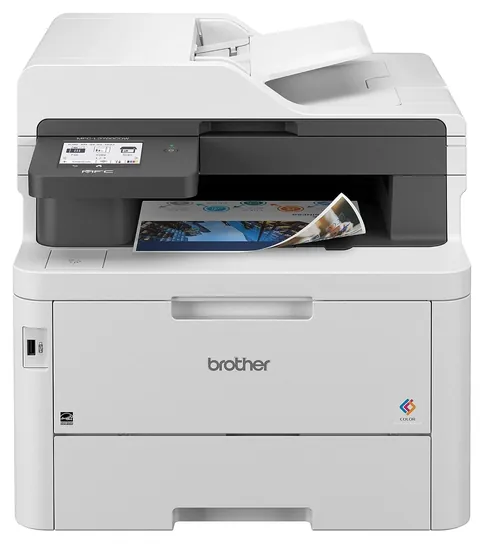
From the manual
- The starter toner in the box is rated around 2,300 black and 1,200 color pages. p. 674
- Besides four toners, it uses a separate drum rated around 20,000 pages, a belt unit and a waste toner box. p. 675
- The fuser and the multipurpose tray's feed kit are service parts, due after roughly 50,000 pages or more, fitted by a Brother service center. p. 581
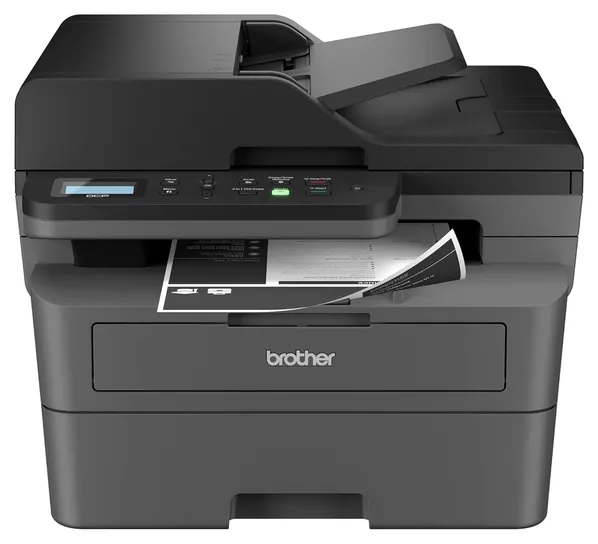
From the manual
- The guide lists automatic two-sided scanning and copying only for the MFC-L2900DW and MFC-L2980DW models, so two-sided originals go through twice. p. 648
- Starter toner is rated around 700 pages; a standard TN830 refill gives about 1,200 and the XL about 3,000. p. 652
- Quiet Mode lowers printing noise but slows printing down. p. 583
From the manual
- Cartridges need an HP chip, but a reused HP chip lets refilled and remanufactured cartridges work. p. 172
- Outside programs such as Instant Ink, HP says most of its printers can be set to ask before installing firmware updates. p. 172
- Plugging in an Ethernet cable switches Wi-Fi off automatically. p. 8
- For multiple two-sided copies, HP recommends no more than 25 sheets in the document feeder. p. 31
From the manual
- The optional Cassette Feeding Module-AH adds a 550-sheet drawer to the 250-sheet drawer and 100-sheet multipurpose tray. Cassette Feeding Module-AH
- The same guide covers the MF465dw II, rated at 42 pages a minute; this model is rated at 37. Basic Specifications
- Administrator ID and PIN come unset from the factory, so set them before the printer goes on a shared network. Administrator ID and PIN
From the manual
- Besides four toners, it needs a drum rated around 20,000 pages, a belt unit rated around 50,000 and a waste toner box. p. 374
- The guide lists a wired network port only for the HL-L3240CDW and up, so this one is Wi-Fi or USB. p. 369
- The manual feed slot takes one sheet at a time, beside the 250-sheet tray. p. 367
From the manual
- When the toner needs replacing, Continue Mode keeps receiving faxes into memory, up to 400, for printing later. p. 578
- On an internet phone line, Brother recommends the Basic (for VoIP) setting, which slows the fax modem to cut errors. p. 508
- The admin password is on the back, marked "Pwd"; change it the first time you log in. p. 70
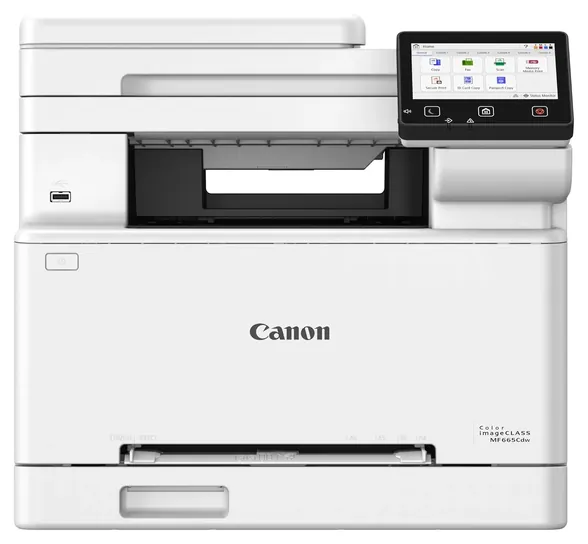
From the manual
- The multipurpose input takes a single sheet, beside one 250-sheet drawer. Basic Specifications
- Only the MF665Cdw in this guide has the two-sided feeder; the MF663Cdw reads one side at a time. Feeder Specifications
- Chromebooks print to it with no driver or app to install. Printing from a Chrome OS Device
- Canon says it should be carried by two people, using the lift handles. Moving the Machine
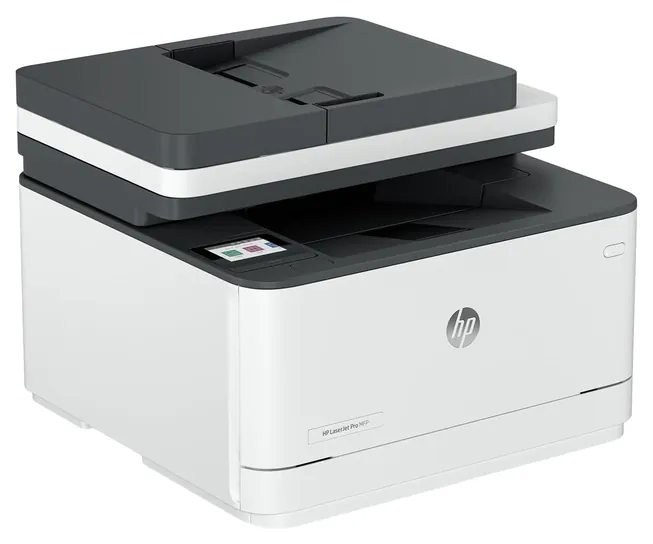
From the manual
- Non-HP chips are blocked, and online firmware updates can block cartridges that worked before; a reused HP chip lets refills work. p. 76
- Connecting Ethernet turns Wi-Fi off automatically, and the Ethernet cable is sold separately. p. 9
- After a long idle spell, its web settings page can ask for a PIN printed on a label inside the cartridge door. p. 9
Editor's Notes
November 17, 2026, by Ezvid Wiki Editors:
Every pick is still sold, so the list stands: the HP LaserJet Pro 3101sdw stays although HP's newer 3105sdw costs less, the HP Color LaserJet Pro 3204dw is too new to judge, and the Canon LBP646Cdw covers the same ground as the cheaper Brother HL-L3220CDW. We also read all ten user guides, added a spec table, a section on why the Canon leads and notes from the manuals, and fixed the MF462dw II's paper capacity and the black-page cost range. No recall covers a current Brother, Canon or HP laser printer.
November 16, 2026, by Ezvid Wiki Editors:
HP's new LaserJet Pro MFP 3105sdw now costs less than the HP LaserJet Pro 3101sdw, whose price jumped since October, but the 3101sdw is still current, so it stays while we watch the pair. Canon still lists the Canon MF462dw II as a current model, and every other pick is still sold. The HP Color LaserJet Pro 3204dw is too new to judge and the Canon LBP646Cdw covers the same ground as the cheaper Brother HL-L3220CDW, while the only printer recall we found covers Lexmark specialty models.
October 16, 2026, by Ezvid Wiki Editors:
Three things lift the Canon MF753Cdw II to the top: it's quick, it scans both sides of a page in one pass, and it carries three years of warranty. Every printer on the 2020 list has since been replaced or become hard to find. The HP LaserJet Pro Multifunction, HP LaserJet Pro M283fdw, HP Color LaserJet Pro M454DW and HP LaserJet Pro Monochrome are now sold as old versions or not at all, and the Xerox B205NI Monochrome is unavailable. The Canon Imageclass MF445DW, Canon Color ImageClass Duplex and Lexmark Full Spectrum all have newer replacements that cost less or do more.
If you print mostly text, the Brother HL-L2460DW is the smarter buy for far less money. If you print a lot in color, the Brother MFC-L3780CDW had the lowest color cost per page in the lab results we found.
Two warnings come with this category. HP states that its current printers block toner with non-HP chips, and Brother has faced similar complaints, which it denies. If you plan to buy third-party toner, check owner reports for the exact model first. And any printer on a network should get its own admin password and firmware updates.
We leaned on PCMag's lab results where they exist, and each entry says when a test covered a sibling model rather than the exact one. For photos, an inkjet still does a better job.
Earlier notes
May 20, 2020, by Daniel Imperiale:
A handful of the models on our current ranking are upgrades to previously included options, while some others, like the Ricoh SP C250DN haven't been upgraded as of yet, or have been upgraded and don't quite live up to our quality standards. Then there are the models by Samsung, which have been scrubbed from our ranking for software issues that required frequent and frustrating restarting.
You might be hard-pressed to find a laser printer on the market today that doesn't have wireless capabilities, but there are still plenty of variables to consider when purchasing one. If you simply prefer the functionality of laser over ink, and want something for your home, you can get away with a smaller option like the Lexmark Full Spectrum. This doesn't feature a scanner or copier, however, let alone faxing capabilities, so anyone with either more variegated needs at home or the need to outfit a small office could pick something like the Xerox B205NI Monochrome.
Duty cycle is something we consider heavily, as well, with the HP LaserJet Pro Multifunction allowing you to print up to 4,000 pages each month without having to worry about maintenance. [2026 update: a duty cycle is a ceiling, not a working load. Plan around the maker's recommended monthly volume, which Brother puts at up to 2,500 pages for its compact mono models here.] HP also has one of the best printing apps in the business, but many of these offerings are compatible with the likes of AirPrint, Mopria, and other cloud-based solutions.
Color Or Black And White, All-In-One Or Print-Only
If it's mostly black text, a monochrome laser costs less to buy and far less to run.
Start with what you print. If it's mostly black text, a monochrome laser costs less to buy and far less to run. In PCMag's lab tests, black pages on current models cost about 2.3 to 3.1 cents each, while color pages ran 12.3 to 17 cents even with high-yield toner (PCMag, PCMag). Color lasers make sense for charts, flyers and invoices with a logo. They're weak at photos: RTINGS called one popular Brother color laser's black-and-white output superb but rated it a poor choice for photos (RTINGS), so for pictures look at inkjet printers or a photo printer.
Next, decide whether you need an all-in-one. Print-only models are smaller and cheaper. All-in-ones add a flatbed scanner, copying and usually a document feeder for stacks of pages. Check two details. First, whether the feeder scans both sides in one pass: Brother's compact mono all-in-ones scan one side at a time, so two-sided originals need a second run (PCMag). Second, whether you need fax: the Brother MFC and Canon imageCLASS MF models here include it, while the Brother DCP and HP sdw models don't.
Some Brother models labeled digital color use a row of LEDs instead of a laser to draw the page on the drum. PCMag notes that otherwise they work just like a laser printer (PCMag).
Toner, Running Costs And Monthly Volume
The sticker price is only the start. The toner in the box is usually a starter cartridge: about 700 pages on Brother's compact mono models and about 1,000 pages per color on its entry color printer (Brother, Brother). Plan to buy a high-yield cartridge early, because it cuts the cost per page. PCMag's figures for the original Canon MF753Cdw show color at about 14.7 cents per page with high-yield toner and about 23 cents with standard cartridges (PCMag). Some printers also need a separate drum. Brother rates the DR830 drum in its compact mono models at about 15,000 pages, and its color models add a drum, a belt unit and a waste toner box to replace over time (Brother). HP builds the drum into each 3101sdw cartridge (PCMag), and Canon's cartridges carry their own drum too (Canon).
Ignore the big duty cycle figure, such as 35,000 pages a month. It's a ceiling, not a target. The recommended monthly volume is the useful number: Brother lists 2,500 pages for its compact mono printers and up to 4,000 for the MFC-L3780CDW (Brother).
Third-party toner is a gamble on some brands. HP's listings for its current LaserJets say the printers block cartridges with non-HP chips, and that firmware updates keep the block working. HP settled a U.S. class action over that kind of firmware in 2025, agreeing to let owners decline such updates (The Register). Brother faced similar accusations the same year and denies blocking third-party supplies (Tom's Hardware). Genuine toner always works. For anything else, check recent owner reports for your exact model.
Connections, Setup And Safety
Most laser printers now connect over Wi-Fi, and phones can print to them through Apple AirPrint, Mopria or the maker's app. Wi-Fi Direct lets a phone print straight to the printer without a router. An Ethernet port matters for a fixed office desk or a spot with weak Wi-Fi. Brother's HL-L3220CDW has none, and neither does its MFC-L3720CDW (Brother).
Treat a networked printer like any other connected device. In 2025, security firm Rapid7 found that the default admin password on 689 Brother printer models, plus dozens of models from other makers, could be worked out from the serial number (BleepingComputer). Canon posted its own notice in January 2026, updated in February: buffer-overflow flaws in dozens of imageCLASS models, including all three Canon picks here, can be exploited when a printer sits directly on the internet, and the fix is the latest firmware (Canon). Set your own admin password during setup, install firmware updates, and keep the printer off the open internet.
Laser printers give off ultrafine particles while they print. A 2007 Queensland University of Technology study of 62 office printers found 17 high emitters (QUT), and other researchers said at the time that any health effects were unproven (Computerworld). Putting the printer in a ventilated room rather than a closed cabinet is a sensible precaution. The fuser runs hot, so let it cool before you reach in to clear a jam.
We searched the U.S. Consumer Product Safety Commission's recall database for Brother, Canon and HP and found no recalls covering current laser printers (CPSC).
How we researched this
We compared 27 laser printers, including the eight from our previous list, and narrowed them to 14 finalists before settling on these ten. We read the makers' user guides for all ten: Brother's US online guides for the HL-L2460DW, HL-L3220CDW, MFC-L3780CDW and DCP-L2640DW/MFC-L2820DW series, Canon's online guides for the MF753Cdw II, MF462dw II and MF665Cdw, and HP's 3301 and 3101 series user guides, plus Canon's US warranty table. PCMag's lab reviews supplied the cost-per-page figures, and reports from The Register, Tom's Hardware, BleepingComputer and a 2026 Canon service notice shaped the toner and security advice. The Consumer Product Safety Commission lists no recall of a current Brother, Canon or HP laser printer; Brother's 2002 laser printer recall covers models sold from 1997 to 2000.
Sources (35)
- PCMag: Brother MFC-L3780CDW review
- PCMag: Canon Color imageClass MF753Cdw review
- PCMag: HP Color LaserJet Pro MFP 3301fdw review
- PCMag: Canon imageClass MF462dw review
- PCMag: Brother HL-L2460DW review
- PCMag: Brother MFC-L2820DW XL review
- PCMag: HP LaserJet Pro MFP 3101sdw review
- Tom's Guide: best all-in-one printers
- RTINGS: Brother MFC-L3780CDW / MFC-L3720CDW
- Brother: HL-L2460DW
- Brother: MFC-L3780CDW
- Brother: DCP-L2640DW
- Brother: MFC-L2820DW
- Brother: HL-L3220CDW
- Brother: MFC-L3720CDW
- The Register: HP printer firmware lawsuit settled
- Tom's Hardware: Brother accused of locking third-party cartridges
- BleepingComputer: Brother printer bug exposes default admin passwords
- QUT: laser printer particle study
- Computerworld: HP dismisses laser printer health risks
- CPSC recalls
- Canon: imageCLASS MF753Cdw II / MF751Cdw II user's guide
- Canon: imageCLASS MF465dw II / MF462dw II user's guide
- Canon: imageCLASS MF665Cdw / MF663Cdw / MF662Cdw user's guide
- Canon U.S.A.: product warranty information
- Canon U.S.A.: buffer-overflow service notice, 2026
- Brother: HL-L2460DW online user's guide, US (PDF)
- Brother: MFC-L3780CDW series online user's guide, US (PDF)
- Brother: DCP-L2640DW / MFC-L2820DW series online user's guide, US (PDF)
- Brother: HL-L3220CDW series online user's guide, US (PDF)
- HP: Color LaserJet Pro MFP 3301-3304/3388 user guide (PDF)
- HP: Color LaserJet Pro MFP 3301sdw store page
- HP: LaserJet Pro MFP 3101-3108 user guide (PDF)
- HP: LaserJet Pro MFP 3101sdw store page
- CPSC: 2002 Brother laser printer recall
Frequently asked questions
What is the best laser printer for home use?
For mostly black-and-white text, the Brother HL-L2460DW. It's fast, prints both sides and costs about 2.4 cents per page in PCMag's tests. If you need color plus scanning, the Canon MF753Cdw II is the stronger all-in-one.
Are laser printers cheaper to run than inkjets?
For black text, usually yes. PCMag's tests put toner on current lasers at about 2.3 to 3.1 cents per black page, and it doesn't dry out between jobs. Color is another story: color laser pages cost about 12 to 17 cents each.
Can I use third-party toner?
It depends on the brand and its firmware. HP says its current LaserJets block cartridges with non-HP chips. Brother denies blocking third-party toner, but check recent owner reports for your model first. Genuine toner always works.
Do I need Ethernet on a laser printer?
Not at home. Wi-Fi works for most homes, and Wi-Fi Direct lets a phone print without a router. Ethernet helps in an office where the printer stays at one desk or the Wi-Fi is weak.
Can a laser printer print photos?
It can, but not well. RTINGS called one popular Brother color laser superb for black-and-white documents and a poor choice for photos. For photos, an inkjet is the better tool.
Why does a new laser printer run out of toner so fast?
Most ship with a starter cartridge, good for roughly 600 to 2,300 black pages depending on the model. Buy a high-yield replacement early, which also lowers the cost per page.