The 8 Best Programmable Robotic Arms
Updated by · How we research

From block editors and Arduino to Python and ROS2, we compare 8 desktop robotic arms by software, servos, accuracy and reach. The Hiwonder xArm 1S leads. When users buy our independently chosen editorial choices, we may earn commissions to help fund the Wiki.
Payload figures on hobby arms are best cases, measured close to the base with a light load, and accuracy can fall as the load rises. These desktop machines run on your own code or a graphical editor, not a joystick. Students, hobbyists and teachers use them to learn robotics, coding and automation, from block editors to Python and ROS2.


Editor's Notes
October 18, 2026, by Ezvid Wiki Admin:
The Hiwonder xArm 1S suits a first serious robotics project, and it leads this update of a 2020 list that had mostly vanished. The SainSmart 6-Axis, uArm Swift Pro, ArmUno 2.0 MeArm and SunFounder Rollarm Kit are no longer available. We couldn't find a current listing for the Dobot Magician either, so Dobot now gets a special honor. The old Makeblock link leads to a robot-building kit that isn't an arm at all.
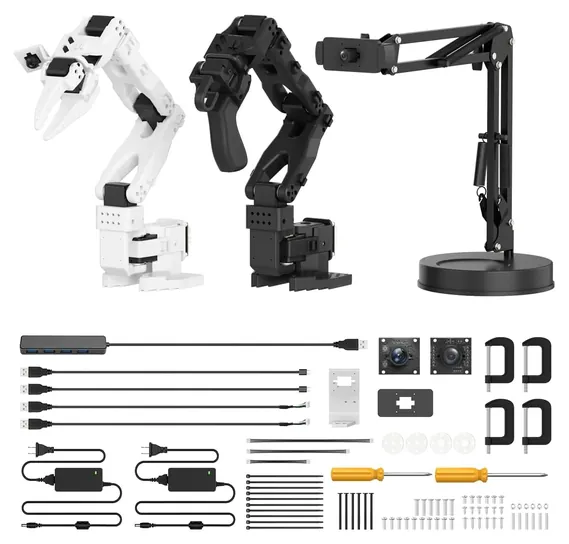
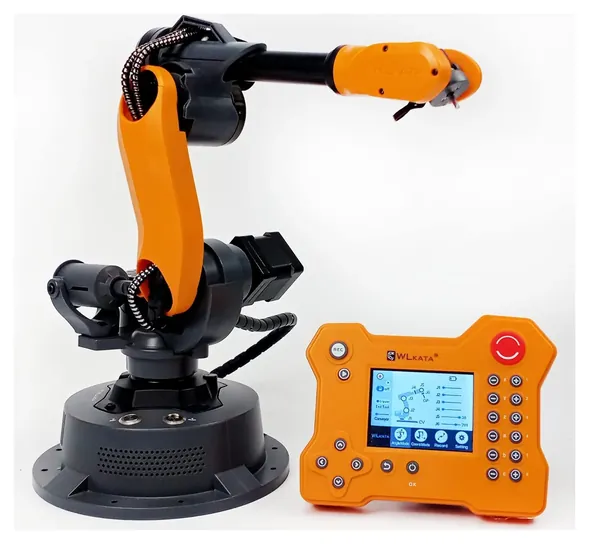
We kept the Adeept ADA031 and the Hiwonder xArm 1S, the current version of the LewanSoul xArm. The new picks lean toward real programming: the Waveshare RoArm-M2-S speaks ROS2, the Freenove FNK0036 runs Python on a Raspberry Pi, and the Hiwonder SO-ARM101 brings AI imitation learning to a desk. The Wlkata Mirobot Professional moved up from a special honor into the main list.
Nobody publishes lab tests of hobby arms, so this ranking is built on makers' wikis and spec sheets for servos, reach and repeatability, open-source project docs and recall checks. Treat every payload number as a best case, measured close in with a light load.
December 20, 2020:
During this update we replaced the standard Dobot Magician with the Advanced Educational option. This latter package includes Bluetooth and Wi-Fi modules, a laser engraving kit, and a joystick control kit, making it significantly more functional for a very minor increase in cost. Along with the uArm Swift Pro-an, a new model makings its debut on the list, the Dobot Magician has one of the highest lifting capacities, at 500 grams. We also decided to include the Adeept 5-DOF as an affordable model that has more degrees of freedom than our other budget-friendly options. Additionally, we had to eliminate the Frentaly R4 due to availability issues.
February 28, 2019:
Programmable robotic arms may seem like very advanced machines at first, and no doubt they will require some patience and dedication to realize their full potential for any user, but many are actually well-suited to kids who have shown an interest in automation or coding. For example, the Makeblock Ultimate Scratch 2.0 is specifically designed to appeal to an audience as young as 12 years of age. They'll have tons of fun transforming it though its 10 different configurations, which include a tank, catapult, and rolling camera dolly. The Dobot Magician can be programmed to perform a number of advanced tasks, such as multi-arm collaboration, so it will appeal to adults, but it is also an exceptional teaching tool for kids and will allow them to practice coding in a variety of languages, including Jave, Python, and C++. Options like the SunFounder Rollarm Kit, Frentaly R4, and ArmUno 2.0 MeArm are very affordable and ideal for people who are still unsure of how much they, or their children, will enjoy working with robots. The Makeblock Ultimate Scratch 2.0, LewanSoul xArm, LewanSoul LeArm, ArmUno 2.0 MeArm, SunFounder Rollarm Kit all require assembly, which allows one to become familiar with their inner workings, whereas the Dobot Magician, SainSmart 6-Axis, and Frentaly R4 come fully assembled, so you can skip the construction and get right to work on programming.
Special Honors
Elephant Robotics myCobot 280 The myCobot 280 is a six-axis desktop arm that weighs under 1 kilogram, reaches 280 millimeters and lifts 250 grams, by the maker's figures. It can be programmed in Python, C++, C# and Arduino, and Elephant Robotics adds block coding for beginners and ROS support. It's sold by the maker and its dealers. elephantrobotics.com
Dobot Magician Lite Dobot's Magician was a long-time pick on this page, and the company now offers the smaller Magician Lite through education dealers, with prices by quote. The maker lists a 250-gram payload, 340-millimeter reach and 0.2 millimeter repeatability in a 2.4-kilogram arm, aimed at schools teaching coding and automation. dobot-robots.com
Pick The Software First, Then The Arm
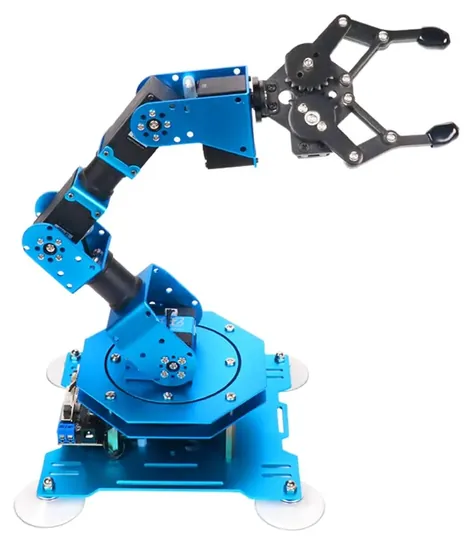
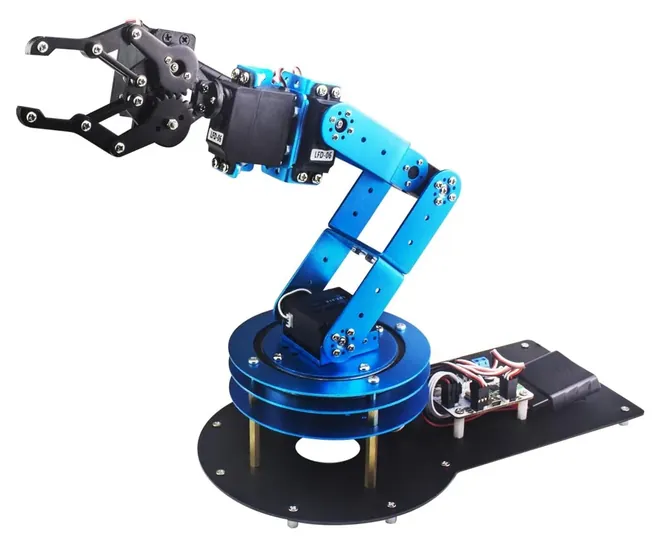
Hiwonder's xArm 1S and LeArm lean on graphical action editors, a phone app and a gamepad, which suit beginners who want quick results.
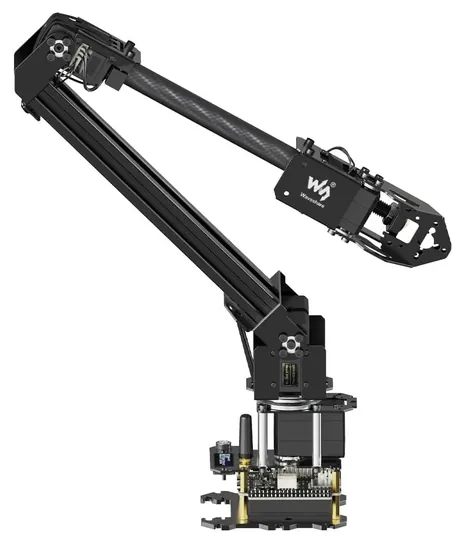
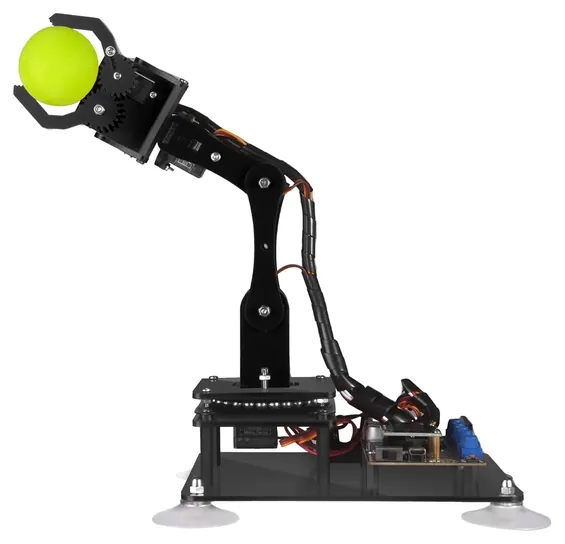
A programmable arm is only as useful as the tools you can drive it with, so start with the language you want to learn. Hiwonder's xArm 1S and LeArm lean on graphical action editors, a phone app and a gamepad, which suit beginners who want quick results. Arduino kits such as the Adeept ADA031 teach C and C++ on a board that works like an Arduino Uno. Python runs on the Freenove FNK0036 through a Raspberry Pi, and the Waveshare RoArm-M2-S documents Python, Arduino, JSON commands and ROS2 with MoveIt2 on its wiki.
Imitation learning is the new frontier. In the open SO-101 design, you move a leader arm by hand and a follower copies it while Hugging Face's LeRobot records the data to train an AI policy. Industry buyers' guides make the same point for factory robots: check the software, SDK and documentation before the hardware (Standard Bots). Open code and a maintained wiki matter more than one extra axis.
Payload, Accuracy And Reach: Read The Fine Print
Every payload and accuracy number on a hobby arm is a best case. Makers measure grip close to the base with a light object, and accuracy falls as the load and reach grow. Freenove says so outright: its 1 millimeter figure is with no load, and error rises with weight (Freenove). Waveshare quotes repeatability of about 4 millimeters either way for the RoArm-M2-S (Waveshare), a fair figure for servo arms.
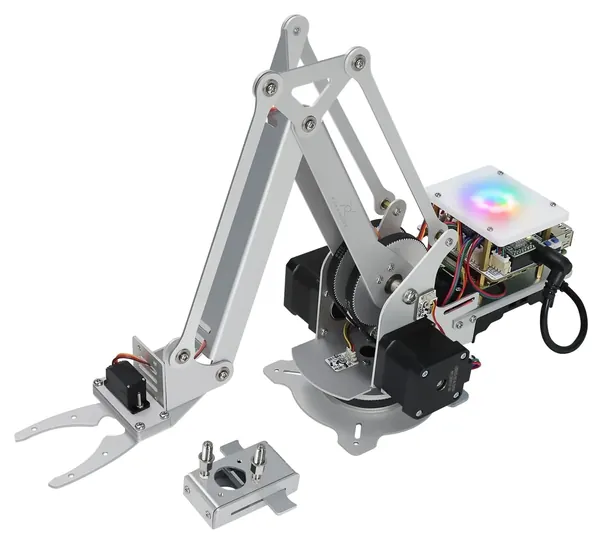
Drive type explains most of the gap. Low-cost PWM servos can't report where they are. Serial bus servos report position, so you can pose the arm by hand and record the move. Stepper arms like the Freenove and the Wlkata Mirobot hold position more tightly, and stepper-driven education arms such as the Dobot Magician Lite quote 0.2 millimeter repeatability. Gearing matters too: the SO-101 follower uses 1/345 gearing in all six motors, while its leader mixes lighter ratios so it moves easily by hand (LeRobot docs). For reach, check the workspace drawing, not just the arm's height.
Power, Assembly And Safety On The Desk
Most of these arms come as kits, and assembly can take an evening or more. Several need parts you supply: the Freenove needs a Raspberry Pi and a battery, and the open SO-101 route needs a 3D printer and sourced motors. Bus servo arms need setup before the first move. LeRobot has you give each motor a unique ID and calibrate both arms (LeRobot docs). The SO-ARM100 project offers a 12-volt servo version with 30 kilogram-centimeters of stall torque against 16.5 for the 7.4-volt one (TheRobotStudio), and the RoArm-M2-S wants a 12-volt, 5-amp supply (Waveshare wiki).
These are not toys or safety-rated machines. Makers aim them at teens and adults, generally 14 and up. Clamp or suction the base to a flat, solid surface, keep fingers away from the joints and claw while a program runs, and cut power before you adjust anything. A stalled servo can overheat, so stop a move that's straining. We found no recalls for any brand on this page in the CPSC database. Industrial and collaborative robots follow their own safety standards and cost thousands more.
How we researched this
We compared 18 desktop robotic arms and kits, read the makers' wikis, spec sheets, product listings and open-source project documents for the 8 finalists, and checked every brand for recalls with the U.S. Consumer Product Safety Commission. No independent lab tests of hobby arms exist. Payload and accuracy figures are makers' claims.
Sources (9)
- Waveshare wiki: RoArm-M2-S
- Waveshare store: RoArm-M2-S
- Hugging Face LeRobot: SO-101
- TheRobotStudio: SO-ARM100 on GitHub
- Freenove: Robot Arm Kit for Raspberry Pi on GitHub
- Standard Bots: programmable robot buying guide
- Dobot: Magician Lite
- Elephant Robotics: myCobot 280
- U.S. Consumer Product Safety Commission: SaferProducts.gov
Frequently asked questions
How much does a programmable robotic arm cost?
A learning kit costs about $60 to $250, an AI-research pair with leader and follower arms about $230 to $460, and a desktop arm with 0.2 millimeter repeatability about $2,000. Industrial cobots start around $5,000 and run far higher.
What is the easiest robotic arm to program for a beginner?
An arm with a graphical action editor, such as the Hiwonder xArm 1S, lets you pose the arm, save moves and play them back without writing code. Move to Arduino or Python once the basics click.
Can I program a robotic arm in Python?
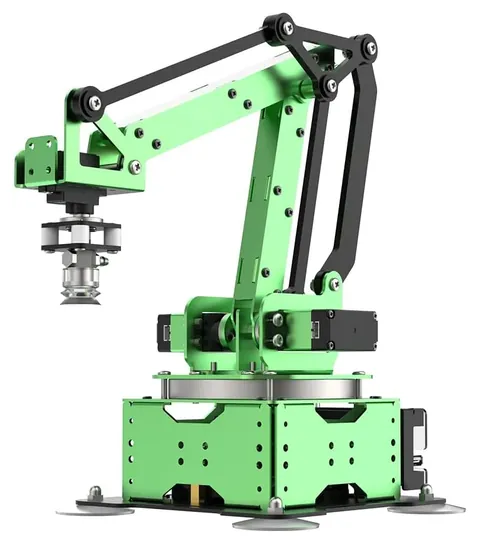
Yes. The Freenove FNK0036, Hiwonder MaxArm, Waveshare RoArm-M2-S and the LeRobot-based SO-ARM101 all have Python code. The Adeept ADA031 uses Arduino C and C++ instead.
Do I need a computer or a Raspberry Pi?
It depends on the arm. The Freenove FNK0036 needs a Raspberry Pi that isn't included. The SO-ARM101 needs a computer to run LeRobot. Most others can run saved moves on their own but need a PC or phone to program.
What age is a programmable robotic arm for?
Makers generally rate these kits for 14 and up, and some for 16 and up. They have pinch points and small parts, and a few use 12-volt supplies, so younger kids need an adult alongside.
How is a desktop arm different from an industrial robot arm?
Desktop arms are small, light and run on hobby servos or small steppers, with payloads in the hundreds of grams. Industrial and collaborative arms carry kilograms, meet safety standards and cost thousands more.