The 6 Best Thunderbolt 3 PCIe Cards
Updated by · How we research

Six PCIe cards and chassis for Thunderbolt 3 gear compared by board header, ports, charging and OS. For most desktops, the ASUS ThunderboltEX 4 fits best. When users buy our independently chosen editorial choices, we may earn commissions to help fund the Wiki.
A Thunderbolt add-in card only works in a desktop whose motherboard has a small Thunderbolt or USB4 header, because a cable from that header carries the card's control signals. No driver can make up for a missing one. This page is for desktop builders who want fast docks, drives or audio gear, and for laptop owners who need a PCIe slot outside the computer.


Editor's Notes
November 1, 2026, by Ezvid Wiki Admin:
Every card on the old version of this page is gone, from the Gigabyte Titan Ridge 2.0 to the ASRock AIC R2.0 and the ASUS ThunderboltEX 3, so this is a new list. The cards still sold new use Thunderbolt 4 or 5 chips, which run Thunderbolt 3 drives, docks and audio interfaces.
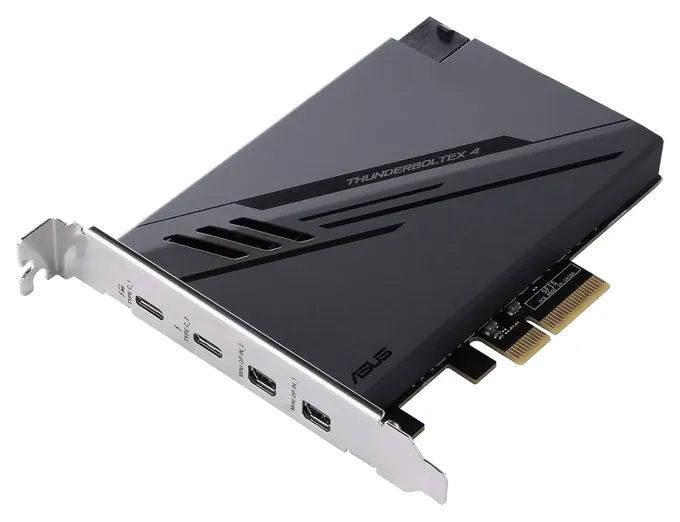
The ASUS ThunderboltEX 4 leads because it costs the least of the current cards, ships with every cable it needs and has the longest owner record. We also added two external boxes, the StarTech TB31PCIEX16 and the Sonnet Echo Express SE IIIe, because many readers really want the reverse: a PCIe slot for a laptop. The old MSI ThunderboltM3 honor went with the rest, since it's out of production.
The deciding evidence was each maker's list of supported motherboards and headers, read against owner threads about cards that never get detected. No lab has published tests of these cards, so compatibility carries the most weight here.
November 20, 2020:
First of all, none of these will work if your motherboard doesn't have the proper connectors to enable Thunderbolt 3. Second, these may take at least a little BIOS tweaking to get working, or a lot if you're using them with a Mac, Hackintosh, or Linux setup. Third, these aren't just some of the best PCIe TB3 expansion cards out there right now, they're just about the only.
With that in mind, the Gigabyte Titan Ridge 2.0 is the best performing for its manufacturer's boards, and it even officially supports some high-end AMD mainboards. If you have an older chipset, the Gigabyte Alpine Ridge might be what you need. Luckily, it's significantly cheaper, although it does lack some key features such as 100-watt Power Delivery.
Similarly for Asus systems, the Asus ThunderboltEX 3-TR is the premium, no-holds-barred version that can drive multiple monitors at once. It doesn't have quite the same manufacturer approval for Ryzen chipsets, but there are some Ryzen boards that it works with - you'll just have to do a little more work to get it up and running. The Asus ThunderboltEX 3 Expansion is the less costly option here as well. The AsRock AIC R2.0, meanwhile, is the only one that's currently available for AsRock boards, although keep an eye on them, because they may release one in the coming months.
February 11, 2019:
Thunderbolt 3 is one of the most interesting up-and-coming connectivity protocols; its blistering top speed enables all kinds of fancy advancements, not least of which the plug-and-play use of high-powered, external GPUs. The current king of add-in cards is without a doubt the Titan Ridge; the nerdiest among us have even confirmed that it will work with some AMD chipsets, given enough tweaking. The Alpine ridge, its older model, is a reasonable choice if your motherboard has the right headers, and all you want it for is quick data transfer. It's also available at less than half the price of the leader. Sonnet's add-in board is designed to turn a TB2 system into a TB3 powerhouse, so keep in mind its somewhat limited compatibility. The Asus is a good mid-range choice, and provides decent charging abilities, while the AsRock may be the easiest to install, but it's been reported to not be quite as fast as the top choice.
Check The Header Before Anything Else
These cards use four PCIe lanes, and board makers usually name one slot for them, often the bottom one wired to the chipset.
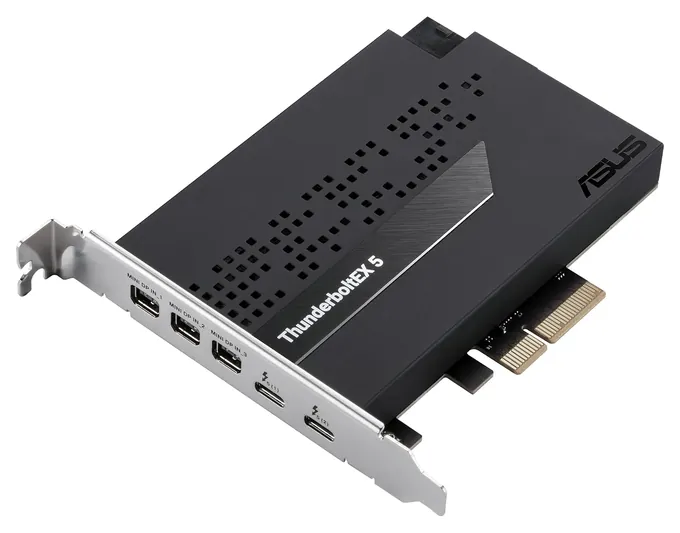
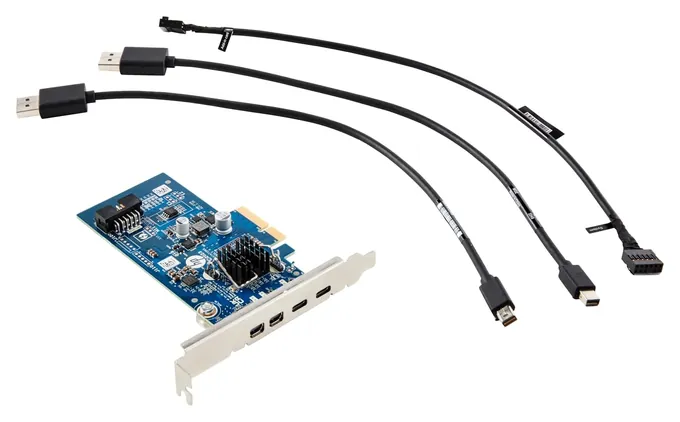
A Thunderbolt card isn't a plain port adder. Besides the PCIe slot, it needs a cable to a small Thunderbolt header on the motherboard, which carries the signals that wake the card and tell the system a device was plugged in. ASUS says the ThunderboltEX 4 is for ASUS Intel 500-series and later boards with a 14-1 pin Thunderbolt header, and it puts that cable and a USB 2.0 header cable in the box. If the board has no header, the card generally won't work, a question that comes up again and again in owner forums such as this r/Thunderbolt thread.
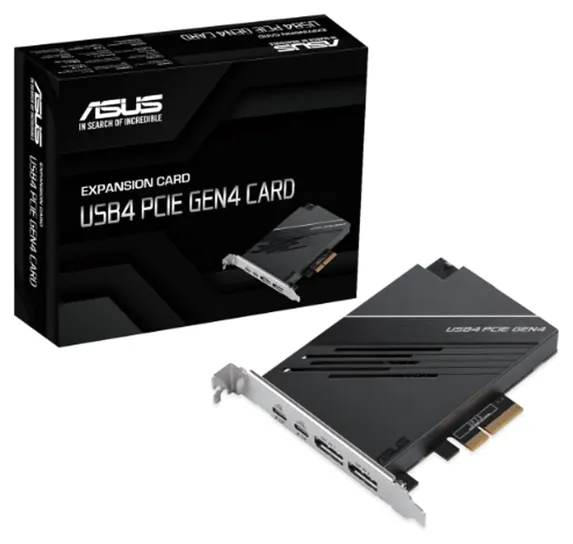
Next, check the slot. These cards use four PCIe lanes, and board makers usually name one slot for them, often the bottom one wired to the chipset. ASUS tells owners of boards with two PCIe 4.0 x4 slots to use the bottom one for its USB4 card. Avoid a slot that steals lanes from the graphics card. Cards made by one board maker are built and supported for that maker's boards, so match brands where you can.
Finally, the operating system. ASUS lists Windows 10 for the ThunderboltEX 4 and Windows 11 for the ThunderboltEX 5. Linux may work but isn't supported, and none of these internal cards is meant for a Mac.
Thunderbolt 3, 4, 5 And USB4
No Thunderbolt 3 add-in card is still made new, but that matters less than it sounds. Thunderbolt 4 runs at the same 40 Gbps and works with Thunderbolt 3 devices, and Intel says Thunderbolt 5 is compatible with earlier versions while doubling the bandwidth to 80 Gbps, or up to 120 Gbps for video-heavy work. The ThunderboltEX 5 uses that chip, but a Thunderbolt 3 drive or dock plugged into it still runs at Thunderbolt 3 speed.
USB4 is the USB standard built on Thunderbolt 3's design. A USB4 card also reaches 40 Gbps, but Thunderbolt 3 support is optional under USB4, and ASUS doesn't describe its USB4 card as Thunderbolt-certified. If you use Thunderbolt 3 audio interfaces or older docks, a true Thunderbolt card is the safer buy.
Two details trip people up. The Mini DisplayPort sockets on these cards are inputs: you run a short cable from the graphics card into them so a Thunderbolt monitor or dock gets a picture. And fast charging over the USB-C ports only works with the card's six-pin power plug connected to the power supply. ASUS rates the ThunderboltEX 4 at up to 100 watts on one port.
No Header? Put The Slot Outside The PC
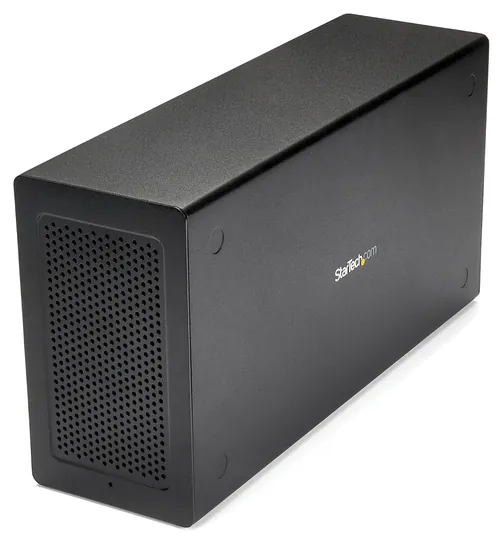
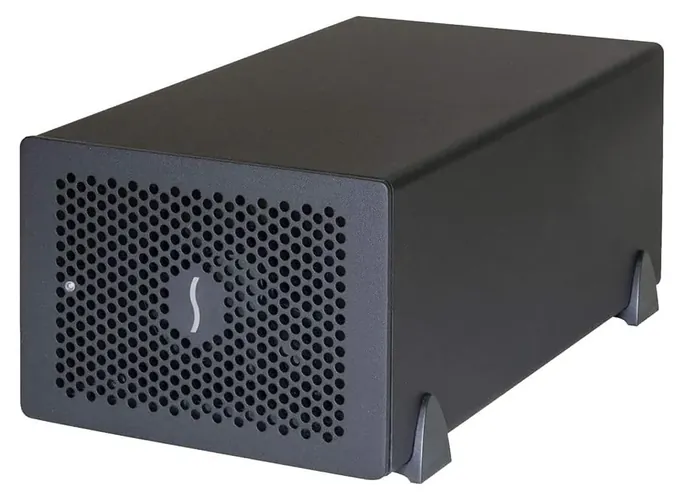
Laptops, Mac minis and desktops without a header can go the other way: an external chassis connects to a Thunderbolt port and holds a PCIe card inside. The StarTech TB31PCIEX16 takes one full-size card for capture, networking or audio, and StarTech says it doesn't support graphics cards. Sonnet makes multi-slot boxes such as the Echo Express SE IIIe for studios that run several cards at once, and it keeps a chart of cards known to work in them.
Expect less speed than a slot inside the PC. A 40 Gbps Thunderbolt 3 link gives a card about 2,750 MB/s of PCIe bandwidth, by Sonnet's figure. Some computers' Thunderbolt 3 ports are wired for half that. For a graphics card, look at an eGPU enclosure built for one instead.
One security note applies to every Thunderbolt device: it can read system memory directly. On shared machines, leave the BIOS Thunderbolt security setting on user approval rather than turning it off.
How we researched this
We compared 18 Thunderbolt and USB4 cards, chassis and parts, read the ASUS spec pages and the StarTech, Sonnet and HP spec sheets for the 6 finalists, checked each card's header and board requirements, analyzed owner feedback and forum threads on detection problems, and checked each brand against the U.S. Consumer Product Safety Commission recall database. We found no independent lab tests of these cards.
Frequently asked questions
Do I need a Thunderbolt header on my motherboard?
For an internal card, yes. The card connects to the header with a cable, and without it the card usually won't be detected. If your board has no header, an external Thunderbolt PCIe chassis on an existing Thunderbolt port is the alternative.
Will a Thunderbolt 4 or 5 card work with my Thunderbolt 3 devices?
Yes. Thunderbolt 4 and 5 are built to work with Thunderbolt 3 drives, docks and audio interfaces, which run at their own speed. USB4 cards are less certain, because Thunderbolt 3 support is optional under USB4.
Can I add Thunderbolt to a Mac with a PCIe card?
No. These cards are supported on Windows only. Macs with Thunderbolt ports can use an external chassis such as the StarTech or Sonnet boxes to add PCIe cards instead.
Can a Thunderbolt PCIe card charge my laptop?
Yes, if the card's six-pin power plug is connected to the power supply. ASUS rates the ThunderboltEX 4 at up to 100 watts on one port; without the plug, the ports only charge at a low rate or not at all.
Can I run a graphics card from a Thunderbolt to PCIe adapter?
Not from the StarTech box, which StarTech says doesn't support graphics cards. Use an eGPU enclosure built for one, and expect less performance than in a desktop slot.